EasyManua.ls Logo

Soundstream VR-345 - Page 7

Soundstream VR-345
30 pages
Print Icon
To Next Page IconTo Next Page
To Previous Page IconTo Previous Page
Loading...
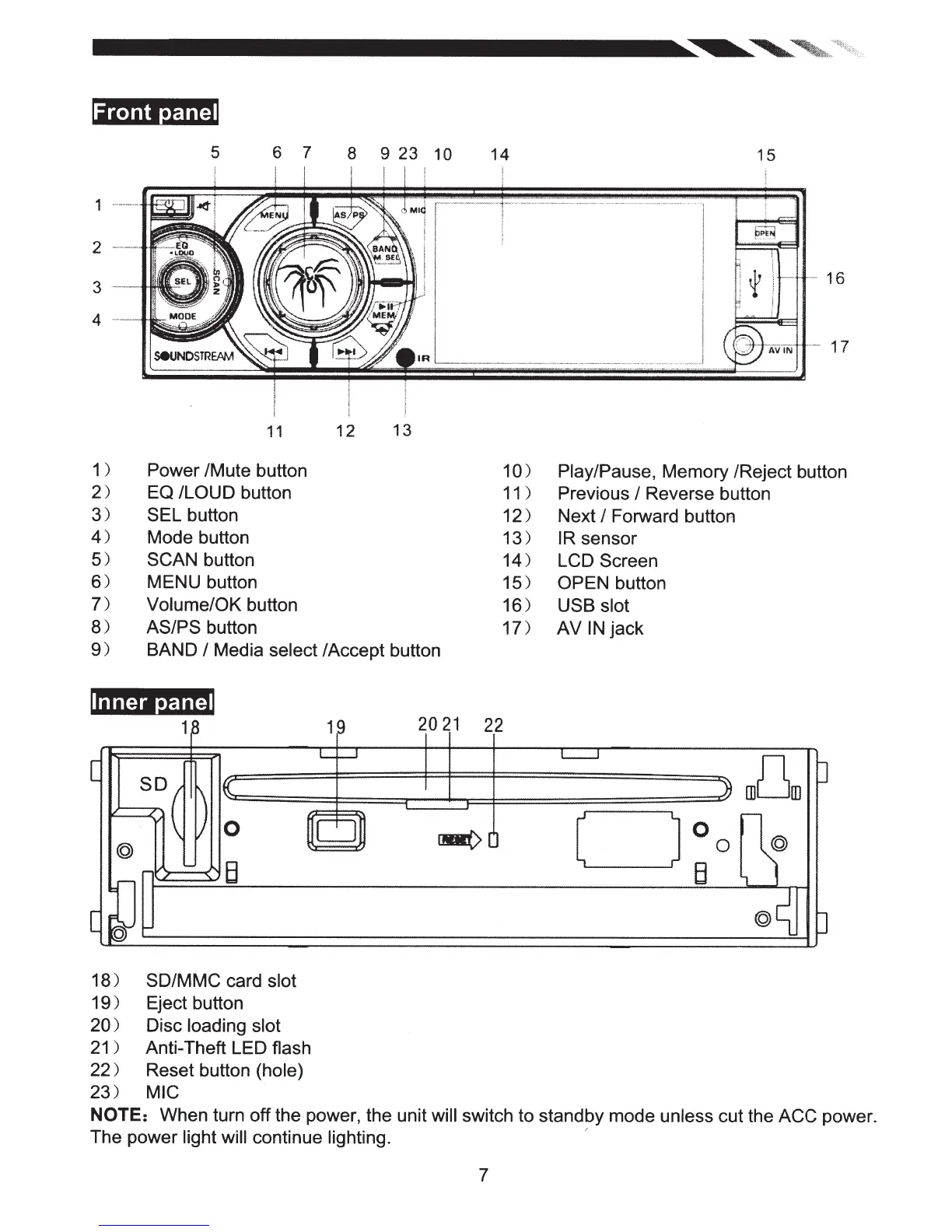
Front
panel
5
6 7
8 9
23
10
14
15
-
16
-
17
I
11
12
13
1 )
2)
3)
4)
5)
6)
7)
8)
9)
Power /Mute button
EQ
/LOUD
button
SEL
button
1
0)
Play/Pause,
Memory /Reject button
Mode button
SCAN
button
MENU button
Volume/OK button
AS/PS
button
BAND
I
Media
select
/Accept button
Inner panel
1~
19
20
21
22
L
___,
[
s~(
)
K
0
~CJ~
lMI(>
0
@
[~
~B
18)
SD/MMC card
slot
19)
Eject button
20)
Disc
loading slot
21
)
Anti-Theft LED flash
22)
Reset button
(hole)
23)
MIC
11
) Previous
I
Reverse button
12)
Next
I
Forward button
13)
IR
sensor
14)
LCD
Screen
15)
OPEN
button
16)
USB slot
17)
AV
IN
jack
L__j
Jl
rn[Jm
0
c=J
3
0
0
B
@~
0
NOTE:
When turn
off
the power, the unit will
switch to standby mode unless
cut the
ACC
power.
The power light will
continue
lighting. ·
7

Related product manuals