14
◆ RADIO PLAYER
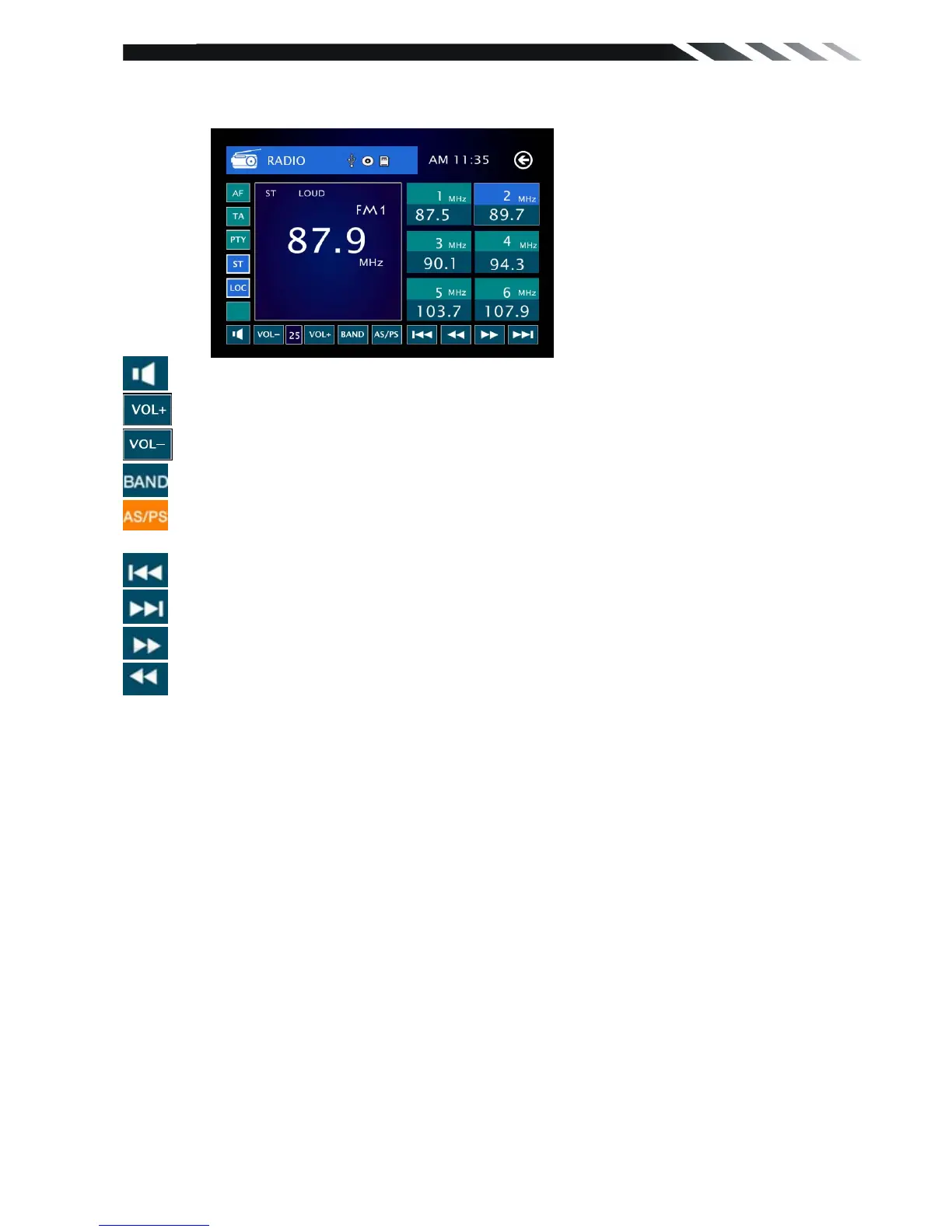
To start Radio, tap RADIO button on main menu screen.
Mute the sound..
Increase the volume.
Decrease the volume.
Touch this button can choose FM1, FM2, FM3, AM1, AM2.
Touch this button can scan the stations from 1-6, long touch it to save the stations with
good reception automatically and scan each station for about 5 seconds.
Touch this button to search stations backward automatically.
Touch this button to search stations forward automatically.
Touch this button to open manual select station backward.
Touch this button to open manual select station forward.













 To Next Page