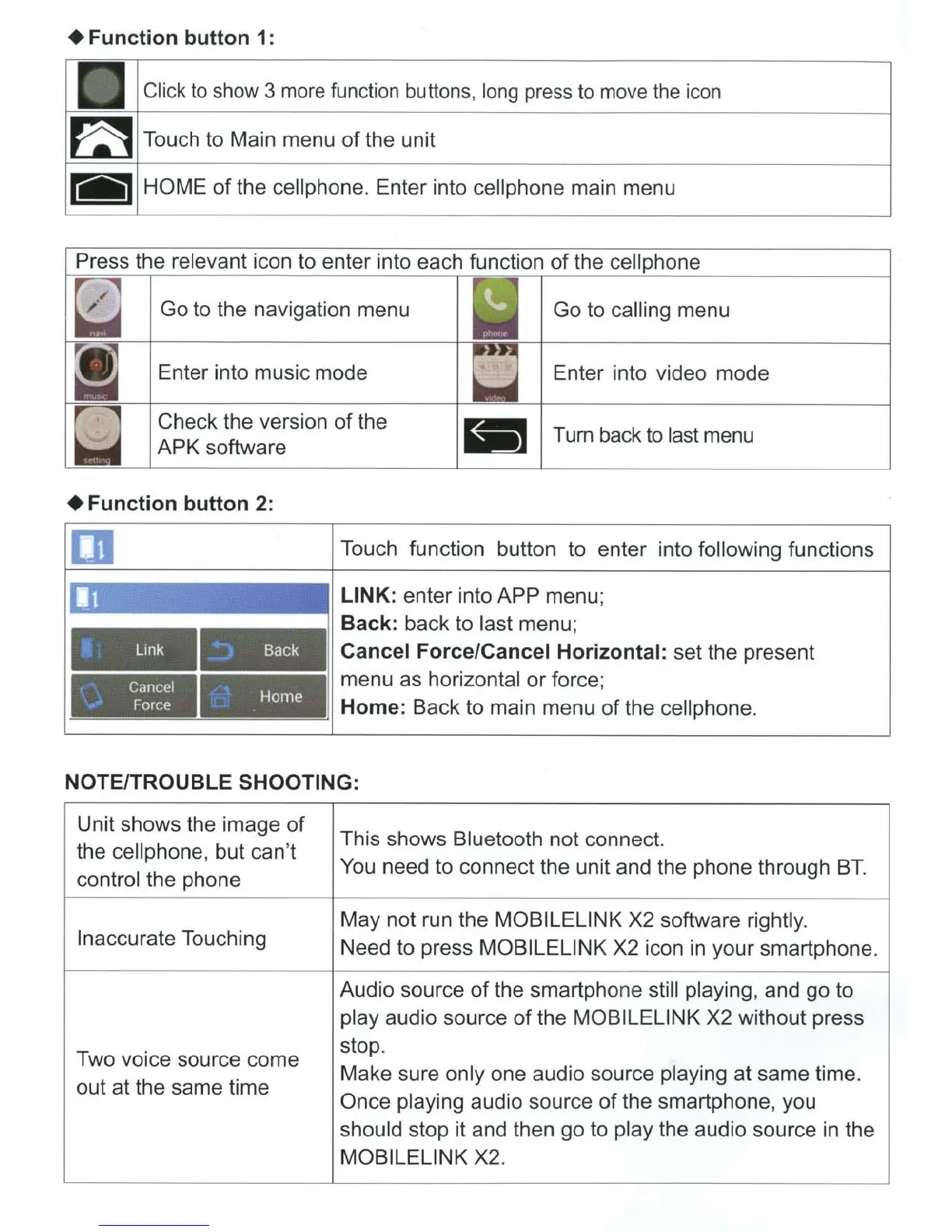
+Function
button 1:
Click
to
show 3
more
function buttons,
long
press
to
move
the
icon
HOME
of
the cell phone. Enter into cell phone main menu
Press the relevant icon to enter into each function
of
the cell phone
Go to the navigation menu
Go to calling menu
Enter into music mode Enter into video mode
Check the version
of
the
APK software
- Turn back
to
last menu
+Function
button
2:
m
'f.
Link
:
Back
. Cancel
·.... Force
Home
Touch function button to enter into following functions
LINK: enter into APP menu;
Back: back to last menu;
Cancel Force/Cancel Horizontal: set the present
menu as horizontal or force;
Home: Back to main menu of the cell phone.
NOTE/TROUBLE SHOOTING:
Unit shows the image
of
the cellphone, but can't
control the phone
Inaccurate Touching
Two voice source come
out at the same time
This shows Bluetooth not connect.
You need to connect the unit and the phone through
BT.
May not run the MOBILELINK X2 software rightly.
Need to press MOBILELINK X2 icon
in
your smartphone.
Audio source
of
the smartphone still playing, and go to
play audio source
of
the MOBILELINK X2 without press
stop.
Make sure only one audio source playing
at
same time.
Once playing audio source
of
the smartphone, you
should stop it and then go to play the audio source
in
the
MOBILELINK X2.













 To Next Page