Source Audio Artifakt Lo-Fi Elements User Guide
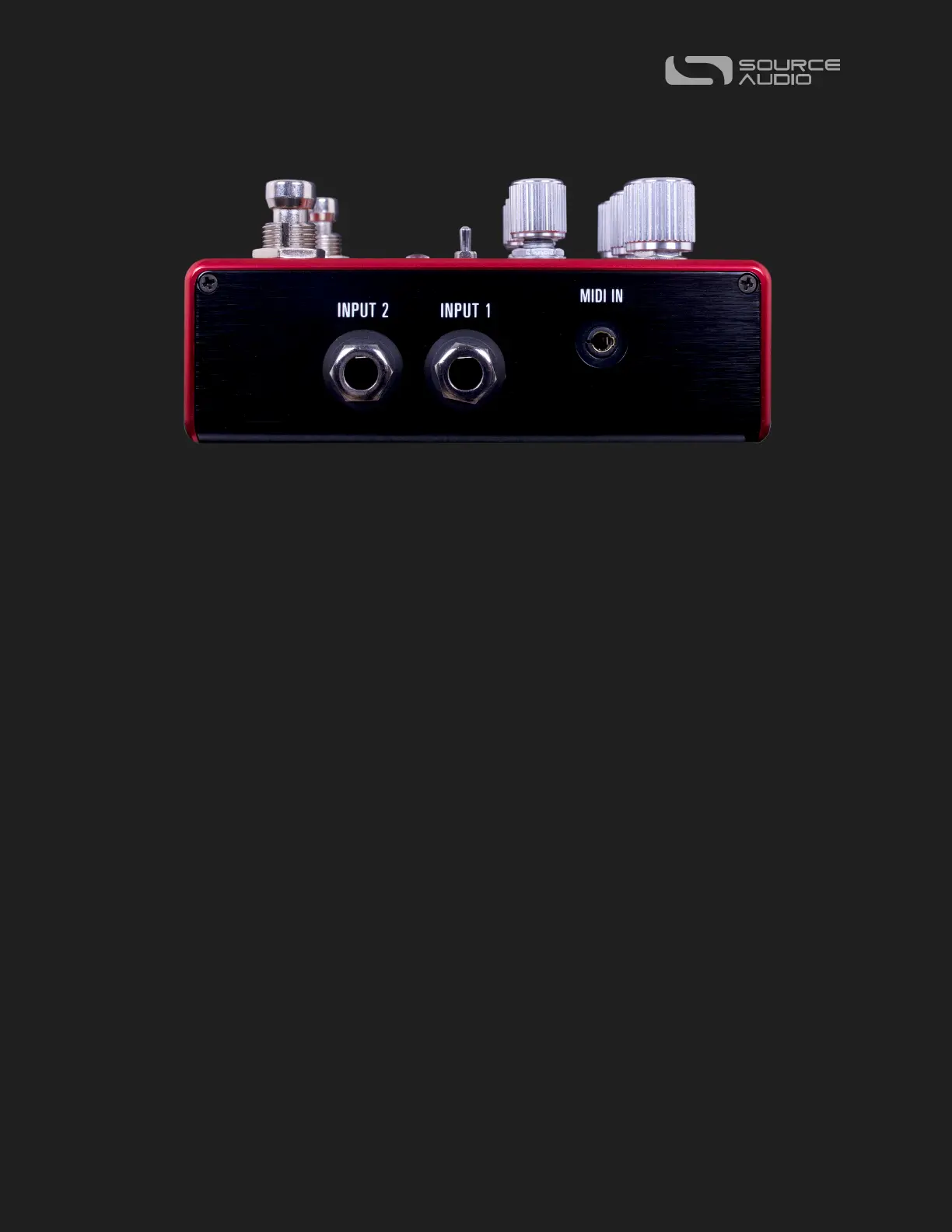
Input Side Connections
INPUT 1
INPUT 1 is the primary input for guitar, bass, or other instruments. It can also accept line-
level inputs and will work in your amp’s effect loop. Connect it to your instrument or other
audio source using a mono (TS) 1/4” cable. Details about the appropriate signal levels are
available in the Specifications section.
INPUT 2
Use the secondary audio input for stereo sources if you plan on connecting more than one
instrument to your Artifakt, or if your Artifakt is not the first pedal in your stereo signal path.
INPUT 2 as an Audio Input: The tip contact on INPUT 2 acts as a secondary input for guitar,
bass, or other instruments. Connect your instrument (or the previous effect in the signal
chain) using a mono (TS) ¼” cable. The Artifakt will automatically configure itself for stereo
audio input. Other routing options are available using the Neuro App. For more
information about stereo routing, refer to the Stereo Operation section.
MIDI INPUT (3.5mm TRS)
Here is where you’ll connect your favorite MIDI controller or upstream MIDI Devices to the
Artifakt. The Artifakt uses class compliant TRS “Type A” pinout for MIDI connectivity. If
your previous device uses a full-sized MIDI DIN cable, you’ll likely need a DIN to 3.5mm
(1/8 inch) passive adaptor.















 To Next Page