Source Audio Artifakt Lo-Fi Elements User Guide
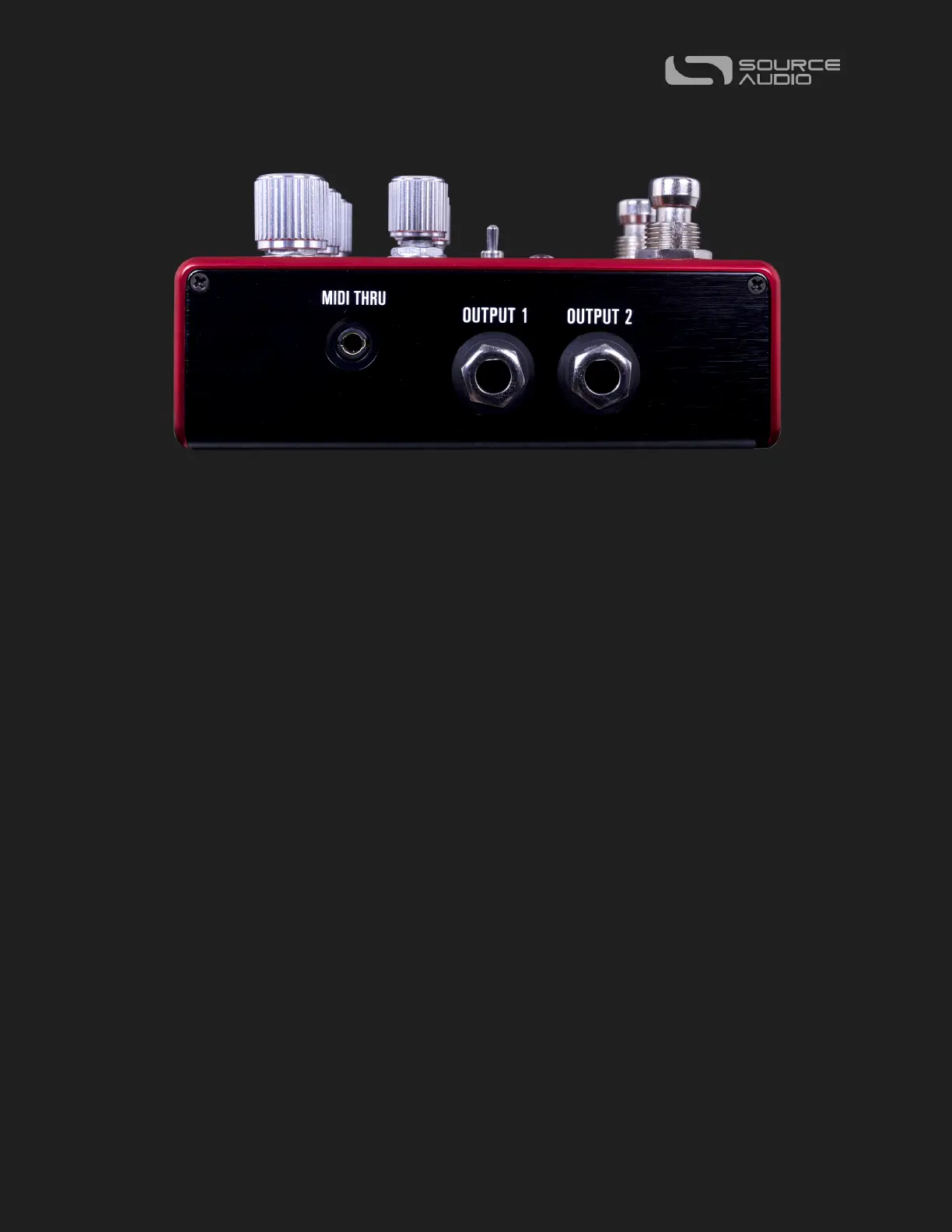
Output Side Connections
OUTPUT 1
This is the primary audio output. Connect it to your amplifier, recording interface, or the
next device in your effects signal chain using a mono (TS) ¼” cable.
OUTPUT 2
OUTPUT 2 can act as a second, stereo audio output. Be sure to continue to use TS cables.
Artifakt outputs a stereo image using two unbalanced (TS) outputs, not one TRS output.
OUTPUT 2 as an Audio Output: The tip contact on OUTPUT 2 acts as the secondary audio
output. It carries an audio signal when the Artifakt is configured with a signal routing that
uses stereo outputs. Connect it to your amplifier, recording interface, or the next device in
your effects signal chain using a mono (TS) ¼” cable.
MIDI THRU (3.5mm TRS)
Here is where you’ll connect any downstream MIDI devices to the Artifakt. The Artifakt
uses class compliant TRS “Type A” pinout for MIDI connectivity. If your next device uses a
full-sized MIDI DIN cable, you’ll likely need a 3.5mm (1/8 inch) to DIN passive adaptor.















 To Next Page