V220916
- 5 -
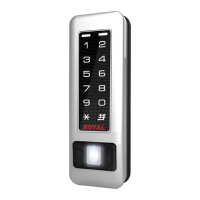
Illuminated Touch-panel
Access controller
Enable device
Access programming mode
→
20 0 or 1 ??? 0 or 1= Enable target unit
(0=Main Controller Parameter Setting,1=WG Input Port Parameter Setting)
[e.g.] If the AR-725-E set to exit reader, WG Reader set to access reader.
Access programming mode
→
20 0 128
→
20 1 192 [Please refer to Compound Command Function List for details.]
Enable/Disable auto open zone
Access programming mode
→
20 0 or 1 ??? 0 or 1= Enable target unit
(0=Main Controller Parameter Setting,1=WG Input Port Parameter Setting)
[e.g.] If the AR-725-E set to Enable aut open zone.
Access programming mode
→
20 0 004 [Please refer to Compound Command Function List for details.]
[e.g.] User address from 00152 to 00684 enable the anti-pass-back function:
26 00152 00684 0
Enable card user
Access programming mode
→
26 SSSSS EEEEE P
SSSSS= starting user address; EEEEE= ending user address [P=0 Enable/ P=1 Disable/ P=2 Reset]
Usually, anti-pass-back is commonly applied to parking areas in order to prevent from multi-entry with one card at a time, or somewhere wants to
monitor not only the access but also exit condition.
Door will remain open after ashing one valid card. When the reader is stand-alone, supporting only 16 sets of auto-open zone by device setting.
Auto-open zone can extend up to unlimited sets by Networking. Please refer to paragraph Compound Command Function List below to ensure
command
20 0 or 1 ??? / 24 0 or 1 ??? will not reset the functions that already had been changed.
E. Anti-pass-back
F. Auto Open Zone
Access programming mode
→
00 NNN MMM AAA
[NNN= Node ID: 000~254; MMM=AR-725-E Door NO.:1~255; AAA=WG Reader Door NO.:1~255
B. Changing the Node ID of Reader
C.Setting up the control mode (M4/M8)
D. Setting up the password
Access programming mode
→
04 N [N=4/8]
Individual PWD (M4/M8)
Card or PIN:
Access programming mode
→
12 UUUUU PPPP [e.g. User address: 00001 and PWD: 1234. Input 12 00001 1234 ]
Card and PIN:
Access programming mode
→
13 UUUUU PPPP [e.g. User address: 00001 and PWD: 1234. Input 13 00001 1234 ]
Mode Support
Networking/
Stand-Alone
Networking/
Stand-Alone
User
Capacity
Access Mode
M4
M8
V
V
V
V
V
V
64
64
unlimited
unlimited
32,000
32,000
16,000
(0~15,999)
16,000
(0~15,999)
Event
Capacity
120
Holidays
Duress
Time
Zone
Lift
Control
Anti-pass-
back
1.Card only
2.Card and PIN
(4-8 digit PIN Can be set)
3.Card or User address
(5-digit)
+ Individual PIN
(4-8 digit individual PIN Can be set )
1.Card only
2.Card and PIN
(4-8 digit individual PIN Can be set)
3.Card or PIN
(4-8 digit individual PIN Can be set)
Changing the Master Code
Access programming mode
→
09 PPPPPPRRRRRR [Input the 6-digit new master code twice.]
[e.g.] If want to changing the Master Code= 876112, input
123456
→
09 876112876112
Exiting
Input
Programming
A. Entering and Exiting Programming Mode
Entering
Input 123456 or PPPPPP
[e.g.] The Default Value= 123456, if already changed the Master Code= 876112, input
876112
→
Access programming mode
E. PIN & UID Length setting
Access programming mode
→
42 m n
【m=PIN code Length 4~8 Digit;n= UID Length 2~8 Digit】(4 is default value)
Example:
42 8 4
【PIN code Length 8 Digit;UID Length 4 Digit】


 To Next Page
 Loading...