Group 3 - Security
SecuritysettingsareusedtoenablethesecuremodeonthePixiePro,andtomodifythesecurity
code.
Setting 1 - Enable/Disable Security (toggle)
Selectthisconfigurationoptiontoenablethesecurityfeature.
Default:Disabled
Setting 2 - Lock on Inactivity Shutdown (toggle)
ThisconfigurationsettingisusedwhentheAutomatic Shutdown Timer isenabledandSecurityis
Enabled.SelectLock on Inactivity Shutdown andthePixieProwillentersecuritylockoutaftersend-
ingPoweroffontheexpirationoftheAutomatic Shutdown Timer.
Default:Enabled
Setting 3 - Enter or Retrieve Security Code
Selectthisconfigurationsettingtoenteror
retrievethePixieProconfigurationcodes.
Whenthissettingisselected,theTCMkey-
padwilldisplaythecurrently-configured
securitycode.Thecodesequencewillillu-
minateinsequence,eachkeyilluminating
forthedurationofasingletick.Attheend
ofthecode,thedisplaywilldarkenforone
tick.Itwillthenstartover.
PressVolume Up or Volume Down totrig-
gerthecodelearningsequence.Thedis-
playwillpromptyoutoenteranewcode.
Enterthekeysequence.Thekeysequence
mustbebetweenone and six digits in
length.Pressthecenterdisplaybuttonto
indicatetheendofthecode.
Thepowerbuttonmodulewillnowillumi-
nateandthePixieProwillbegindisplaying
thenewcode.You must press any power
button to accept the new security code.
Pressinganyotherbuttonwillcausethenewsecuritysequencetobediscarded.
Note: EnteringasecuritycodewillnotautomaticallyenableSecurityMode-itmustbeenabledsep-
arately.SeeSetting 1 - Security Enable/Disable aboveformoreinformation.
Formoreinformationonusingsecurity,seeOperation onpage26below.
DefaultSecurityCode:1,2,3,4
24
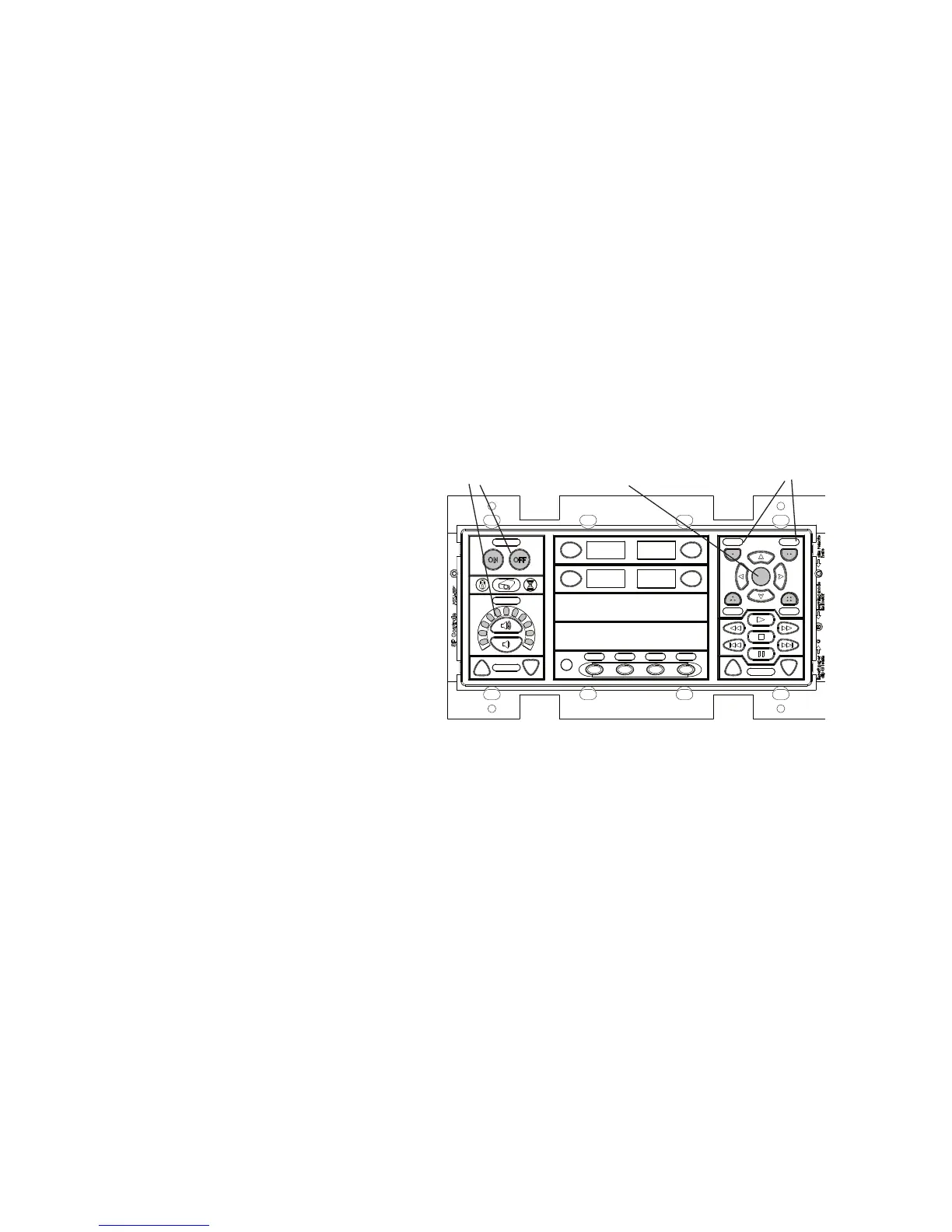
SecurityCode
Buttons(notethat
theyarenumbered)
SecurityCodeEnter
Usepowerand
volumebuttons
toconfigure
securitysettings
and/oredit
securitycode
Figure 18: Configuringsecurityfeatures


 To Next Page