PRIMARY SNTP SERVER: Input the address of the primary NTP time-server.
SECONDARY SNTP SERVER: Input the address of the secondary NTP time-server.
TIME ZONE: NTP synchronizes with GMT (Greenwich Mean Time) regardless of
geography, user must set their own time difference.
CONNECTON MODE: Select the NTP time-server connection mode from TIME,
INTERVAL, and ONCE.
CONNECTION PERIOD
- TIME – Refresh the time at the designated time (e.g. 1AM)
- INTERVAL – Every 1 hour ~ 24 hours
- ONCE – Synchronizes time only once. NTP will not synchronize unless the
Connection Mode is changed.
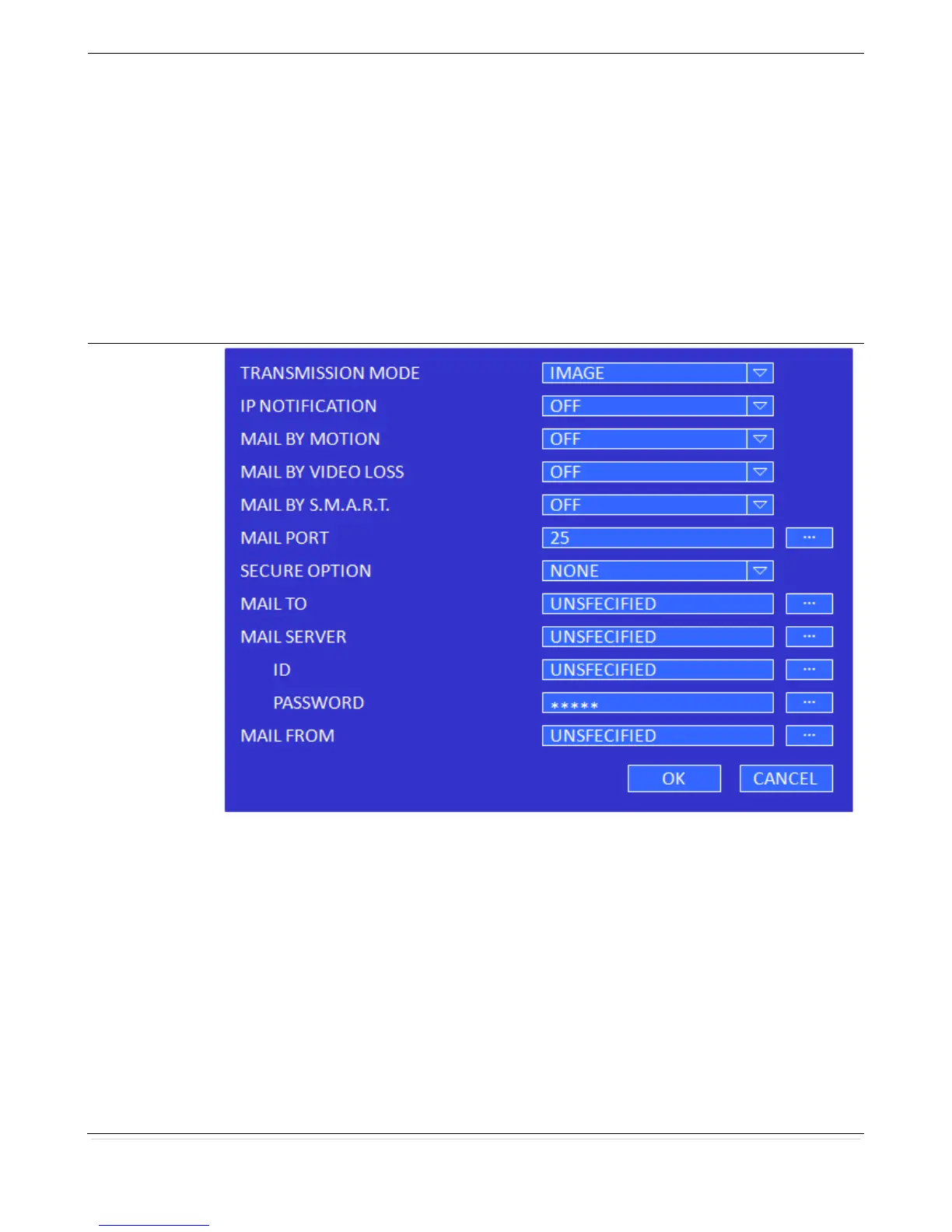
TRANSMISSION MODE: Sending an image of an event channel.
IP NOTIFICATION: Enable/disable sending e-mail when the IP address is changed.
MAIL BY MOTION: Enable/disable sending e-mail when the motion is detected.
MAIL BY SENSOR: Enable/disable sending e-mail when sensor input is received (Only
applies to D8RS, D16RS models)
MAIL BY VIDEO LOSS: Enable/disable sending e-mail when the video loss is detected.
MAIL BY S.M.A.R.T.: Enable/disable sending e-mail when S.M.A.R.T. is triggered.
MAIL PORT: Assign Mail Port number.
SEURE OPTION: Select the secure mail server connection method. (SSL or TLS)
MAIL TO: Enter the appropriate email address to enable sending e-mail reports using a
virtual keyboard.
MAIL SERVER: Enter the appropriate mail server information.



 To Next Page