D4RS/D4WRS
When VGA REOSLUTION is set at 1024 x 768,
CVBS OUTPUT(Simultaneous Video Output): ON
SPOT OUTPUT: OFF
When VGA RESOLUTION is set as 1280 x1024,
CVBS OUTPUT(Simultaneous Video Output): OFF
SPOT OUTPUT: ON
D8RS/D16RS/D8WRS/D16WRS
CVBS1: Composite Video Output
CVBS2: Spot-Out port
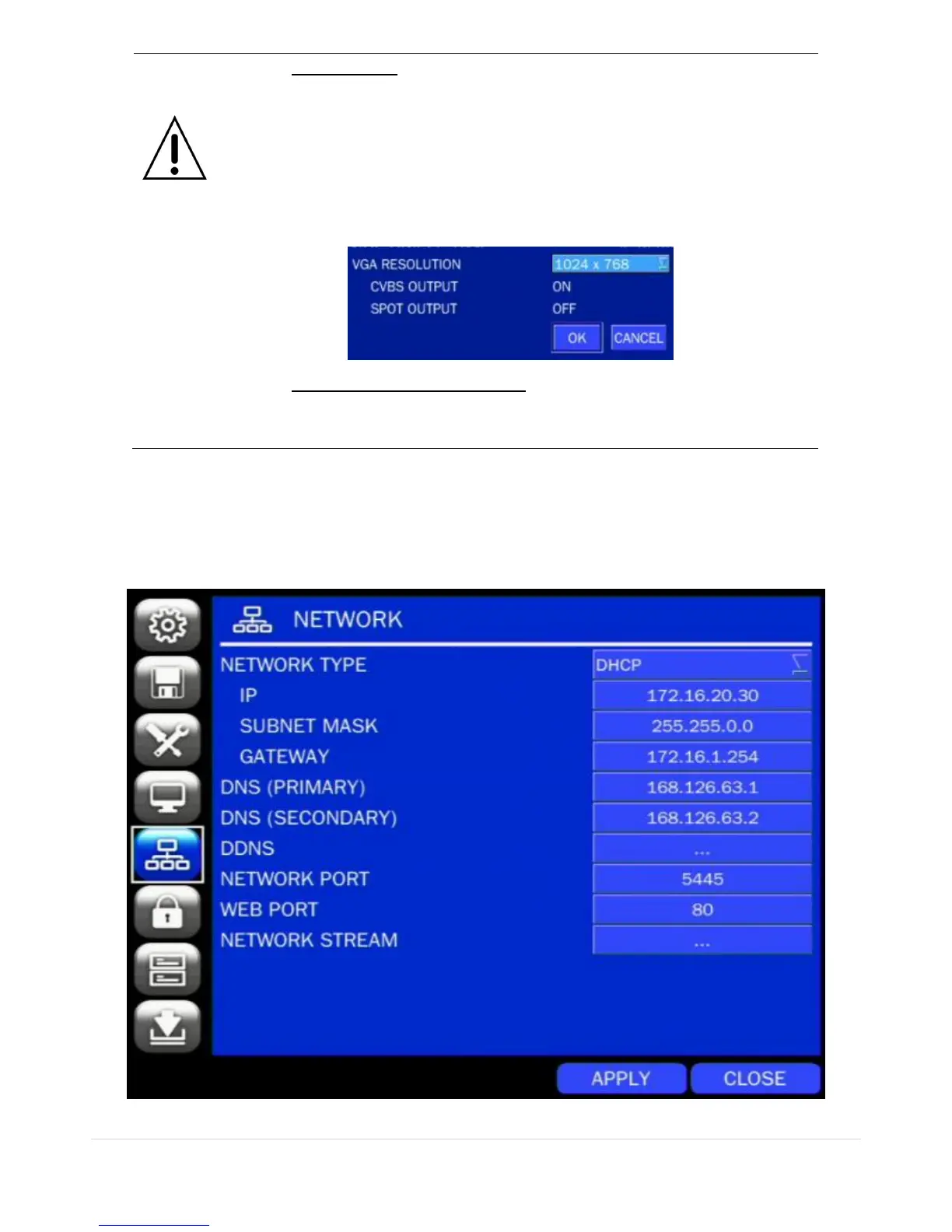
4-6. Setup – NETWORK Mode
Select the NETWORK tab. Then, the network menu is displayed as pictured below. Navigate through the
menu items using the mouse or the control button on the remote control and change the value of the menu.
Figure 4.6.1. NETWORK Setup Screen



 To Next Page