34
For example, if you enter the host name as “D4RS”, then the address will be:
http://d4rs.ddns.specoddns.net
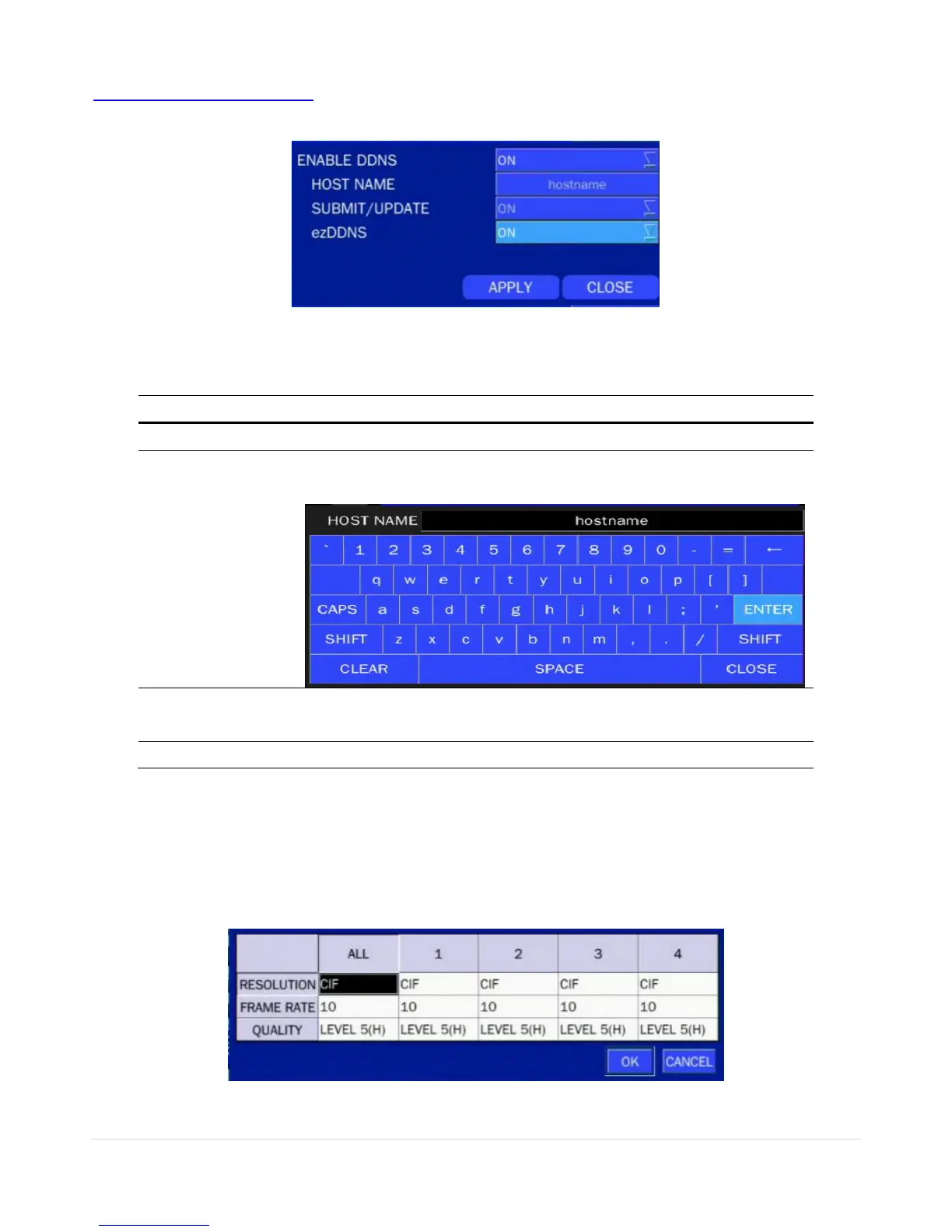
Select NETWORK>DDNS. The menu displays as below.
Figure 4.6.3. NETWORK Setup Screen – DDNS
Table 4.6.2. DDNS
Enable/disable the Dynamic Domain Name Service.
This item allows the user to setup a domain name manually,
using virtual keyboard displays as shown.
When manual host name input is done, move the cursor to this
item and select ON to submit the settings.
Enable/disable ezDDNS to register the host name automatically.
4-6-3. Network Stream
User can set the RESOLUTION, FRAME RATE, and the QUALITY for the network stream.
- D4RS: Up to 60 fps @CIF for 4 channels.
- D8RS, D16RS: Up to 120 fps @CIF for 8 channels & 16 channels.
<Note> Individual Channels can be set with different RESOLUTION, FRAME RATE, and QUALITY.
Figure 4.6.4. NETWORK Setup Screen – Network Stream



 To Next Page