28
4-4-2. Keyboard Controller & PTZ Setup
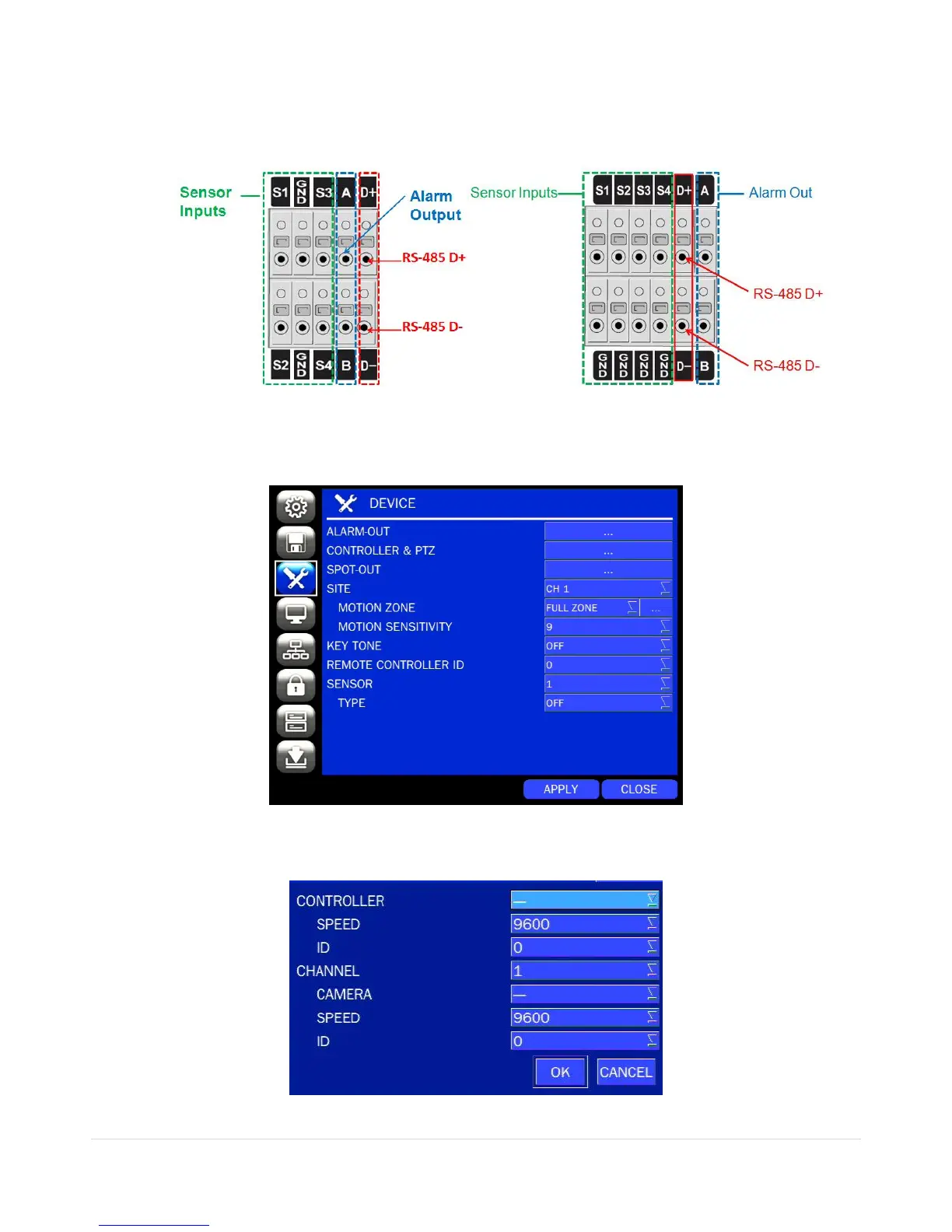
To control the PTZ functions of the camera, connect the PTZ controller to the RS-485 port on the back of
the chassis with CAT5 (or equivalent) cable.
① Connect the RS-485 cables of PTZ camera to the RS-485 port on the rear panel.
[D4WRS] [D8/16RS, D8/16WRS]
Figure 4.4.3. Device Mode Setup Screen
Figure 4.4.4. Device Mode Setup Screen
② Open the PTZ sub menu by selecting the submenu button.
Figure 4.4.5. PTZ Control Setup Screen



 To Next Page