41
4-9-1. Firmware Upgrade
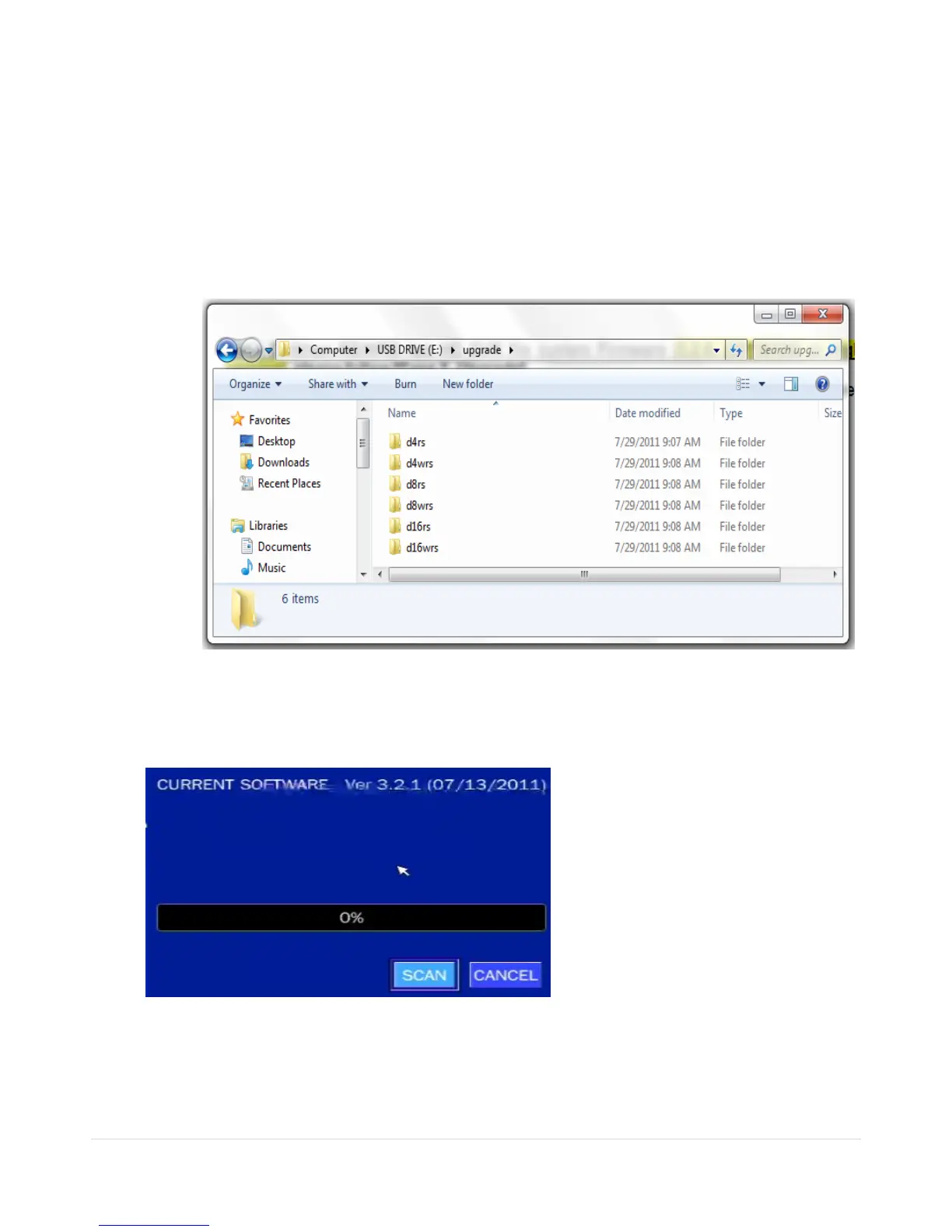
1. Create a new folder named “upgrade” in the USB flash drive root directory.
2. Create sub-folder for each model under “upgrade” folder and copy each firmware.
D4RS: “main_D4RS_speco_*.*.*_201****”
D8RS: “main_D8RS_speco_*.*.*_201****”
D16RS: “main_D16RS_speco_*.*.*_201****”
D4WRS: “main_D4WRS_speco_*.*.*_201****”
D8WRS: “main_D8WRS_speco_*.*.*_201****”
D16WRS: “main_D16WRS_speco_*.*.*_201****”
3. Plug in the USB flash drive on the rear panel.
4. Navigate to CONFIG menu of SETUP.
5. Select SOFTWARE UPGRADE.
6. Follow the procedure from Figure 4.9.2 to Figure 4.9.4.
Figure 4.9.2



 To Next Page