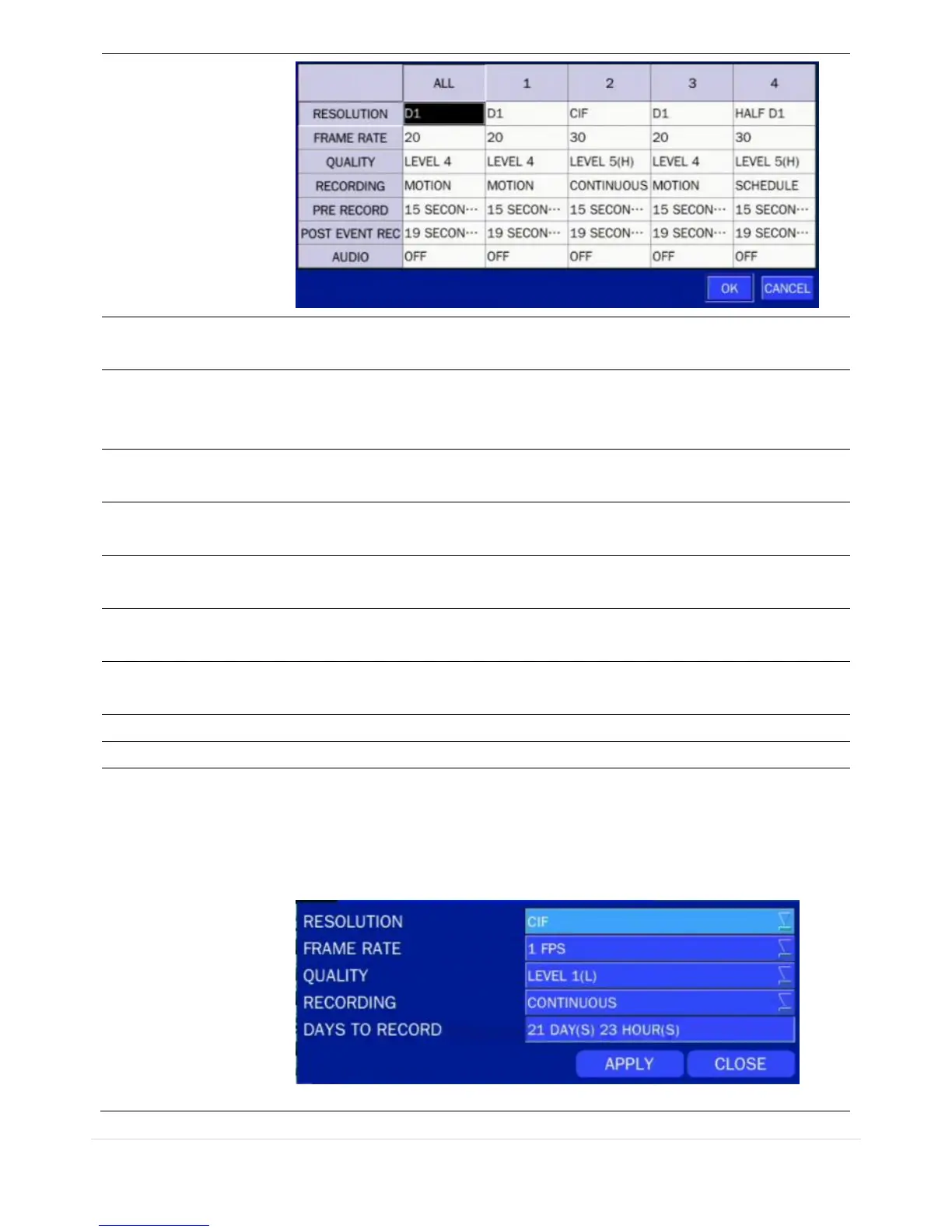
Select D1, Half D1 or CIF using the mouse or the control button on the
remote control.
Set the frame rate for the specified channel. The sum of the frame rate
values from each channel cannot exceed the maximum frame rates for a
specific recording resolution.
Select the recording quality for the selected channel. Options are;
Level 1 (Low), Level 2, Level 3, Level 4, and Level 5 (High)
Assign the recording mode for the selected channel. Options are:
Continuous, Motion, Schedule or Disable.
Select the sensor setting for the selected channel.
(D4RS does not support SENSOR RECORDING.)
Enable/disable pre-event recording. Pre-event recording time is up to 20
minutes.
Set the post event recording time duration for the specified channel.
(10~30 seconds)
Enable/disable audio recording for the specified channel.
Set the recording schedule.
Set the recording by EZRecord feature.
The EZRECORD has high priority than other setting values on RECORD.
User can change the setting value such as resolution, frame rate, quality
and recording type. By the setting value, the DAYS TO RECORD will change
accordingly.



 To Next Page