105
APPENDIX: Network Connection – Internet and DDNS
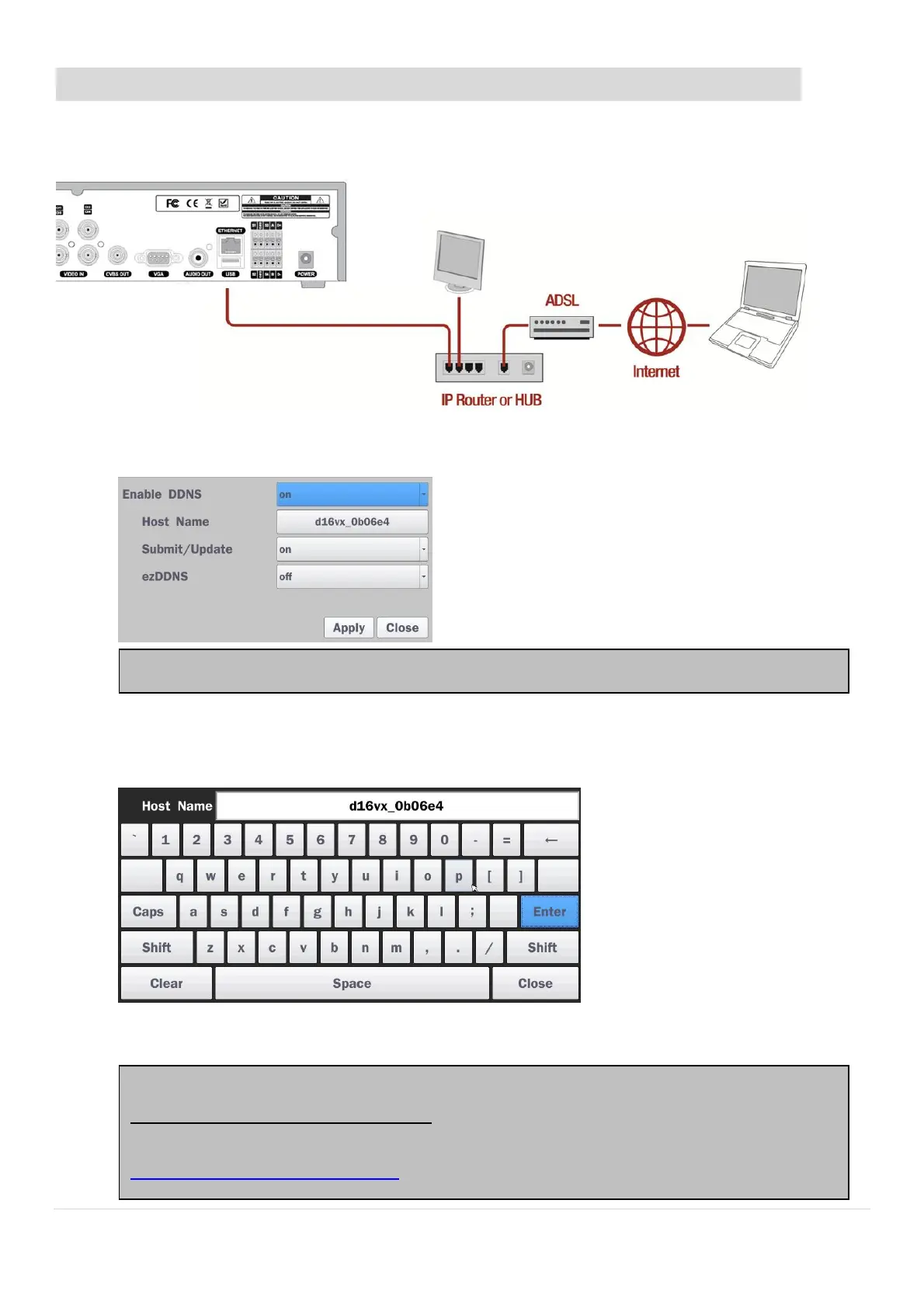
Dynamic Domain Name System (DDNS) allows a domain name to be constantly synchronized with a
dynamic IP address. A current dynamic IP address is being associated with a static domain name.
1. Go to SETUP>NETWORK>DDNS and set the DDNS SERVER to ON.
2. Go to SETUP>NETWORK>DDNS>HOST NAME. Manually enter a domain name using the virtual
keyboard and click ENTER button.
3. When a manual host name is completed, Go to SETUP>NETWORK>DDNS>SUBMIT/UPDATE
and select ON to submit the settings on the SPECO DDNS.
If you set ezDDNS to ON, the host name is automatically generated and registered.
Once the setting is completed, the DDNS address will be:
http://hostname.ddns.specoddns.net
For example, if you enter the host name as “D16VX”, then the address will be:
http://d16vx.ddns.specoddns.net



 To Next Page