19
① VIDEO IN: Video input port.
② VIDEO OUT: CVBS – Composite Video Output / SPOT – Spot Monitor
③ VGA: VGA (Video Graphics Array) output port. Connects to the PC VGA monitor.
④ HD VIDEO OUT: HDMI Video Output, Connections to the HDMI monitor
(D4VX & D8VX: Max.1920x1080, D16VX: Max.3840x2160).
⑤ AUDIO IN: Four connectors for audio input.
⑥ AUDIO OUT: One connector for audio output.
⑦ ETHERNET: Network terminal
⑧ USB: USB terminal
⑨ SENSOR IN, ALARM OUT, RS-485: External sensor terminal, External alarm out terminal & RS-485
for PTZ Camera control
⑩ POWER: DC12V input
⑪ Ground: Use for ground port
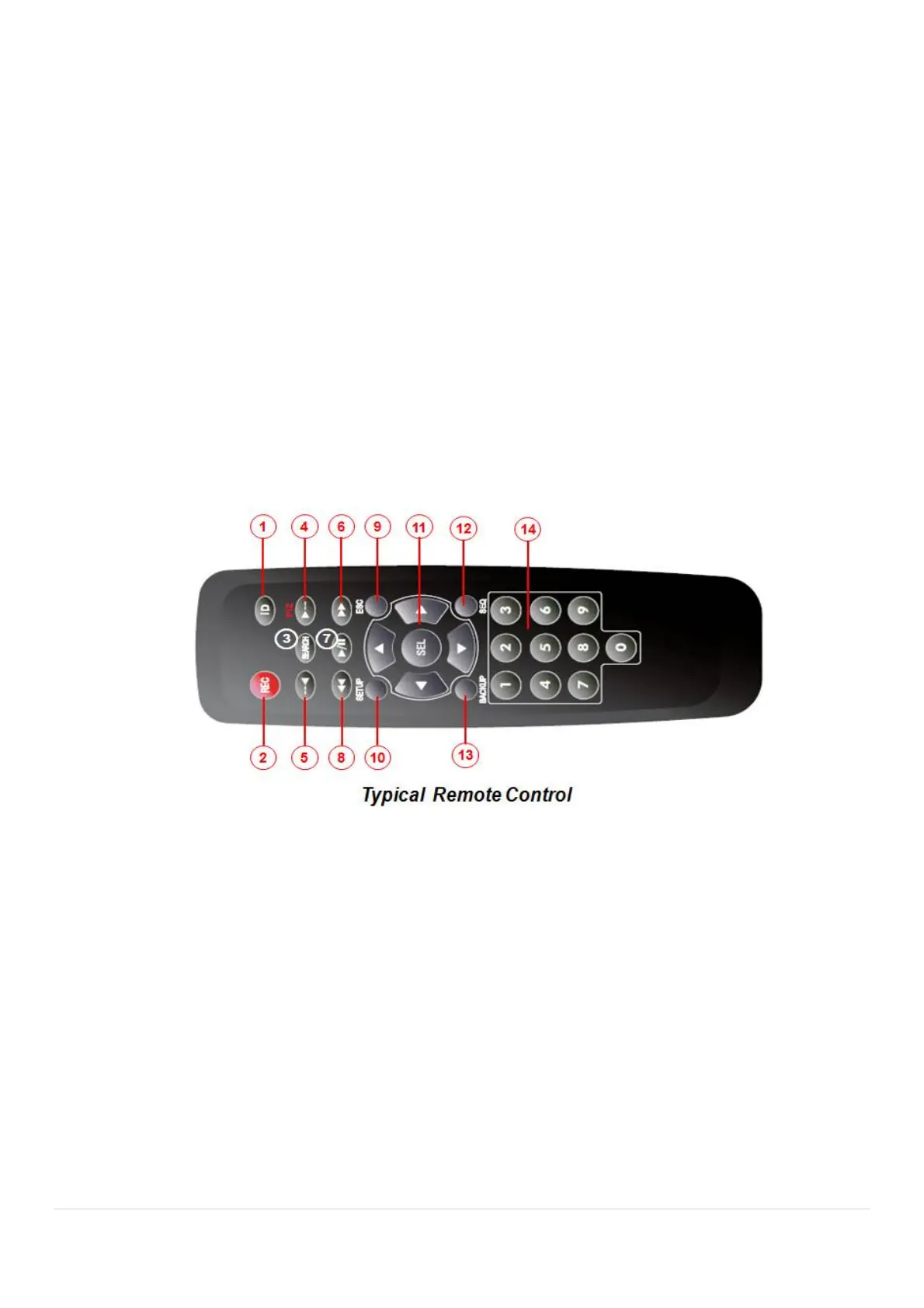
3-3. Remote Control
① ID: To set the remote control ID.
② REC: To start and stop manual recording
③ SEARCH: To go to SEARCH menu.
④ F/ADV:
During playback – To move the playback position 60 seconds forward .
During Pause – To move the playback position moves 1 frame forward
⑤ F/REW:
During playback – To move the playback position 60 seconds back.
During Pause – To move the playback postion 1 frame back.
⑥ FF: To fast forward the recording.
⑦ PLAY/PAUSE: To play or to pause the recording in playback mode
⑧ REW: To rewind the recording.
⑨ ESC:
During setup – To retun to the preivous menu screen.



 To Next Page