16
2-4. EZ Setup
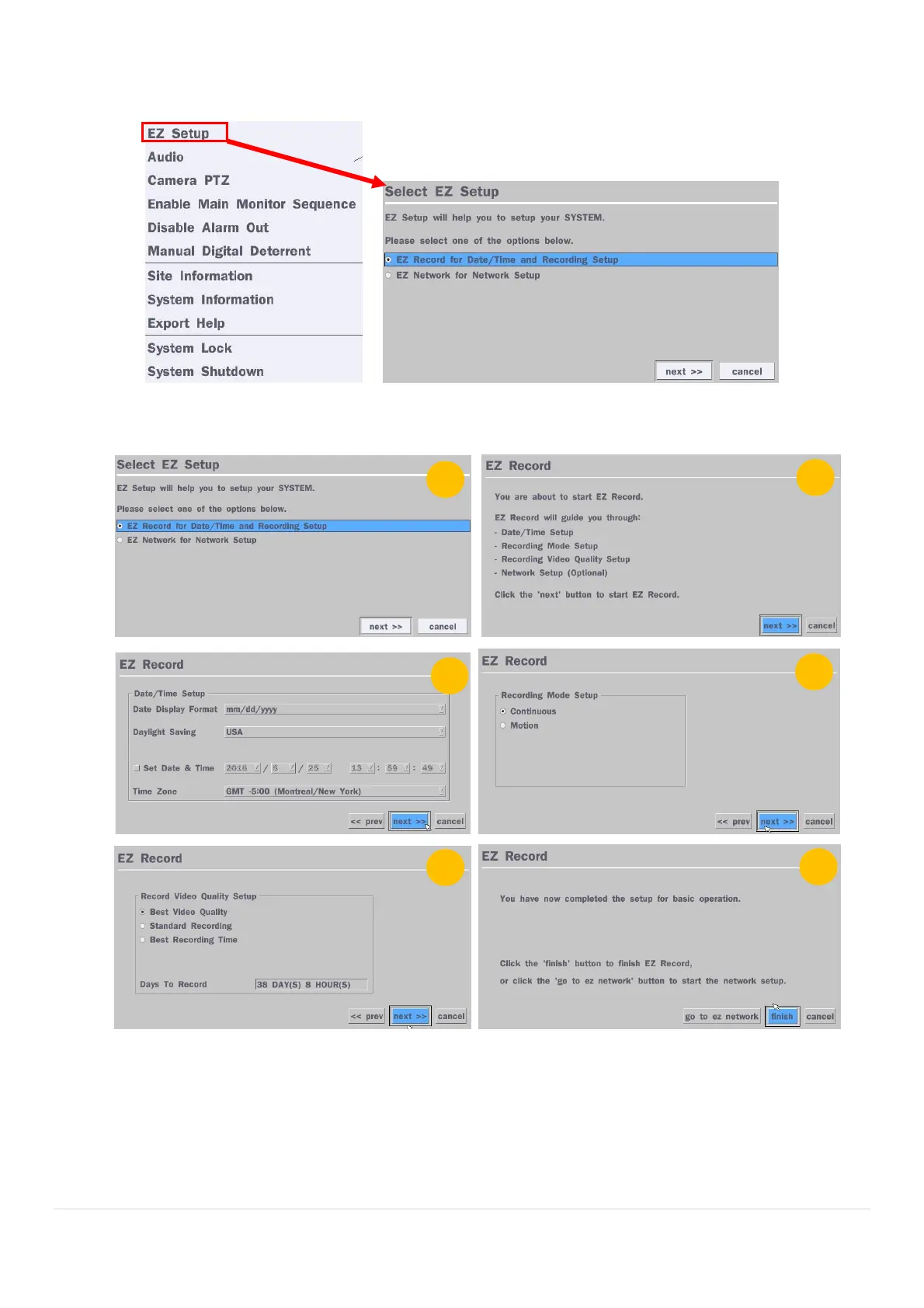
VX Easy Setup(Click the right button on mouse > Advanced Menu > EZ Setup)
Figure 2.4. EZ Setup Screen
2.4.1. Setup Date/Time and Recording configuration
Figure 2.4.1. EZ Record Setup Procedure
① Select EZ Record for Date/Time and Recording Setup, click “next” to proceed.
② When the description of EZ Record Setup is displayed, click “next” to proceed.
③ Set up the Date/Time settings and click “next” to get to the recording setup.
④ Select the recording mode and click “next” to get to the recording setup.
⑤ Select one of options and click “next” to finish the setup.



 To Next Page