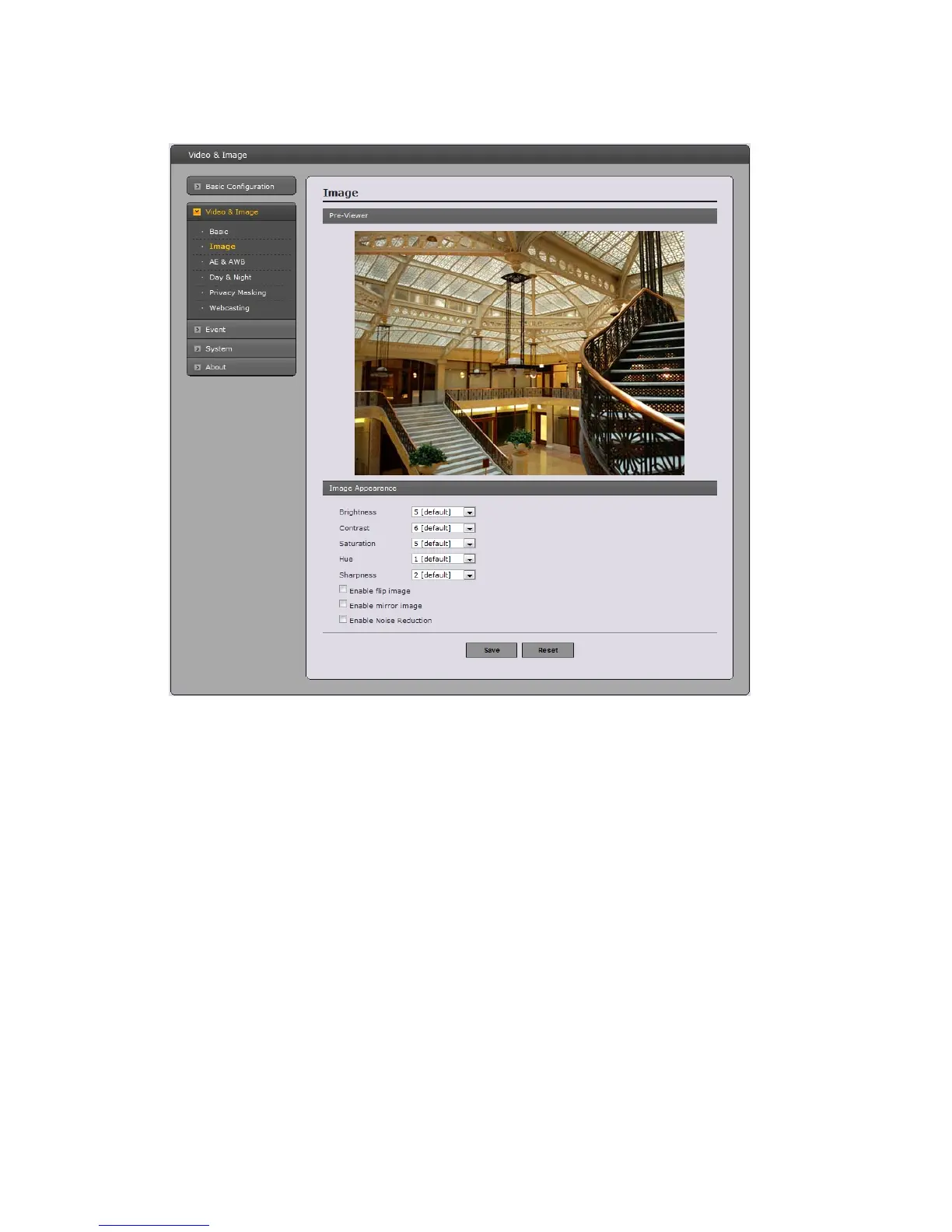
Image
•
Image Appearance
This page provides access to the advanced image settings for This network camera.
- Brightness: The image brightness can be adjusted in the range 1-10, where a higher value
produces a brighter image.
- Contrast: The image contrast can be adjusted in the range 1-10.
- Saturation: Adjust the image's contrast by raising or lowering the value in this field.
- Hue: The image hue can be adjusted in the range 1-10.
- Sharpness: Controls the amount of sharpening applied to the image. A sharper image
might increase image noise especially in low light conditions. A lower setting reduces image
noise, but the image would be less sharp.
- Enable flip image: Check this box to flip the image.
- Enable mirror image: Check this box to mirror the image.
- Enable Noise Reduction: Check this box to reduce an image noise.
24


 To Next Page