08
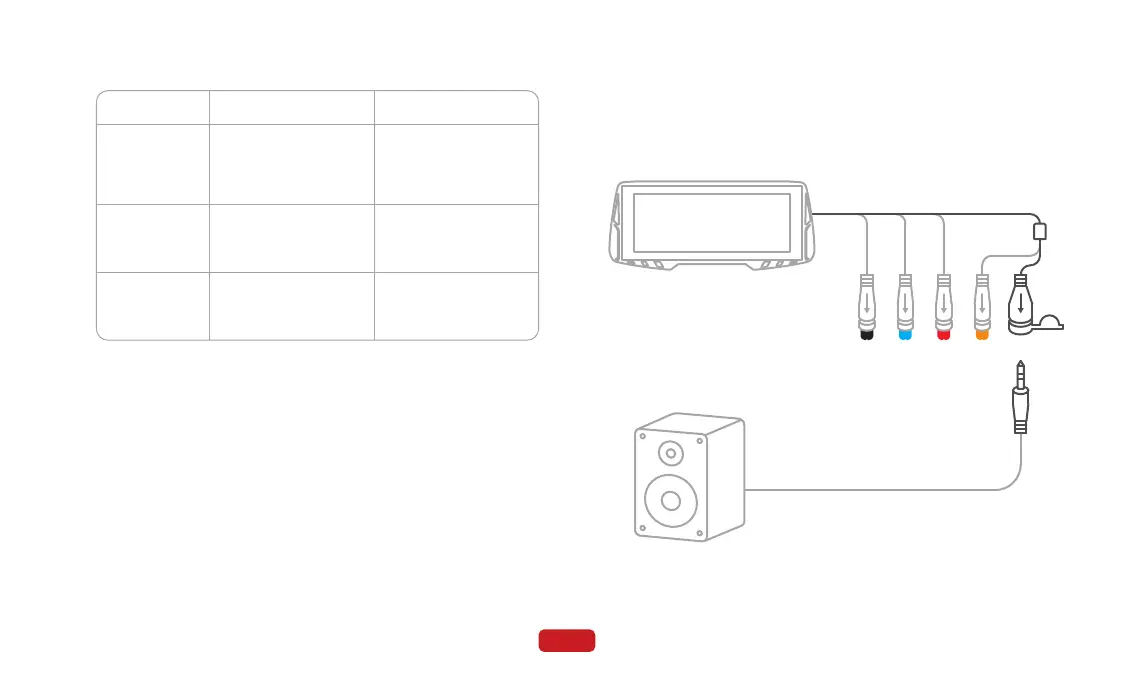
① Insert one end of the audio cable into the AUX port of the speak-
er, and then connect the other end to the AUX interface of the
main unit.
3.4 Audio Cable Installation
② Switch the audio output on the main unit to AUX.
⑤ Button description
Button A
Short press
Long press
for 10
seconds
Short press
during
incoming call
Button B
Take a photo. Switch between main
interface, phone dock-
ing interface, and
recording interface.
Enable / disable touch
function.
Force shut down (short
press again to power
on).
Hang up the call.Answer the call.



 To Next Page