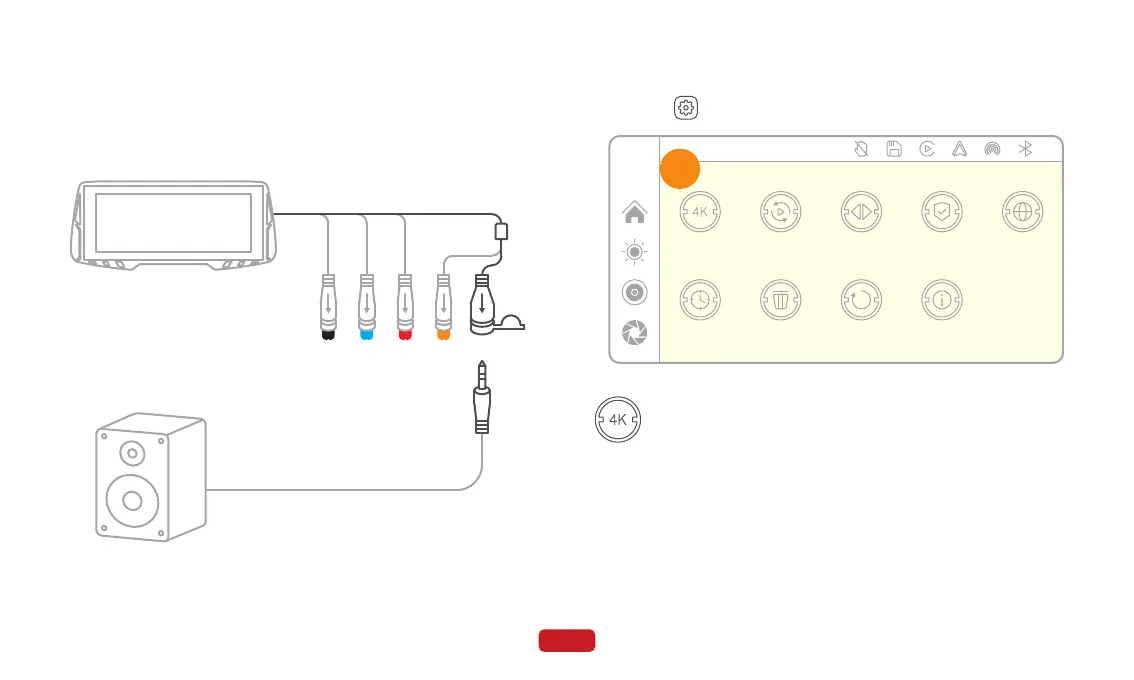
To set the resolution for recording videos, you can choose
between the following options: 720P+720P for front and
rear cameras, 1080P+1080P, or 2K+2K.
The default resolution is 720P+720P.
Click on on the main screen to enter the setting mode.
4.7 Setting
② Switch the audio output on the main unit to AUX.
21
4.6.2 AUX Connection
Record resolution
① Insert one end of the audio cable into the AUX port of the speak-
er, and then connect the other end to the AUX interface of the
main unit.
12:00
Firmware version
Image mirror Screen saverRecord resolution Split time Language
Factory resetFormatDate & time
A



 To Next Page