16
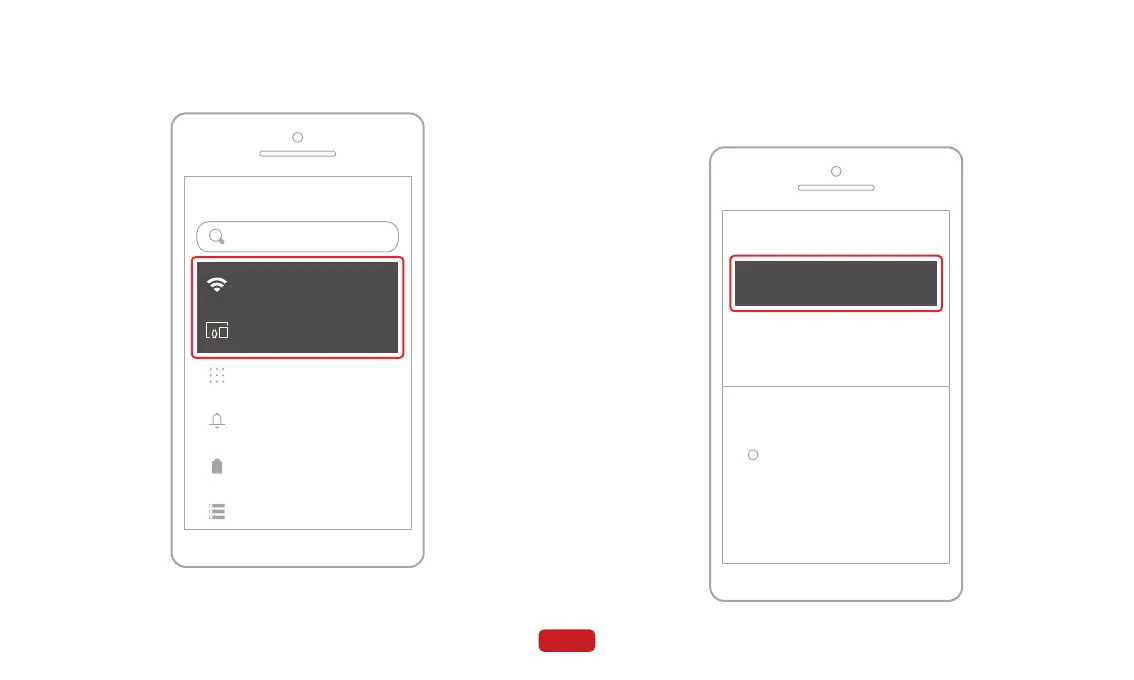
② Tap on the "Bluetooth" menu to access the Bluetooth search
page.
③ Click on "Pair new device".
① Go to the "Settings" menu on your phone and enable Bluetooth
and Wi-Fi.
Settings
Network and Internet
Mobile, Wi-Fi, hotspot
Bluetooth, pairing
Connected devices
Search settings
Apps
Assistant, recent apps, default apps
Notifications
Notification history, conversations
Battery
32% - About 12 hrs, 4 mins left
Storage
24% used - 97.59 GB free
+ Pair new device
Connected devices
> See all
Previously connected devices
Connection preferences
Bluetooth, Android Auto, NFC
Visible as "Pixel 5' to other devices
i



 To Next Page