12/01/2016 Vers. 1.0 49
10.4 Oil replacement in the converter
With this operation, the used oil is removed from the converter and from the body of the automatic
transmission.
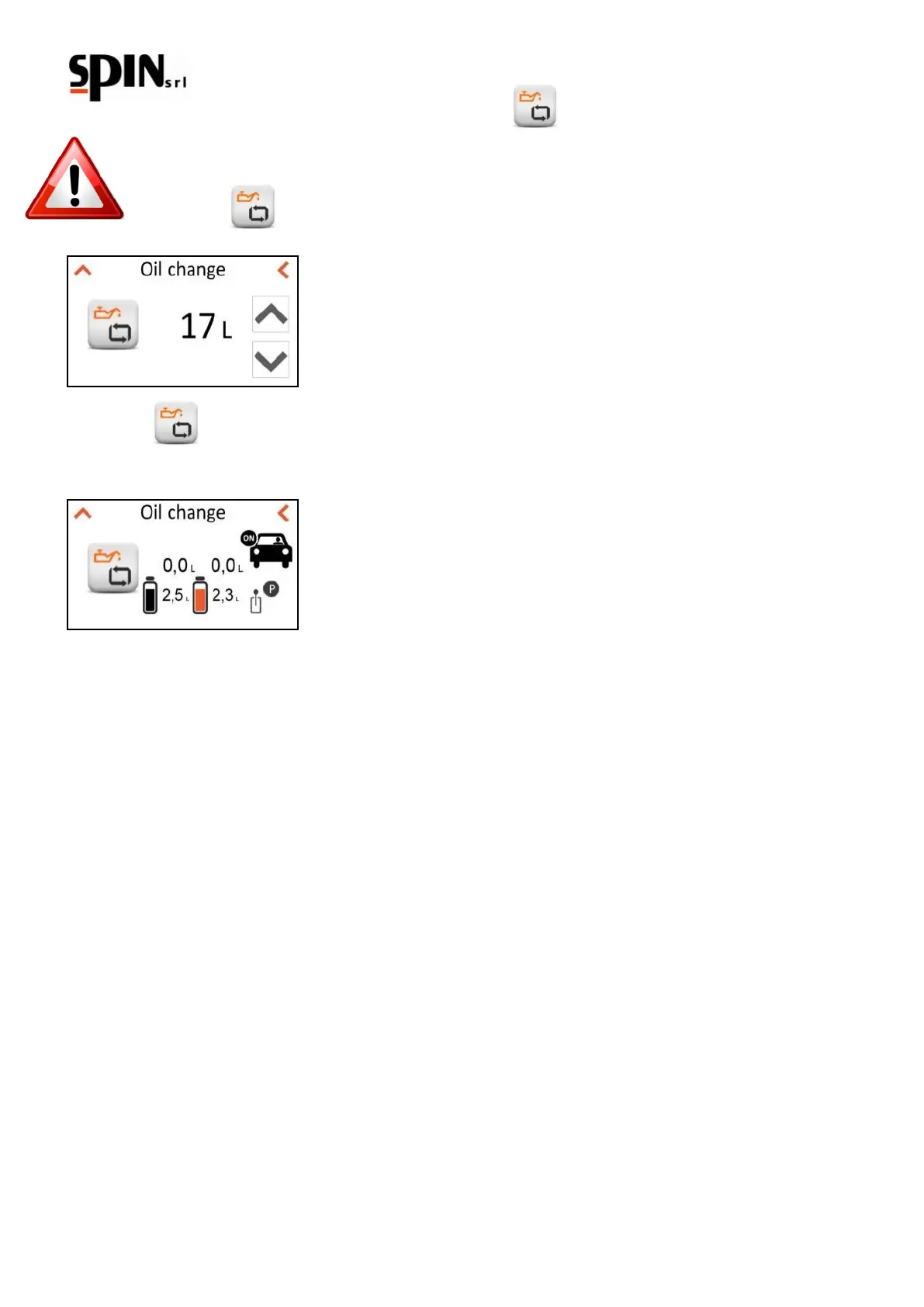
Select the icon from the manual menu and set the amount of oil that you want to replace.
Click on the icon to activate the function.
Turn on the car’s engine and place the gearshift on “P”.
The car will push the used oil into the tank inside the ATF and the ATF pump will push new oil into the car.
The used oil will go directly into the charging station and you can have a visual feedback by means of the flow
meters on the front of the station. The amount of removed oil is indicated in the OLD field, along with the total used
oil in the internal tank of the ATF.
The amount of new oil loaded is indicated in the NEW field, along with the total new oil in the tank.
The procedure stops automatically when the programmed amount has been removed and loaded. The oil will be
completely replaced when the colour of the used oil will be the same as the new oil. The quality of the oil that is
being removed can be easily seen from the two windows (flow meters) located on the front of the station. If the
colour is not yet satisfactory, repeat the "oil replacement in the converter" operation with small amounts of oil.
NOTE: the station automatically manages the flows of used oil and new oil, so that the car has always the correct
amount of oil.
After the washing phase the station gets in 'RECIRCULATION' modality, so you can turn off the car.



 To Next Page