12/01/2016 Vers. 1.0 45
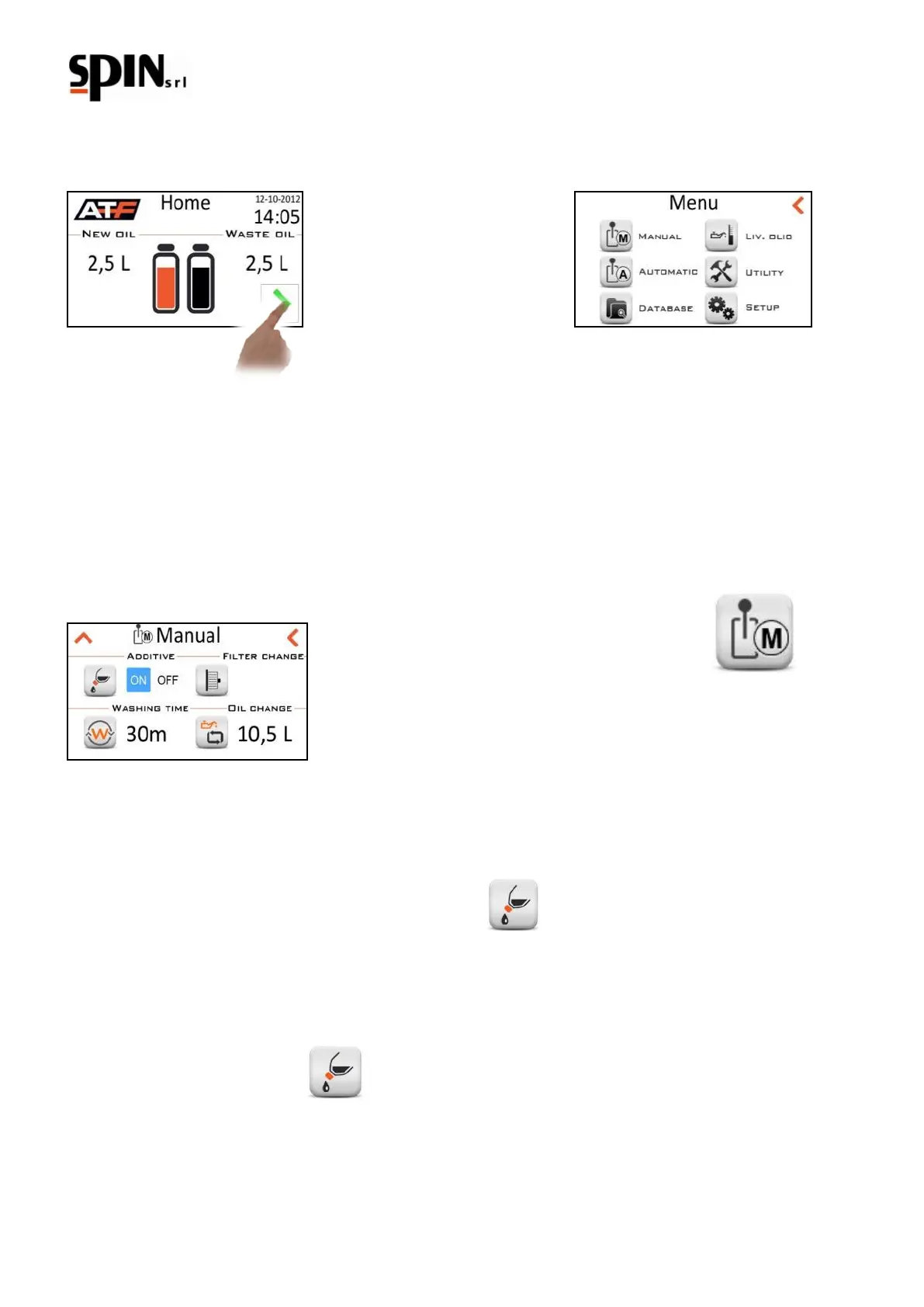
9 MENU description
To access the Menu, click on the arrow on the bottom right of the screen
- Manual
- Automatic
- Database
- Oil level
- Utilities
- Setup
10 MANUAL procedure
During the manual procedure the following operations can be performed:
• Insertion of the washing fluid (Additive)
• Programming and implementation of the washing
• Pan emptying for replacing the filter and washing the radiator
• Oil change in the converter and in the remaining parts of the hydraulic circuits.
Here you will find a description of each task.
10.1 Inserting the washing fluid (additive)
This operation is needed to charge the washing fluid in the circuit: the aim is to ease the removal of deposits and
emulsions which will be blocked by the filter on the station.
Mix the washing fluid with some gearbox oil in the appropriate additive bottle place on the back of the station (ratio
1:1). Place the bottle rapid coupling in the right seat.
Click on ‘ON’ and then on the icon to start the function.
The station will start charging the washing fluid in the vehicle and the following screen will appear.



 To Next Page