Initial Installation
Standard Landslide System Configuration
Spirent Landslide Test System Installation Guide | 19
Landslide Manager Configuration
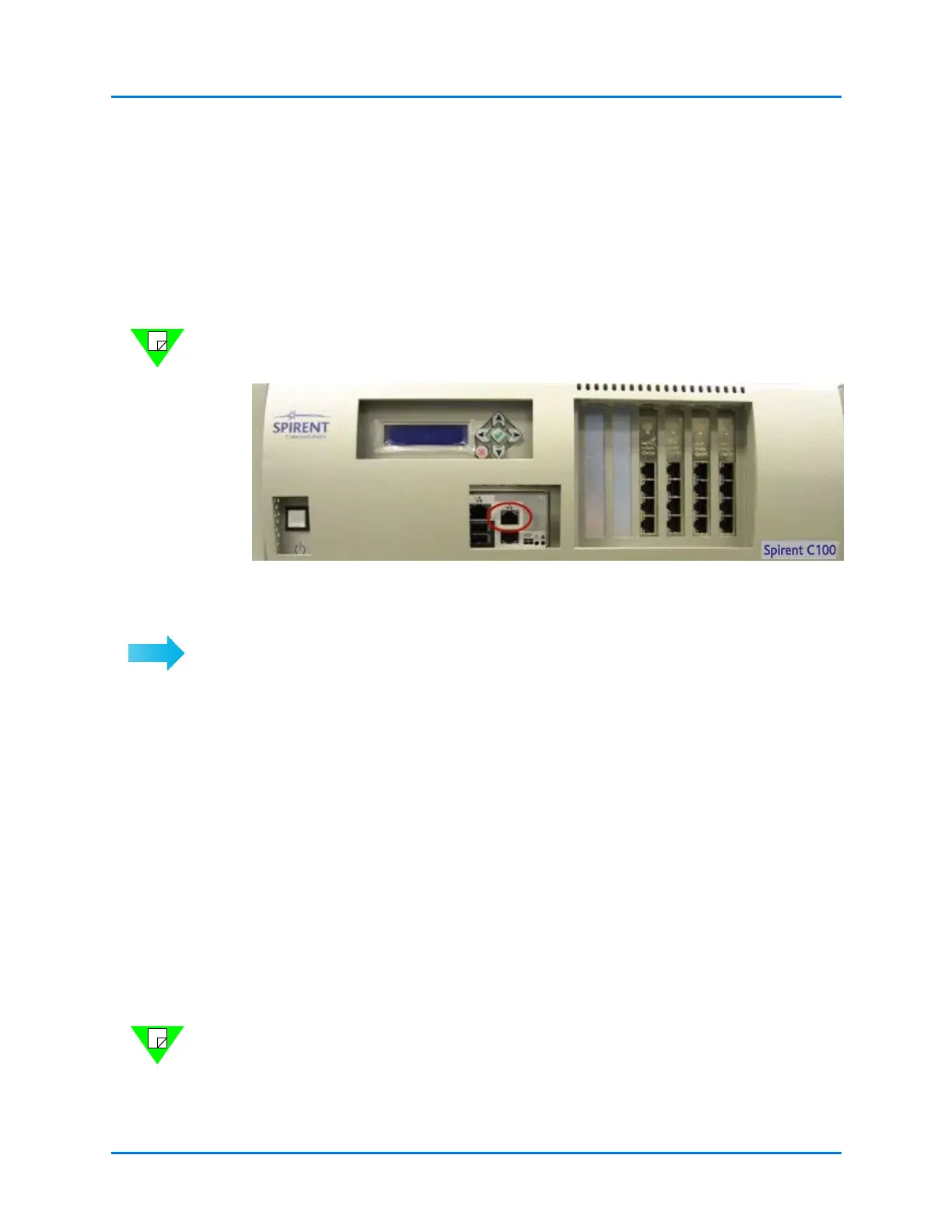
The Landslide Manager's management port is located on the front panel of the appliance
and is labeled Mgmt Port (Figure 2-1). The management port's logical name is eth0, and
it handles communications with client PCs and the Landslide Test Servers.
• Ports labeled 1, 2, and 4 are not used
• The manager does not include the test ports in slots 1 through 6
Note: The C50-based Test System, with combined Manager and Test Server, may include
test ports in slots 1 through 6.
Figure 2-1. Landslide Front Panel - Management Port
Follow this procedure to configure the Landslide Manager for LAN communication.
To configure a Landslide Manager:
1 Establish a telnet session with the Landslide Manager and configure the management
port (see “Management Port Configuration” on page 20).
2 Remove the standard Ethernet cable from the management port.
3 Connect the Landslide Manager to your LAN via a standard Ethernet connection from
the management port to a router or switch.
Landslide Test Server Configuration
All Ethernet ports are accessible from the front of the Landslide Test Server. The
management port is in the same location as on the Landslide Manager and is labeled
Mgmt and logically named eth0, as on the manager. Ports 1, 2, and 4 are not used. The
remaining interfaces are located to the right of the management port and are referred to as
Test Ports. The management port handles communications with the Landslide Manager,
and the test ports handle communications with Systems Under Test (SUTs) and other
devices involved in a test.
The location of the management port is shown in Figure 2-1.
Note: The names assigned to test ports depend on the number and type of Ethernet NICs
installed in the test server. Supported NIC configurations and associated port naming are
provided in Appendix A. As viewed from the front, chassis slot numbers increase from left
to right. The leftmost slot is number 1.



 To Next Page