Landslide E10 System Overview
System Configuration Overview
32 | Spirent Landslide Test System Installation Guide
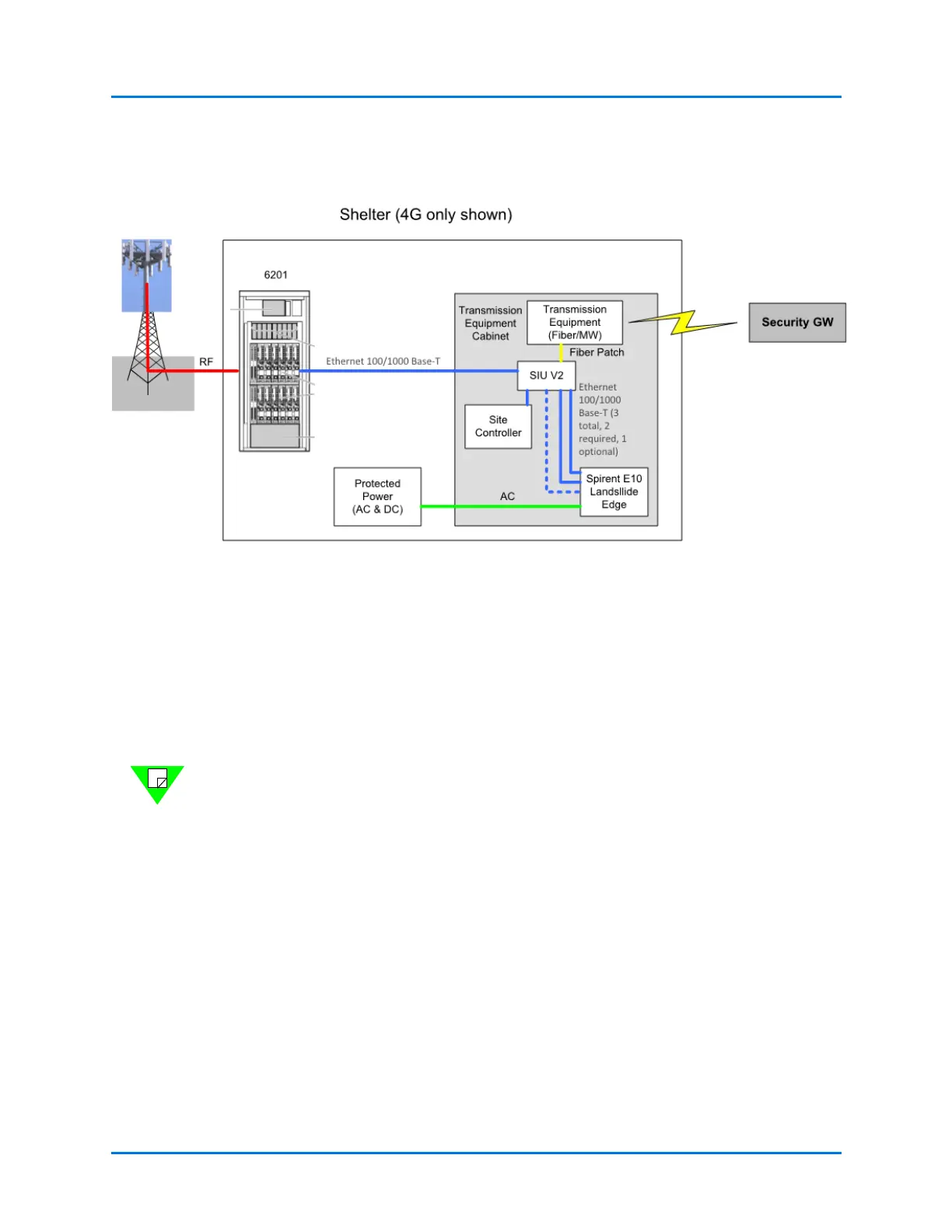
A typical field deployment is shown in Figure 3-4.
Figure 3-4. Typical Field Deployment
System Configuration Overview
The general steps involved in configuring a Landslide test system are outlined below.
1 Install and power up the Landslide E10 combined Manager and Test Server(s).
2 Provide an IP address on your management network for the Manager and for each
Test Server.
Note: The management network should be different from the test network that contains
the devices/systems under test.
3 Configure the Manager’s management port using the steps in “Landslide Manager
Configuration” on page 19.
4 Configure each Test Server using the steps in “Landslide Test Server Configuration”
on page 19.
After you have configured your Test Server, continue with the instructions in Chapter 5,
“Getting Started.”



 To Next Page