Installing U1 OTA Modules on the Landslide E10
Before You Begin
38 | Spirent Landslide Test System Installation Guide
Installing and Removing the Modules
To install the U1 OTA module on the Landslide E10:
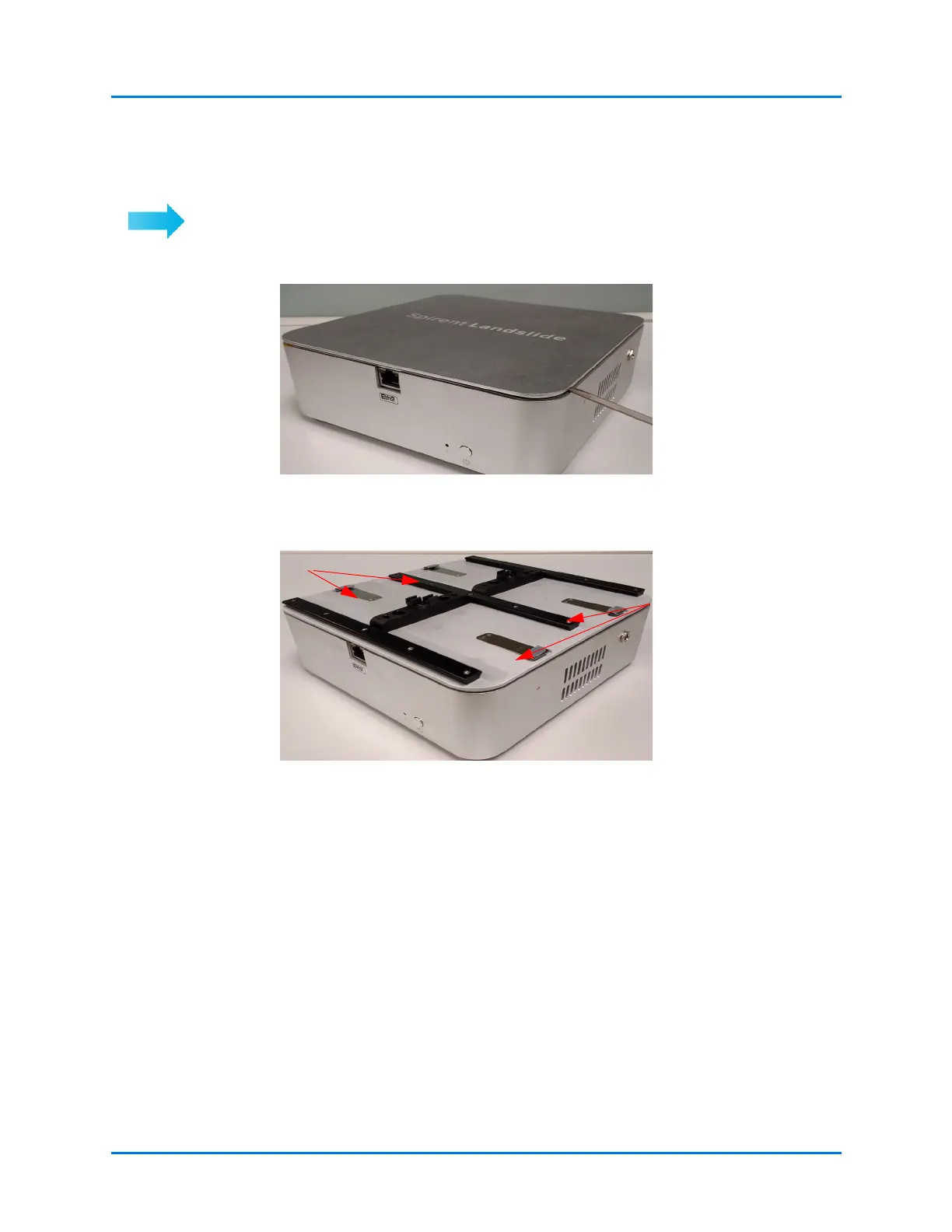
1 Remove the Spirent Landslide-branded cover of the E10 Appliance.
Figure 4-2. Remove Cover
2 Place the new Module Carrier Plate on the Landslide E10 appliance.
Figure 4-3. Module Carrier Plate
3 Insert the module.
Use your finger or a small
flat-head screwdriver to pry
the top cover off.
Orientate the plate so the
spring tabs are facing
toward the sides of the
E10 Appliance.



 To Next Page