Getting Started
Procedure 5: Perform Cable Connections
26 | Getting Started with Spirent TestCenter
Procedure 5: Perform Cable Connections
This section explains how to connect cables to the connectors. We recommend that you
complete Procedures 5 through 11 in this guide before you connect to an application or
device under test (Procedure 12).
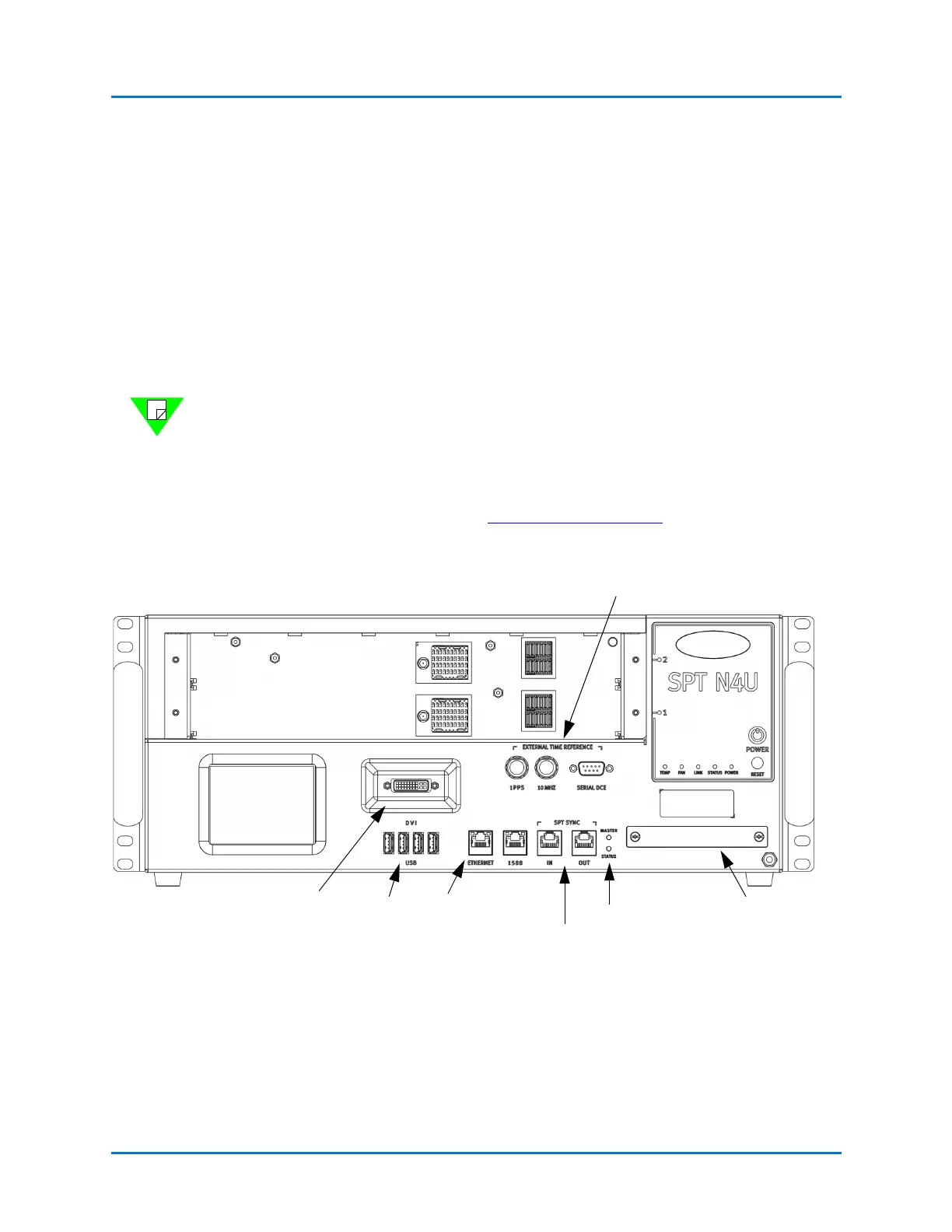
• Panel connectors on the SPT-N4U are shown in Figure 1-2.
• Panel connectors on the SPT-N11U and SPT-N12U are shown in Figure 1-3.
• Panel connectors on the SPT-C50 are shown in Figure 1-4 and Figure 1-5.
• Panel Connectors on the SPT-C50-S2-RX are shown in Figure 1-6.
Notes: • For complete installation and setup information for the Spirent C1 or the
PX3/DX3-QSFP-DD-8 appliances, refer to the installation documentation
that is included in your appliance shipment.
• Refer to FAQ18073 for information about External Time Reference (ETR)
methods you can use to sync multiple remote chassis. Go to the Customer
Service Center (CSC) (
https://support.spirent.com) and type FAQ18073 in
the Search box. Press Enter.
Figure 1-2. SPT-N4U Front Panel
Removable Hard
Drive Tray
LEDs for Chassis
Connection Status
External Time Reference Connectors
DVI-I Connector
USB Ports
Ethernet Admin
Port
Multiple Chassis
Connection Ports
Note: The two (2) Power Cord
Connectors are on the back of the
chassis (not shown). Depending on the
model, there will be one (1) or two (2).



 To Next Page