7
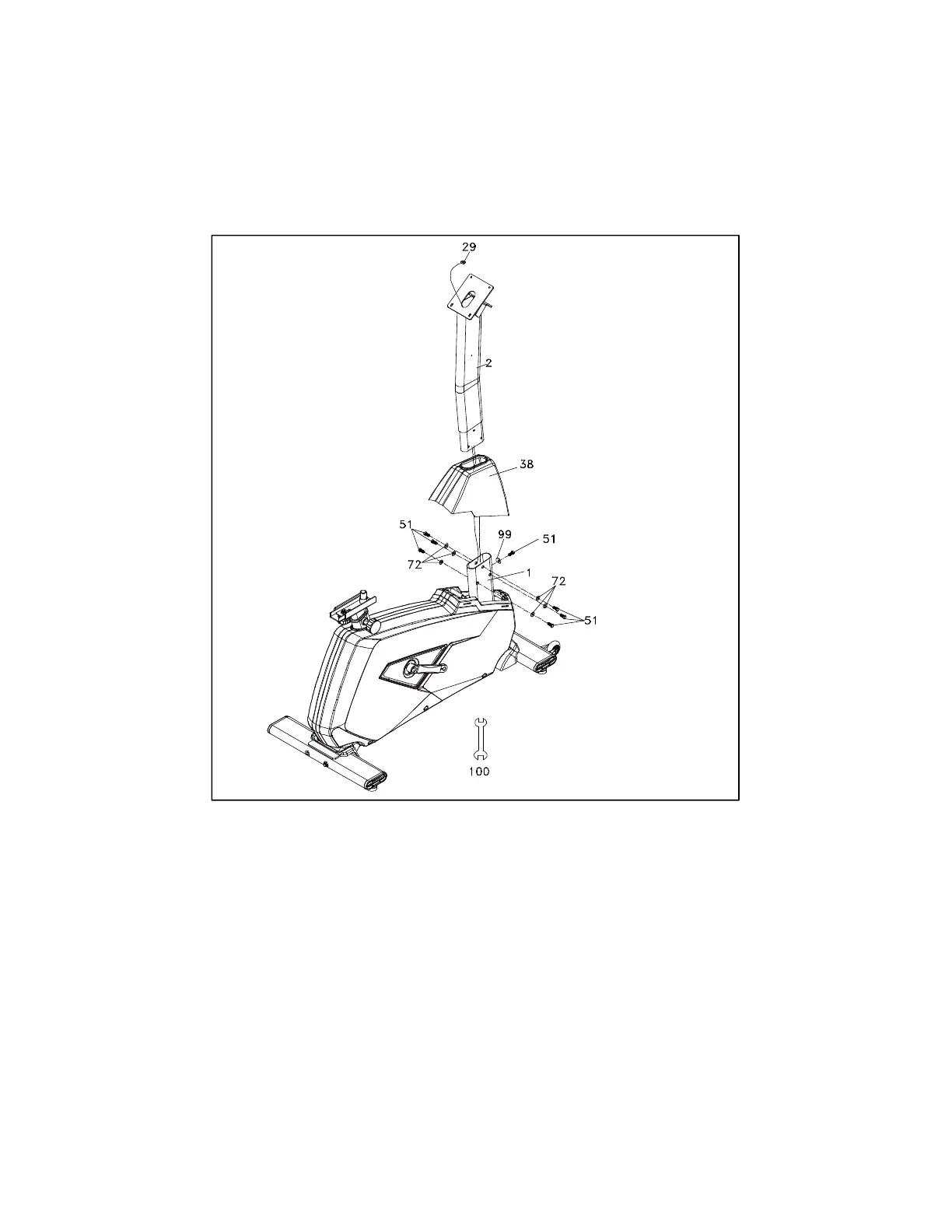
STEP 2
1. Unravel the Computer Cable (No.29) and snake it through the Console Mast Cover
(No.38) and the Console Mast (No.2) until the cable connector comes out the
top opening of the console mast. Slide the Plastic Cover (No.38) onto the Console
Mast, ensuring the correct orientation of the cover.
2. Install the Console Mast (No.2) onto the Main Frame (No.1) with 7 Bolts (No.51),
6 Fast Washers (No.72) on the side screws and 1 Curved Washer (No.99)
on the front screw using the Wrench (No.100).


 To Next Page