8
STEP 3
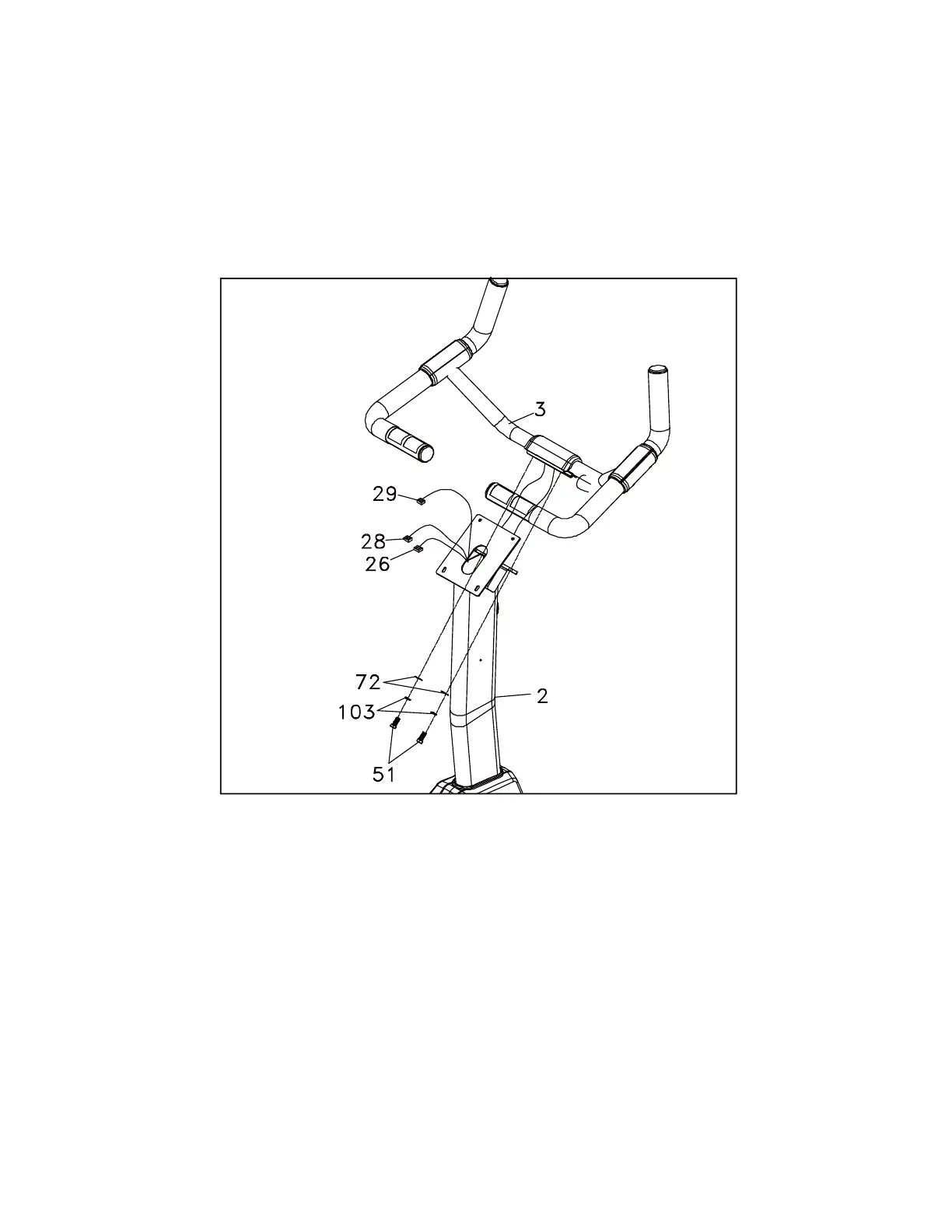
1. Run the 2 Hand Pulse Wires (No.26) and the Computer Cable (No.29) into the hole in
the handle bar mounting plate and out through the hole in the console plate. Install the
Handle Bar (No.3) onto the Console Mast (No.2)) with 2 Bolts (No.51), 2 Washers
(No.72) and 2 Split Washers (No.103) being careful not to pinch the hand pulse wires.
Snap the black plastic handlebar cover over the joint.


 To Next Page