58
4. When the treadmill is running, with the Back button you can go back to the home screen.
With you can enter into Settings.
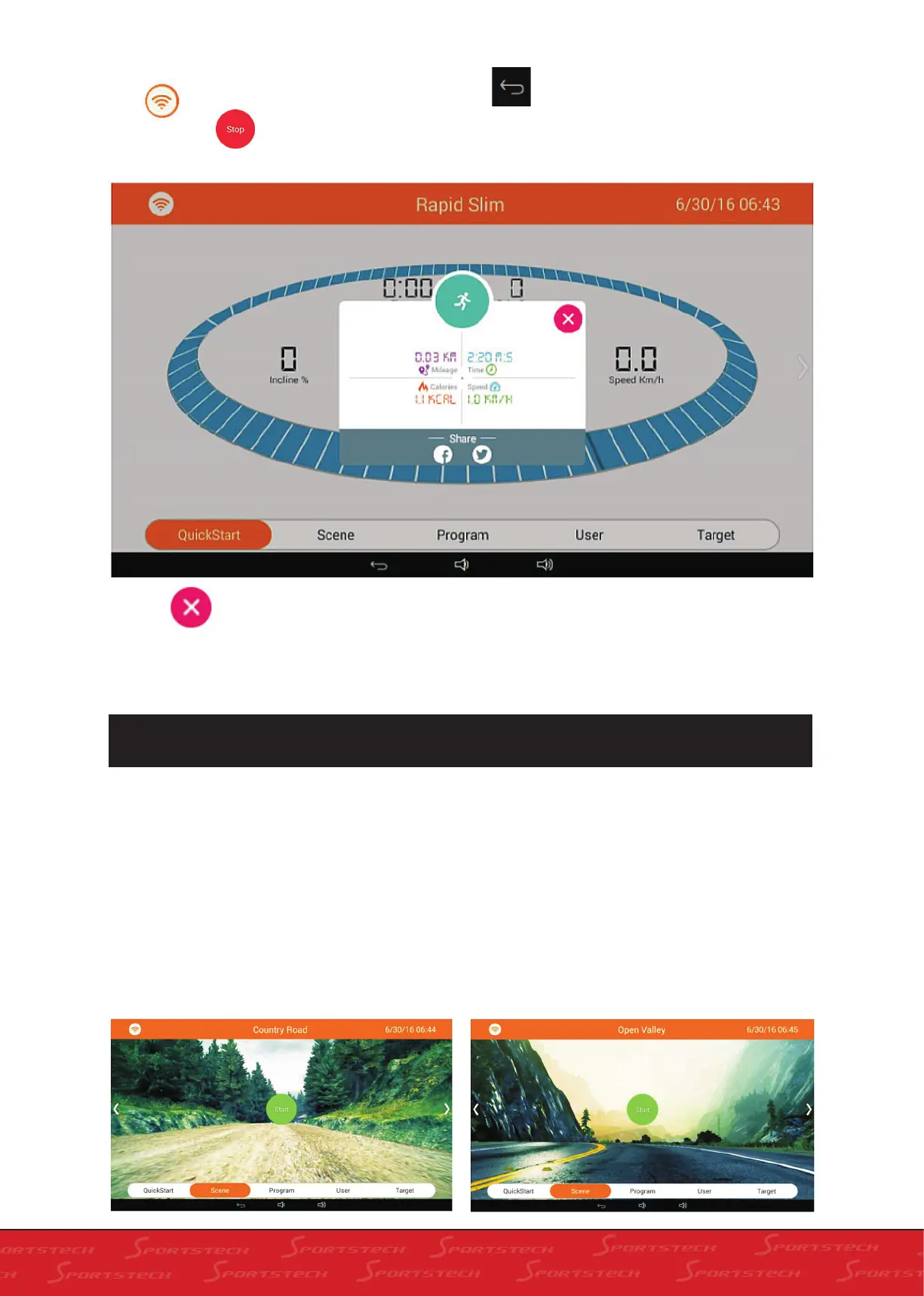
5. Press Stop . The treadmill slows down and will show the score of the running as below.
6. Press to exit Running Result. You also can share the result to Facebook or Twitter. Please refer
to Section 6 for details (Running Result Sharing).
9.4 SCENE MODE APPLICATION AND DISCRIPTION
1. Function instruction: In Scene mode you can experience real scene fitness.
2. Operation
a. In home screen click „Scene“ to enter into real
scene experiencing screen as below.
b. Slide real scene window left or right to switch
among different scenes, i.e. Contry Road, Open
Valley and City Street.
Country Road - Distance Countdown is 2km. The
equipment will stop when you finish the distance
and you also can press „Stop“ midway to stop.
Open Valley - Distance Countdown is 3km. The
equipment will stop when you finish the distance
and you also can press „Stop“ midway to stop.



 To Next Page