SPRIANO® TECHNOLOGIES - www.spriano.it – spriano@terranova-instruments.com
a TERRANOVA® Srl brand - www.terranova-instruments.com - VAT IT07848810151
Factory & Sales: Via Gramsci 1 – 26827 Terranova dei Passerini (LO) – Italy
Head Office: Via Rosso Medardo 16 – 20159 Milano – Italy Ph: +39 0377 919119 – Fax: +39 0377 855720
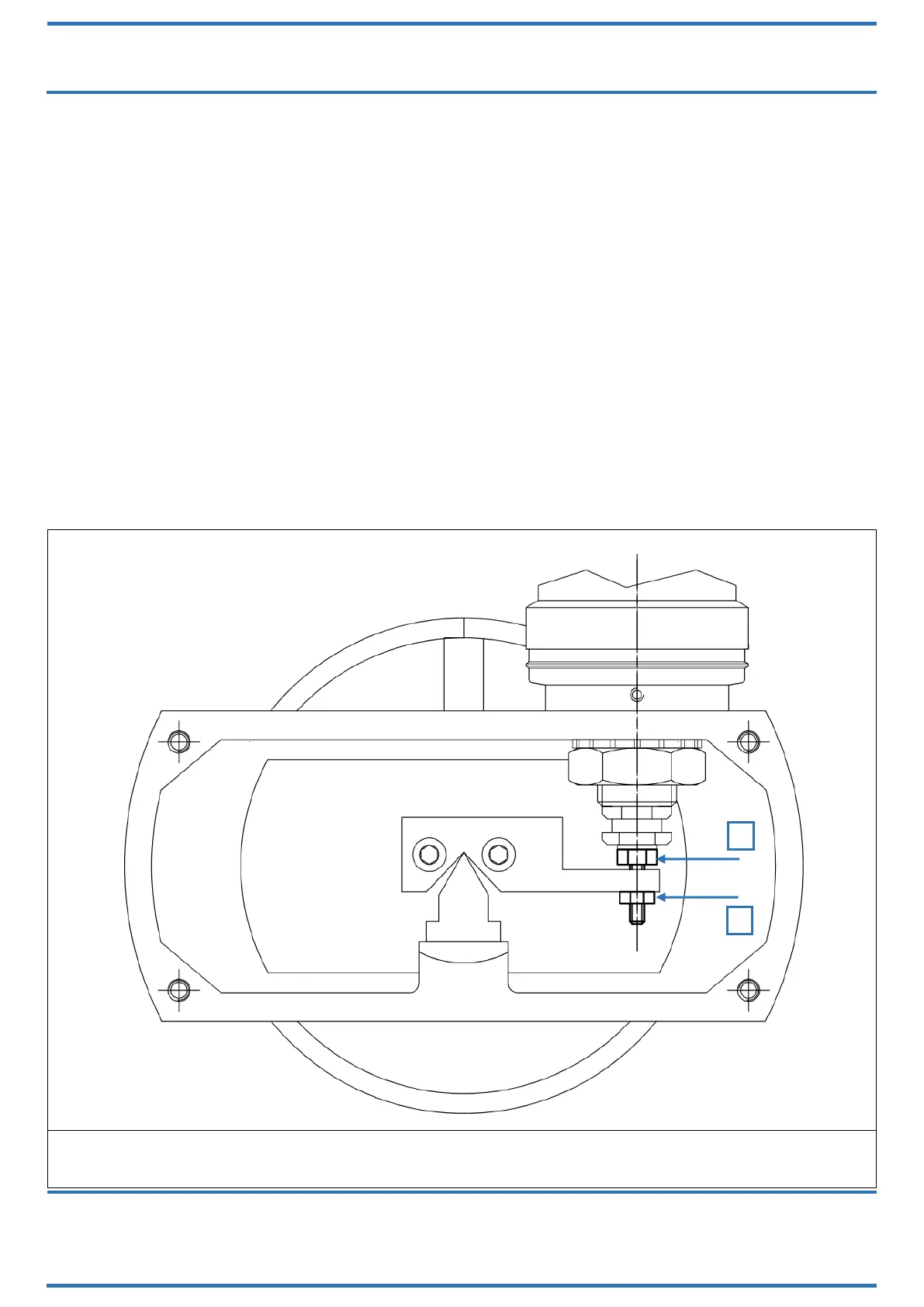
Step 3 (Figure 26):
Eliminate the zero offset introduced by Step 1 (Figure 24) and Step 2 (Figure 25) as follow:
if the zero offset is >±4% there are two ways to operate:
o if the offset has a positive value (Ex. +6%):
you might loosen the nut (N) with a wrench CH.6;
Rotate the screw (M) from left to right using a wrench CH.7;
When the offset reaches a value of ±1% then stop rotating the screw (M) and fix
the nut (N);
Eliminate now the remaining offset with the relative function from the
configuration menu (Cfr manual section Keyboard Configuration).
o if the offset has a negative value (Ex. -6%):
you might loosen the nut (N) with a wrench CH.6;
rotate the screw (M) from right to left using a wrench CH.7;
When the offset reaches a value of ±1% then stop rotating the screw (M) and fix
the nut (N);
Eliminate now the remaining offset with the relative function (Cfr manual
section Keyboard Configuration).
Figure 26: displacer substitution – Step 3



 To Next Page