90
ESPAÑ OL
PREPARAR
Use los botones para cambiar a la pantalla LCD o
para cambiar las opciones y presione OK para seleccionar.
Se mostrarán varias páginas de conguración.
CONFIGURACIÓN DE AJUSTES GENERALES
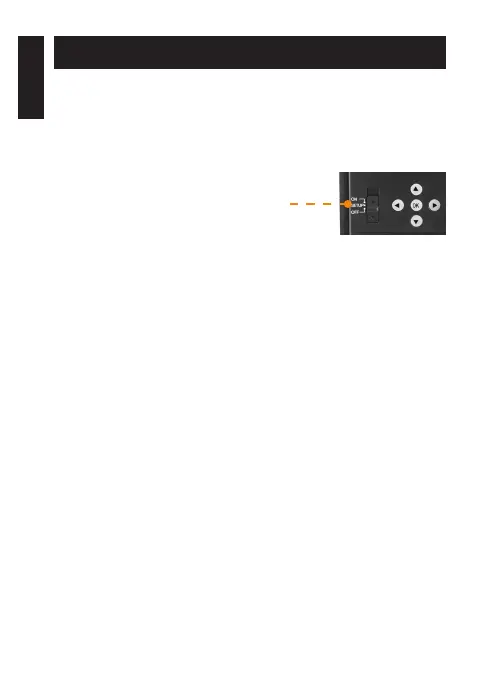
1. Para encender/apagar la cámara,
utilice el interruptor ON/SETUP/OFF.
2. El interruptor debe estar en SETUP
para hacer sus cambios iniciales.
3. Cuando el interruptor esté en SETUP,
presione OK para abrir el MENU:
• Congurar el language (idiomae):
English (Inglés), Français (Francés), Deutsch (Alemán)
• Congure la date (fecha): DD/JJ/AA o DD/MM/AA
• Establecer la time (hora): 12 h o 24 h
• Establecer la temperature (temperatura): °F/ °C
AJUSTE LA CONFIGURACIÓN DE LOS 3 MODOS DE FUNCIONAMIENTO
MODO PHOTO (FOTO)
Delay (Retraso): Le permite seleccionar el tiempo transcurrido
antes de que la cámara pueda detectar nuevamente y tomar
la siguiente foto.
Si desea capturar varias fotos, use un retraso más corto.
Una vez que haya seleccionado la demora, presione OK.















 To Next Page