LM2SPYPOINT
8
INSTALLING A MEMORY CARD (NOT INCLUDED)
The use of a memory card is necessary for the operation of the camera. It is used to save pictures and other
camera status les. Note that photos in their original format are kept on the memory card. The photos sent
to your application are lighter versions. You can retrieve your photos at any time by removing the card from
the device and transferring the contents to another device (e.g.: computer).
Your camera requires a microSD memory card, with a maximum capacity of 32 GB, sold separately. Here is a
table showing the approximate quantity of photos that can be recorded on the card, according to dierent
memory card capacities.
INSERTING YOUR MEMORY CARD
Before inserting the microSD card into your camera, it must be formatted via a computer to ensure
proper operations. Visit www.spypoint.com/en/support if you need help formatting your microSD card.
• Ensure the camera is turned OFF.
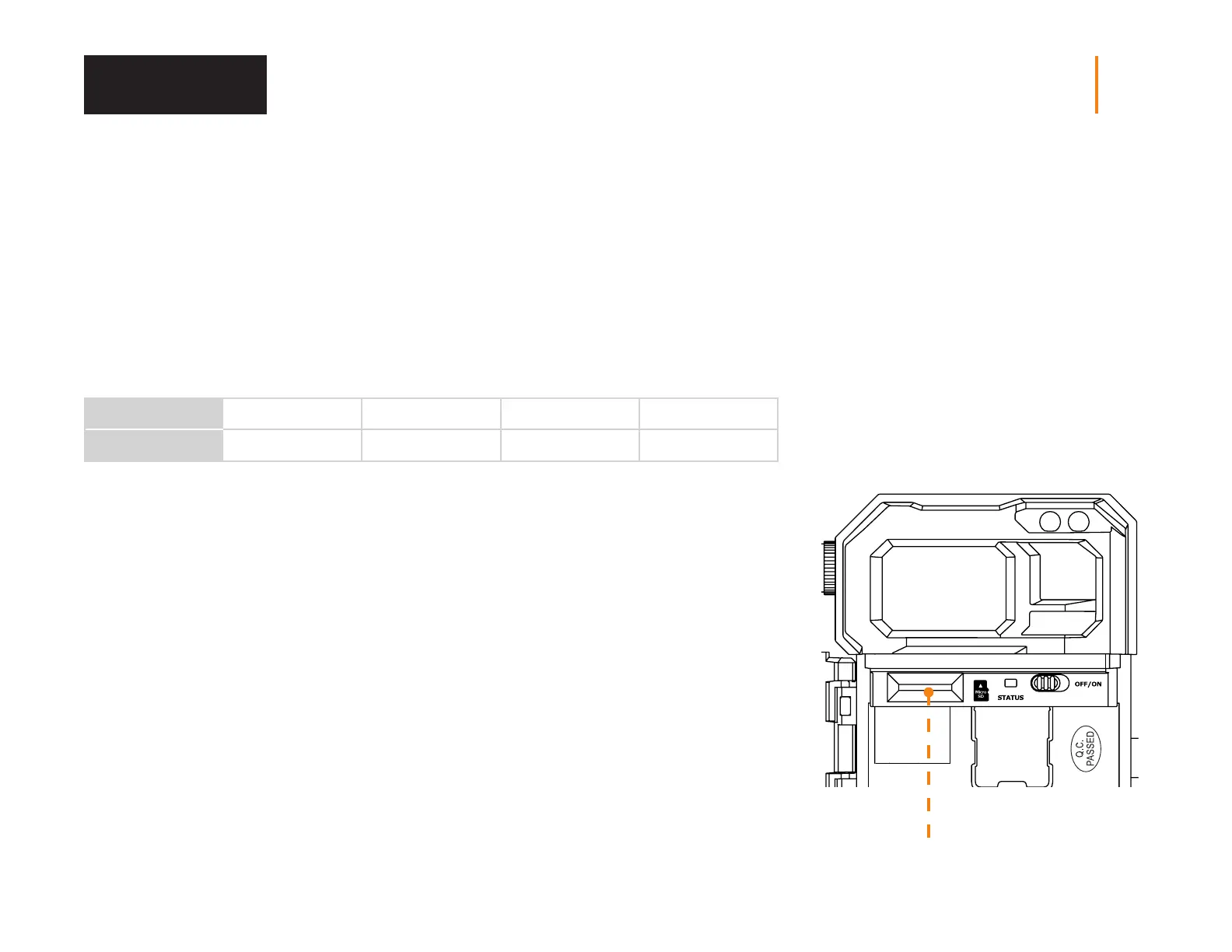
• Find the microSD card slot. It is located on the left, above the battery compartment (see photo).
• Insert a microSD card (up to 32GB) in the microSD card slot with the metal contacts facing down.
• The card is inserted correctly when a click is heard.
REMOVING YOUR MEMORY CARD
• Before removing a memory card, always turn your camera OFF
to prevent les from on the card from being deleted or damaged.
• To remove the card, push it lightly into the camera until you hear a click.
Then take it out of the device.
MEMORY
4 GB 8 GB 16 GB 32 GB
PHOTOS 20 MP
190 380 760 1 520
Memory Card















 To Next Page