Software description
Main window
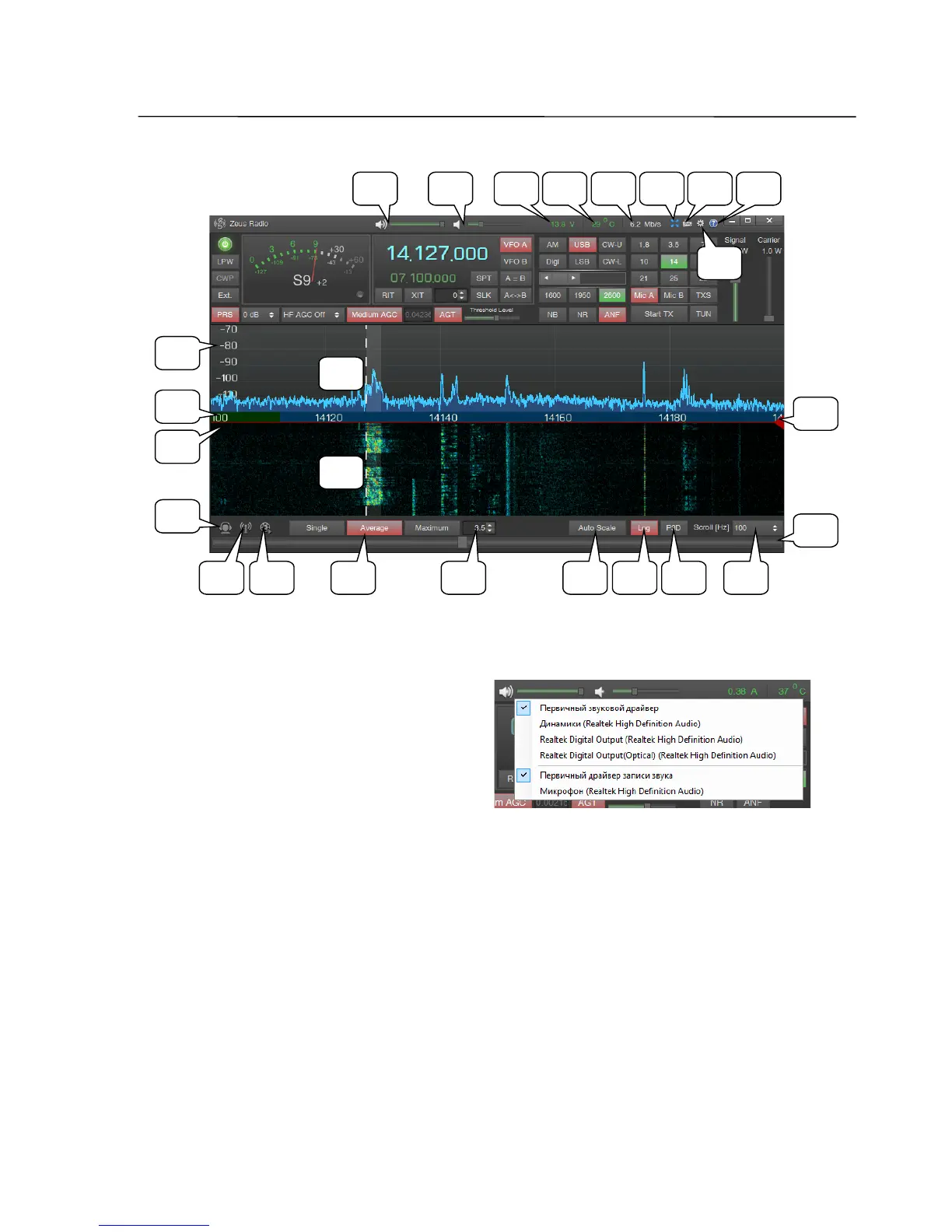
33 Volume control slider
By pressing the right mouse button on
the speaker icon, a list of select audio
devices displays DirectSound or ASIO
control panel used by the driver.
34 Monitor volume slider
Monitor signal in SSB and AM modes, output from that DSP unit, on which the
loudspeaker icon is activated in the TX Signal Settings window.
35 Supply voltage and current consumption indicator
By clicking the display with the left mouse button the it changes between voltage
and current consumption indication.
Exceeding the maximum values will lead to a warning message on the screen, the
transceiver goes into the standby mode and the ZeusRadio software will be closed
automatically.
SSB-Electronic GmbH © Page 24 of 88 V2.8.1 Content is protected by Copyright.
45
33 34 37
44
38 39
40
47
48 50 5352 54
3635
55
56
46
51
57
42
43
49
41



 To Next Page