Basic operation
Time Machine
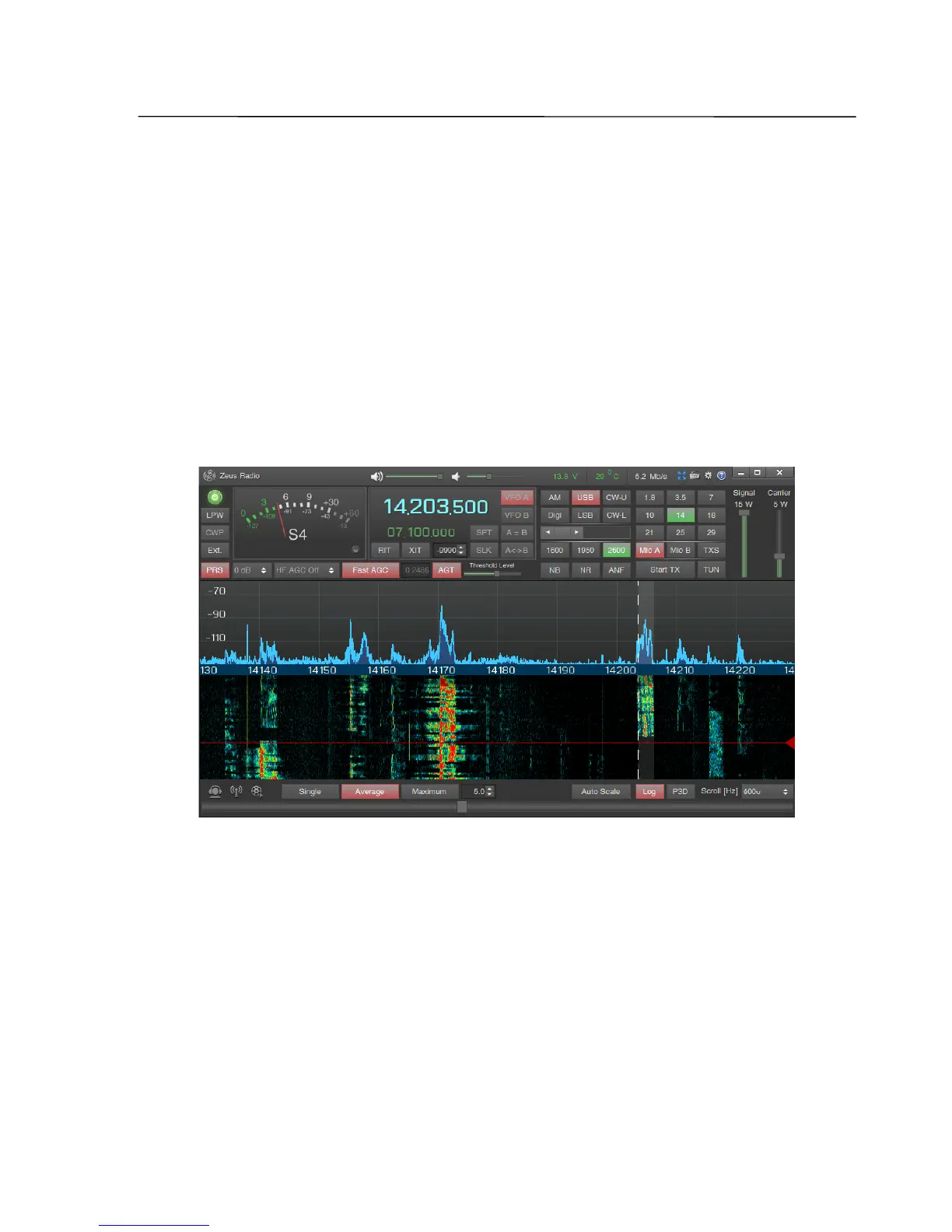
In ZeusRadio software a function is implemented, which cannot be found in
classical transceivers. The Time Machine function allows to tune to a signal not only
by frequency, but also by time. Any signal can be heard that is visible on the
waterfall, so also short termed transmissions will not be missed.
In the initial position, the Time Machine slider is set to the upper position – the
on-air signal will be reproduced. By moving the marker in the waterfall downwards
with the mouse the point of time for reproduction of the signal changes (time shift).
The maximum time shift is 2.5 minutes.
With a click of the right mouse button onto the "Time Machine" control it
switches back to the initial position. This happens also by switching into the transmit
mode.
Shortcuts are also provided for the Time Machine function.
Holding down the Ctrl key, the position of the marker can be set on the waterfall
with the mouse click in the selected position of the waterfall.
Holding down the Ctrl and Alt keys, the position of the marker and the frequency
of the active VFO can be set by the mouse click in the selected position of the
waterfall.
SSB-Electronic GmbH © Page 58 of 88 V2.8.1 Content is protected by Copyright.



 To Next Page