Software description
IQ Player
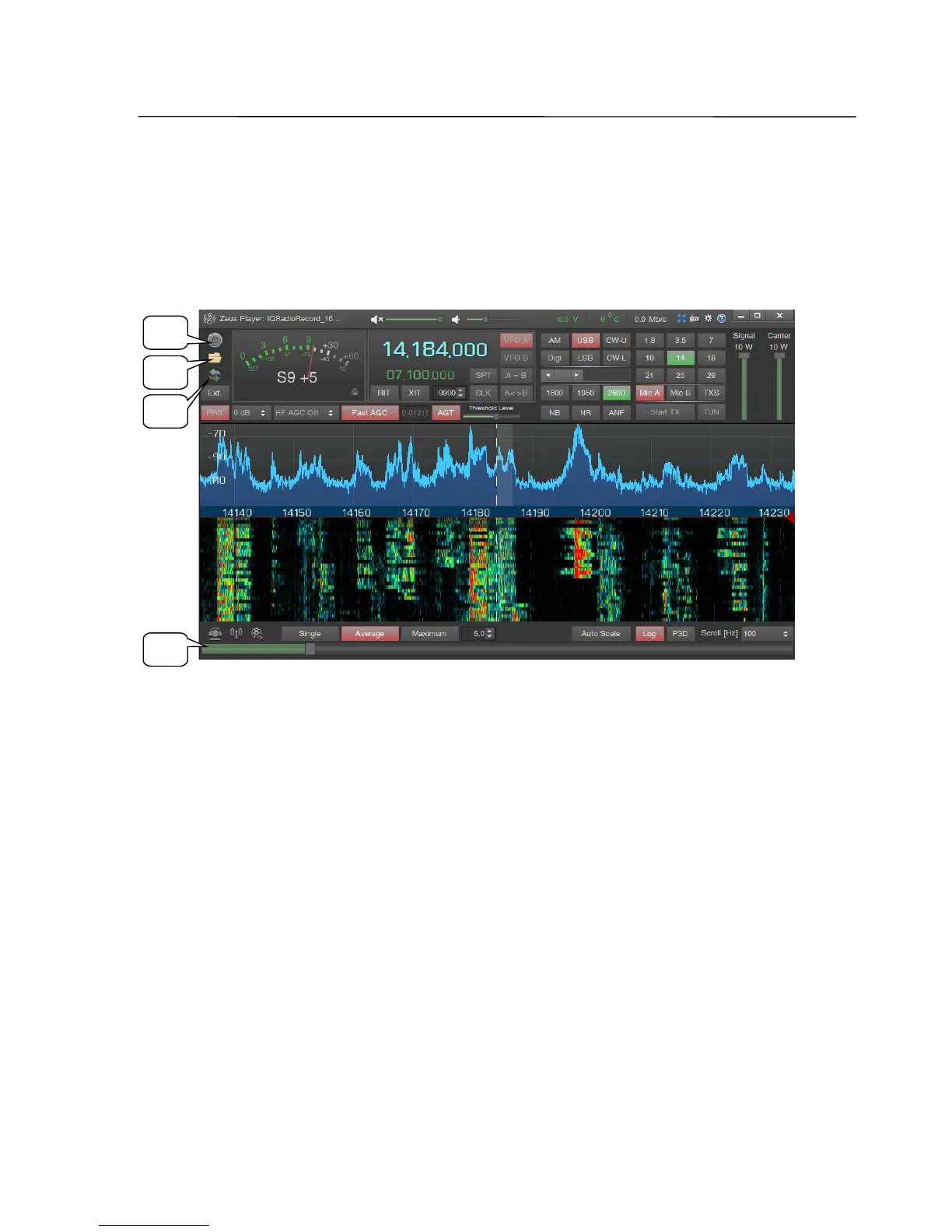
The separate software IQ Player replays recorded files with IQ Data. The window
is similar to the main window of the ZeusRadio software and contains the same
controls, with the some exceptions.
1 ON/OFF
Button for starting and pausing a replay.
2 Open
Button for selecting a file for replay. With a mouse click a file selection dialog
window opens.
3 Cycle
On/off switch for looped replay of a file.
4 Playback scroll bar
The slider represents the status of replay within a file.
SSB-Electronic GmbH © Page 50 of 88 V2.8.1 Content is protected by Copyright.
1
2
3
4



 To Next Page