Software description
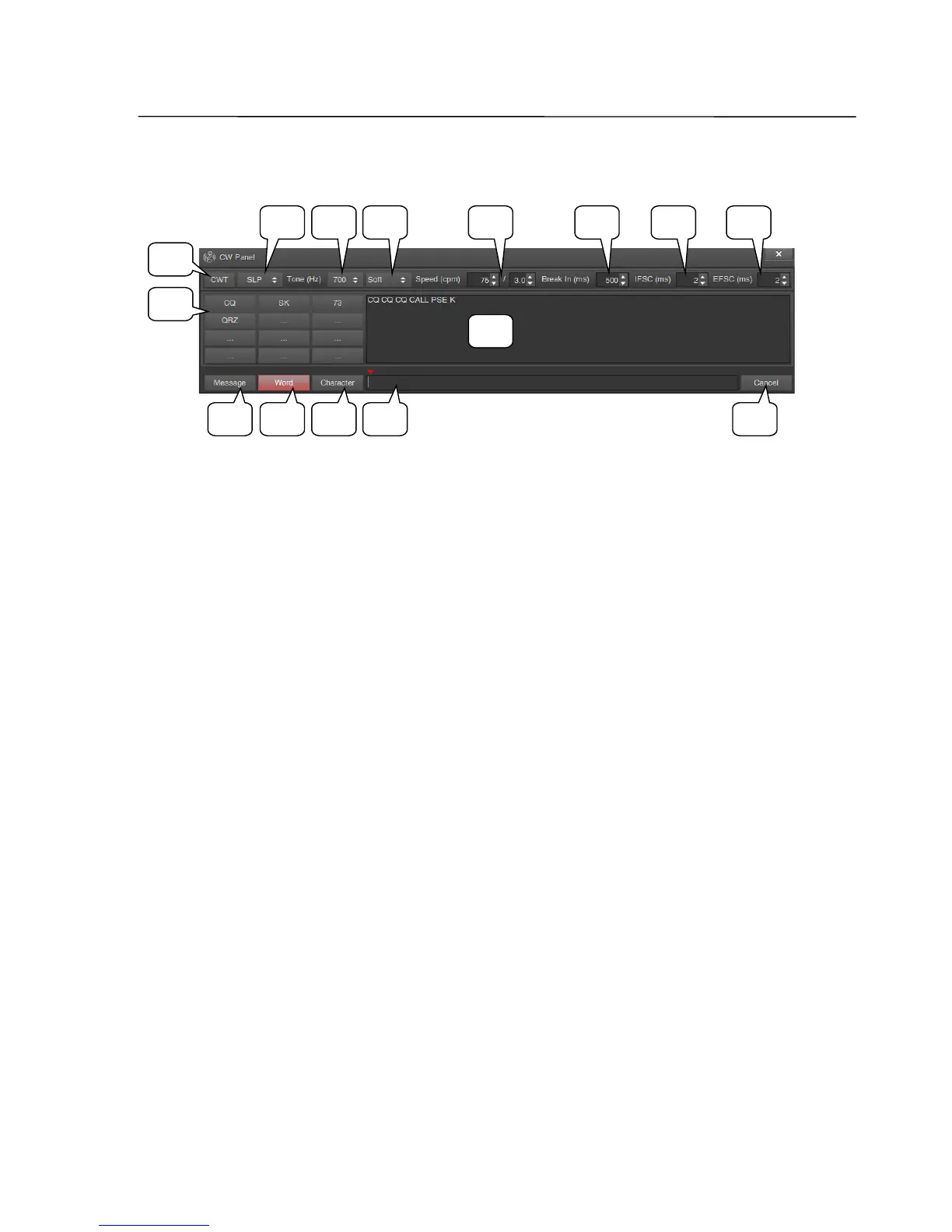
CW Panel window
1 CWT button
On/off switch for the telegraph key or paddle tuning mode (CW Test). When this
setting is used, the transceiver, when set to CW-L or CW-U, will not switch to the
transmitter mode, so tone, speed and other values can be set without transmitting
any signal.
2 Key Type list
Dropdown list for mode selection of the automatic keyer.
KEY – straight key; closing the tip of the KEY connector to ground causes side tone
generation.
SLP – single-lever paddle; closing the tip of the KEY connector to ground creates
"dots", the middle one – "dashes".
SLP inv. – single-lever paddle with reversed contacts; closing the central pin of the
KEY connector to ground creates "dashes", the middle one – "dots".
IP A – iambic paddle mode A; closing the central pin of the KEY connector to
ground creates "dots", the middle one – "dashes".
IP A inv. – iambic paddle mode A with reversed contacts; closing the tip of the KEY
connector to ground creates "dashes", the middle one – "dots".
IP B – iambic paddle mode B; closing the tip of the KEY connector to ground
creates "dots", the middle one – "dashes".
IP B inv. – iambic paddle mode B with reversed contacts; closing the tip of the KEY
connector to ground creates "dashes", the middle one – "dots".
SSB-Electronic GmbH © Page 29 of 88 V2.8.1 Content is protected by Copyright.
2
1
9
10 11 12 13
3 4 6
14
5 7 8
15



 To Next Page