Basic operation
Audio file transmission
When you click on the audio file playback button with the left mouse button, the
transceiver is set to the transmit mode and playback of the audio file starts.
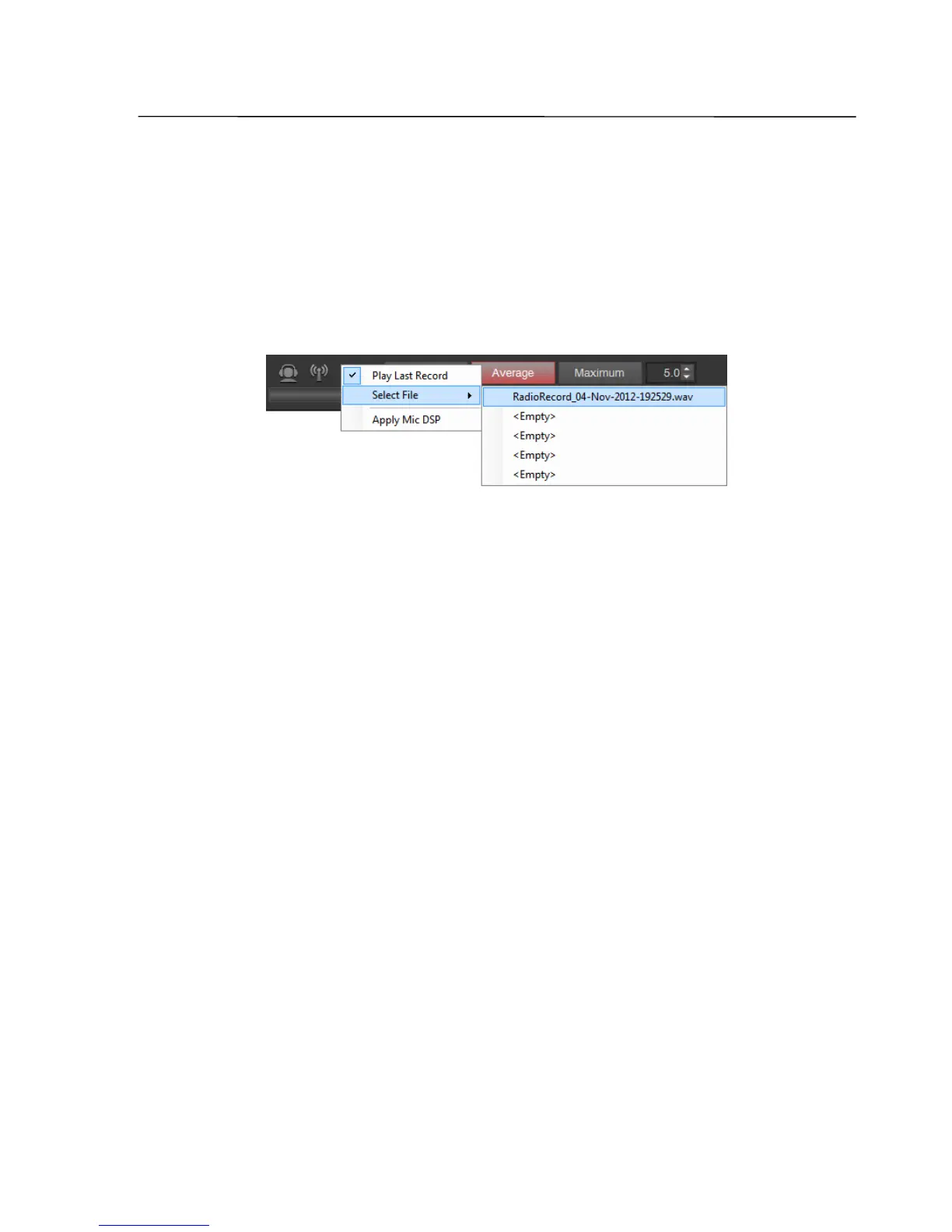
The selection of the file to be transferred is performed by clicking the button for
audio file playback with the right mouse button
By default, the last modified file in the folder that is specified for audio files
recording is selected for playback. With this selection, it is very easy to reproduce
the previously received and recorded signal.
It is possible also to add any audio file to the five-line quick dial list. The entry of
the file in any row is done by clicking on the respective row with the right mouse
button. When clicking a file from the quick-dial list with the left mouse button, the
file is selected for playback. If selecting the file from the list is done while holding
down the Ctrl key, the file is played back immediately.
By default, replay of a file is done without any processing of the signal (filtering,
compression, equalizer, etc.). However, processing of the signal may be switched on
by activating Apply Mic DSP string. In this case, the current settings of the
microphone signal processing algorithms (Mic DSP A, Mic DSP B) are applied to the
signal during the file playback.
For replay, any 16-bit WAV file with no more than 5 minutes total length may be
selected.
SSB-Electronic GmbH © Page 64 of 88 V2.8.1 Content is protected by Copyright.



 To Next Page