Software settings
Setting the transmit signal
Note: Microphone Gain carries only the digital signal amplification and does not control the
hardware capabilities of the computer's sound card. If one has to set the values close to 20 dB to
achieve the desired signal level readings, it is necessary to increase the gain of the microphone in
the sound card settings, or use the microphone amplifier.
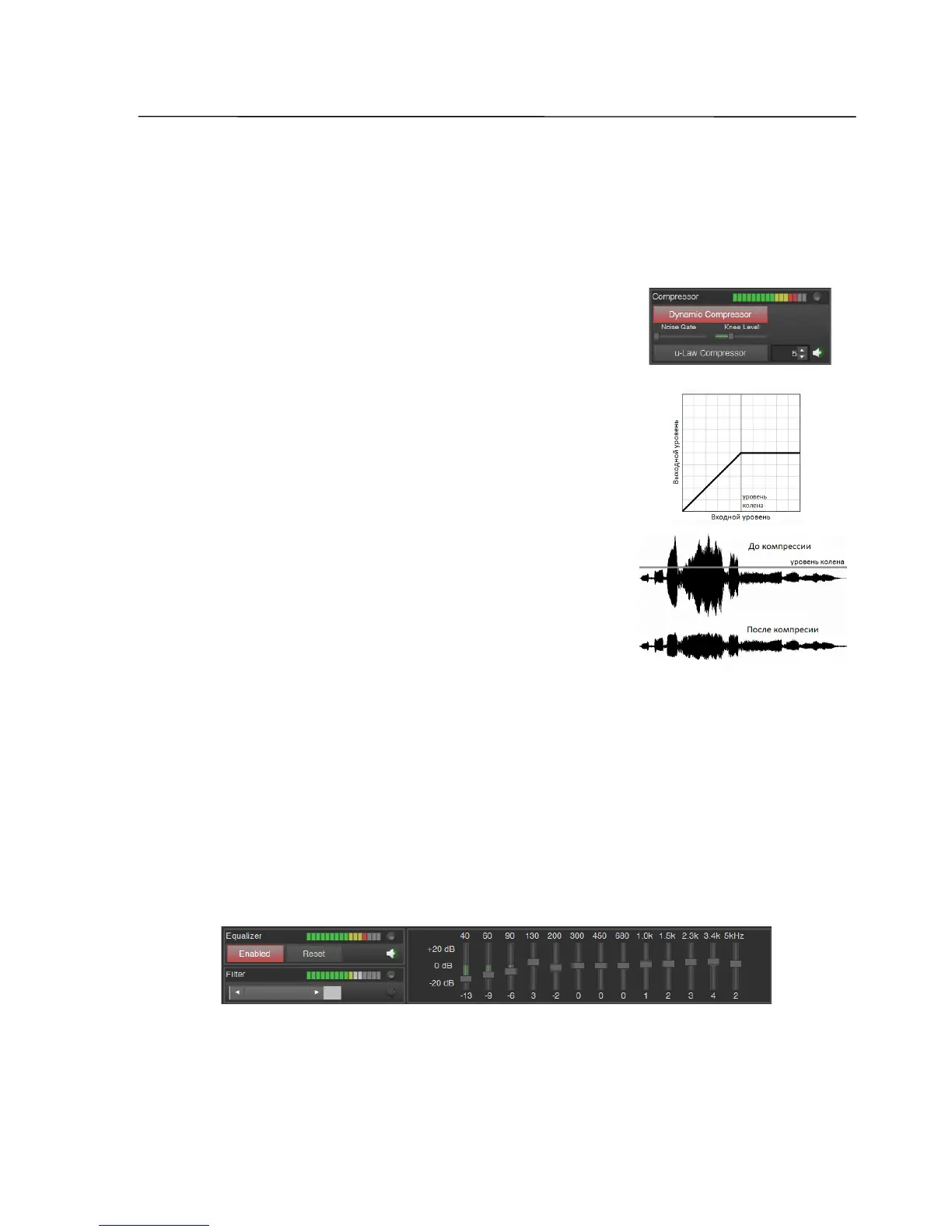
- turn the dynamic compressor on, temporarily set the
Noise Gate slider to the left (minimum gate threshold),
and adjust the level of the compressors knee (Knee Level
slider) to set the desired compression level, while
controlling the signal by ear;
Note: Dynamic compressor limits the volume of the signal at a
predetermined level (knee). No significant difference in the sound
may be noticeable, but the weak and loud sounds will differ less, the
peak factor of the signal will be reduced and thus the average power
of the signals is increased.
- moving the Noise Gate slider from left to right, you
can suppress the background noise during pauses in the
signal; a further increase of the gate level may cause too
much noise reduction, so weak sounds, especially the
beginnings of the syllables, may be "swallowed";
- additionally, the μ-law compressor can be switched on (or only this one); adjust
the compression ratio in the range from 1 to 255 (1 - no compression, 255 -
maximum compression);
Note: When on the receiver side an expander is used that works with an µ-law, it is possible to
share these coefficients to restore the signal.
- enabling the monitor signal from the output of the equalizer and, focusing on
listening and the spectral shape, adjust the gain of the bands using the appropriate
sliders;
Note: Most often one regulates treble, increase their levels, which leads to overloading of the
output signal of the equalizer. To prevent overloading, reduce the Microphone Gain value or move
all sliders of the equalizer to a lower level.
SSB-Electronic GmbH © Page 66 of 88 V2.8.1 Content is protected by Copyright.


 To Next Page