Checking & Adding Oil
Park your motorcycle on a rm, level surface. Re-
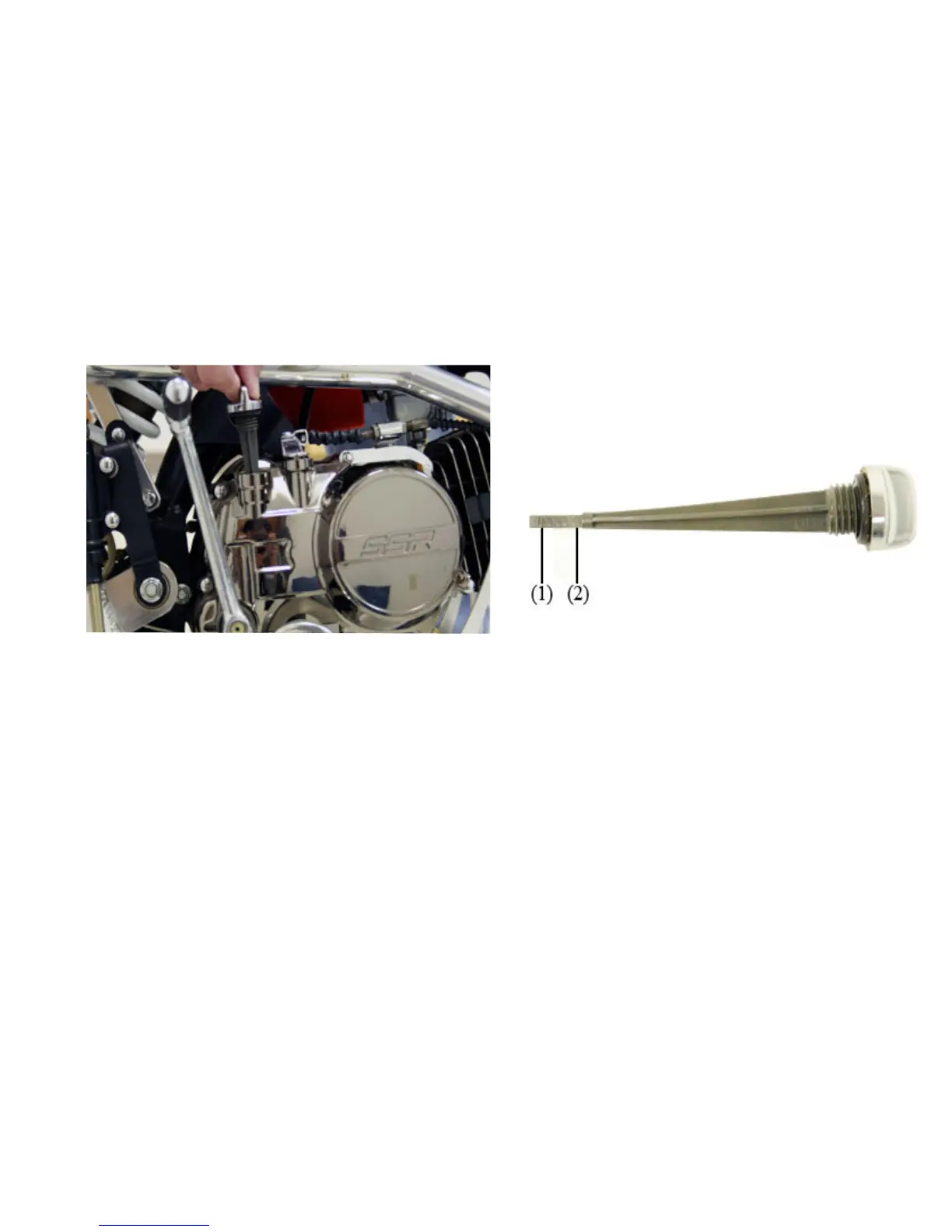
move the oil cap/dipstick and check the oil level.
If the oil is at or near the upper level mark (see
photo) you do not have to add oil.
If the oil is below or near the lower level mark (see
photo) add oil of the recommended specications
until it reaches the upper level mark. Do not overll.
Insert the dipstick and screw it in tightly. Check for
oil leaks.
Dipstick / Oil Filler Cap Location
Lower (1) and Upper (2) Oil Level Marks
39


 To Next Page