4.2.8 Digital output humidity sensors: supported commands
Table 11. Digital output pressure sensors: supported commands list below lists the commands supported by the
devices/demonstration boards including a digital output humidity sensor.
Table 12. Digital output humidity sensors: supported commands list
Command Description Returned value
*setdbXXXVY Selects firmware according to the adapter connected
*start Starts continuous data acquisition (see Table 4. Returned values for *start command)
*debug Returns the output data in readable text format (see Table 5. Returned values for *debug command)
*stop Stops data acquisition
*Zon Forces 3-state
*Zoff Exits from 3-state
*dev Device name e.g.: LIS3DH
*ver Firmware version e.g.: V1.0
*hrAA Humidity sensor register read e.g.: HRAAhDDh
*hwAADD Humidity sensor register write
*single It gets a single X, Y, and Z data acquisition (see Table 5. Returned values for *debug command)
*list Prints the list of MKIs supported e.g.: MKI105V1
*listdev Prints the list of devices supported e.g.: LIS3DH
*echoon Activates the write verbose mode e.g.: PRAAhDDh
*echooff Deactivates the write verbose mode
4.3 Quick start
This section shows the basic sequence of commands, based on the LIS3DH accelerometer, to start a data
communication session and to retrieve the X, Y, and Z acceleration data from the demonstration kit:
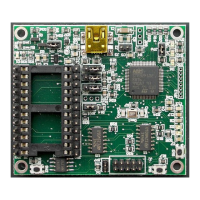
1. Connect the eMotion to the USB port
2. Start “Microsoft
©
HyperTerminal” and configure it as described in Section 4.1 Getting started
3. Inside the “HyperTerminal” window, enter the command *setdb105v1 (supposing the LIS3DH adapter board
is used, for other adapters see the relevant datasheets to check the register configuration), enter the
command *Zoff to enable the control of the device by the STM32F103RET6 microcontroller, and *w2047 to
switch on the LIS3DH and to set the data rate to 50 Hz
4. Send the *debug command to get the X, Y, and Z data measured by the sensor
5. Send *stop to end the continuous acquisition and visualization.
UM0979
Quick start
UM0979 - Rev 6
page 29/39
Downloaded from Arrow.com.Downloaded from Arrow.com.Downloaded from Arrow.com.Downloaded from Arrow.com.Downloaded from Arrow.com.Downloaded from Arrow.com.Downloaded from Arrow.com.Downloaded from Arrow.com.Downloaded from Arrow.com.Downloaded from Arrow.com.Downloaded from Arrow.com.Downloaded from Arrow.com.Downloaded from Arrow.com.Downloaded from Arrow.com.Downloaded from Arrow.com.Downloaded from Arrow.com.Downloaded from Arrow.com.Downloaded from Arrow.com.Downloaded from Arrow.com.Downloaded from Arrow.com.Downloaded from Arrow.com.Downloaded from Arrow.com.Downloaded from Arrow.com.Downloaded from Arrow.com.Downloaded from Arrow.com.Downloaded from Arrow.com.Downloaded from Arrow.com.Downloaded from Arrow.com.Downloaded from Arrow.com.





 To Next Page