Item Lowest
Value
Default
Value
Highest
Value
Meaning
Display’s primary processor software version and checksum.
Minimum speed in mph (UNITS=English), or km/hr (UNITS=Metric).
Maximum speed in mph (UNITS=English), or km/hr (UNITS=Metric).
Caution: See Motor Calabration before making any changes.
Time, in seconds, to reach maxmium speed from 0 mph (0 km/hr).
Time, in seconds, to reach 0 mph (0 km/hr) from maximum speed.
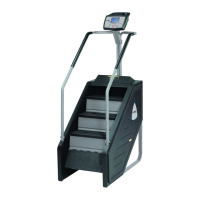
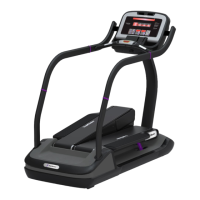
TreadClimber manufacture date.
Either E-Stop or Lanyard.
Number of miles (UNITS=English), or km (UNITS=Metric) since the
walking deck was last serviced or replaced.
Number of miles (UNITS=English) or km (UNITS=Metric) since the
walking belt was last replaced.
Provides access to programs usages and counters. (See Sub Menu)
LED Testing function, Press OK to begin
LED Testing function, Press OK to begin
HEART RATE Test function.
RS 232 Ports test (Manufacture Test Only).
Provides Access to Error List.
Last Error List Menu, Press OK to View
Provides Access to View Calibration Data.
Motor Calibration Function, Press OK to begin.
Display current value of treadle sensor
Burn In Mode Function (Manufacture Only).
*When the MINIMUM SPEED or MAXIMUM SPEED parameters are changed, the unit will perform
an auto calibration. To terminate the auto calibration and return the parameter to its default setting,
press the STOP key.


 To Next Page