EasyManua.ls Logo

Stanley PB2500 - User Manual

Stanley PB2500
36 pages
Print Icon
To Next Page IconTo Next Page
Loading...
Smart Touch Screen
Instruction Manual
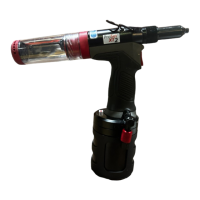
PB2500 Smart Blind rivet tool
Battery Power Tool

Other manuals for Stanley PB2500

Questions and Answers

  • J
    Jessica KingSep 9, 2025
    What to do if Stanley Power Tool shows NOK, even if it sets rivet correctly?
    • S
      smithjenniferSep 9, 2025
      If your Stanley Power Tool shows 'NOK' even when it sets a rivet correctly, it might be due to an incorrect judgement range setting. Try setting the judgement range correctly or setting an appropriate range. Ensure you fasten 5 rivets in average mode; if there's an error, try again. Jaw slippage can also cause this, so perform maintenance around the jaw area. Check that the tool is at the home position, and reset it if necessary. If the issue persists, there may be a problem with the tool, so remove the cause of the issue or contact a local service center. A defective trigger module may also be the cause, requiring replacement of the motor and module assembly or contact a local service center.
  • T
    Tommy RussellSep 12, 2025
    Why Stanley Power Tool does not show NOK, even if it sets incorrect rivet?
    • C
      Catherine FoxSep 12, 2025
      If your Stanley Power Tool does not show 'NOK' even when it sets an incorrect rivet, the judgement range setting may not be correct. Ensure to set the judgement range correctly or set an appropriate range. Also, make sure to fasten 5 rivets in average mode; if there is an error, try again. If the smart function is turned off, there will be no NOK judgement, so turn on the smart function if needed. If the issue persists, there may be a problem with the tool, so remove the cause of the issue or contact a local service center. A defective trigger module may also be the cause, requiring replacement of the motor and module assembly or contact a local service center.
  • M
    morenomatthewSep 12, 2025
    Why Stanley Power Tool screen does not show process curve or does not show correctly?
    • F
      franklinjohnSep 13, 2025
      If the screen on your Stanley Power Tool does not show the process curve or does not display it correctly, it may be because the smart function is turned off. If you need the process curve, turn the smart function on. Alternatively, if the rivet break load is small (under 3,000N), turn off the smart function if low break load rivets are used.
  • A
    Alex ElliottSep 15, 2025
    Why Stanley Power Tool does not count correctly?
    • J
      Joseph BrownSep 15, 2025
      If your Stanley Power Tool does not count correctly (either not counting or counting even when it does not set a rivet), it could be due to several reasons. If the rivet break load is too small (under 2,000N), the counter function cannot be used with very low break load rivets. If the riveting cycle is too fast, ensure you pull the trigger for the next riveting after judgement. Finally, if the setting data are broken, restore the tool to factory settings.
  • L
    Linda Pruitt MDSep 17, 2025
    Why Stanley Power Tool Rivets / Charge is low?
    • M
      Mr. David KeithSep 17, 2025
      If you notice that the Rivets/Charge on your Stanley Power Tool is low, it could be related to the smart function being turned on, as it decreases Rivets/Charge. Turn on/off the smart function as needed. Also, make sure the battery is fully charged by checking the battery charge level and charging it if necessary. If the battery is defective, replace it.

Summary

Safety Definitions

General Safety

Read all safety warnings and instructions. Failure to follow may result in electric shock, fire, or serious injury.

Battery Charger Safety

Important Safety Instructions for Battery Chargers

Contains important safety and operating instructions for compatible battery chargers.

Battery Pack Safety

Important Safety Instructions for Battery Packs

Read all instructions before using the battery pack and charger.

Lithium-ion Battery Safety

Specific Safety Instructions for Lithium-ion

Do not incinerate or expose lithium-ion battery packs to fire or extreme heat.

Residual Risks

Identifies residual risks such as hearing impairment and burn hazards.

Labels and Icons

Explains markings on the tool, charger, and battery pack.

Product Overview

Outline

Describes the PB2500 Smart Battery Power Rivet Tool and its features.

Precautions for Use

Lists important precautions and limitations for operating the tool.

Tool Components

Parts Names

Identifies the various parts and screens of the tool.

Tool Operation and Setup

Power On

Instructions on how to turn on the tool.

Selecting a Counter

Guide to selecting and using different counter types.

Counter Configuration

ON;OFF Counters

Instructions for turning specific counters on or off.

Setting Counter Values

Procedure for setting specific counter values with password protection.

ON;OFF Smart Function

Enables/disables assessment functions and process curve collection.

Setting Assessment Criteria (Average Mode)

Configures assessment criteria for rivets using average mode.

Setting Assessment Criteria (Free Setting Mode)

Configures assessment criteria for rivets using free setting mode.

ON;OFF Auto Return Mode

Enables/disables the tool's auto return function.

Setting Date and Time

Instructions for setting the tool's date and time.

System Settings

Changing Password

Procedure to change the tool's access password.

Gyro Function

Indicates the availability status of the gyro function.

Wi-Fi Function

Indicates the availability status of the Wi-Fi function.

Bluetooth (BLE) Function

Indicates the availability status of the Bluetooth function.

Tool Information and Settings

Serial Number and Software Versions

Displays tool's serial number and software version details.

ON;OFF LED Light

Instructions for turning the LED indicator light on or off.

Data Analysis and Review

Checking Rivet Curve and Assessment Result

View the last riveting process curve and assessment results.

OK;NOK Assessment and Counter Operation

Explains how OK/NOK results are displayed and counter behavior.

Data Management

Reset Counter Values

How to reset counter values before reaching the set limit.

Extracting the Data

Procedure to extract stored data via USB connection.

Deleting the Data

Instructions for deleting stored data from the tool's memory.

Tool Status and Alerts

Battery Level and Alarm

Information on viewing battery level and charge alarms.

Tool Maintenance

Restoring to Factory Settings

Steps to restore the tool to its default factory settings.

Troubleshooting

Troubleshooting Guide

Common symptoms, causes, and remedies for tool issues.

Stanley PB2500 Specifications

General IconGeneral
BrandStanley
ModelPB2500
CategoryRivet Tools
LanguageEnglish

Related product manuals