Page 29
Speed & Elevation Calibration Procedure
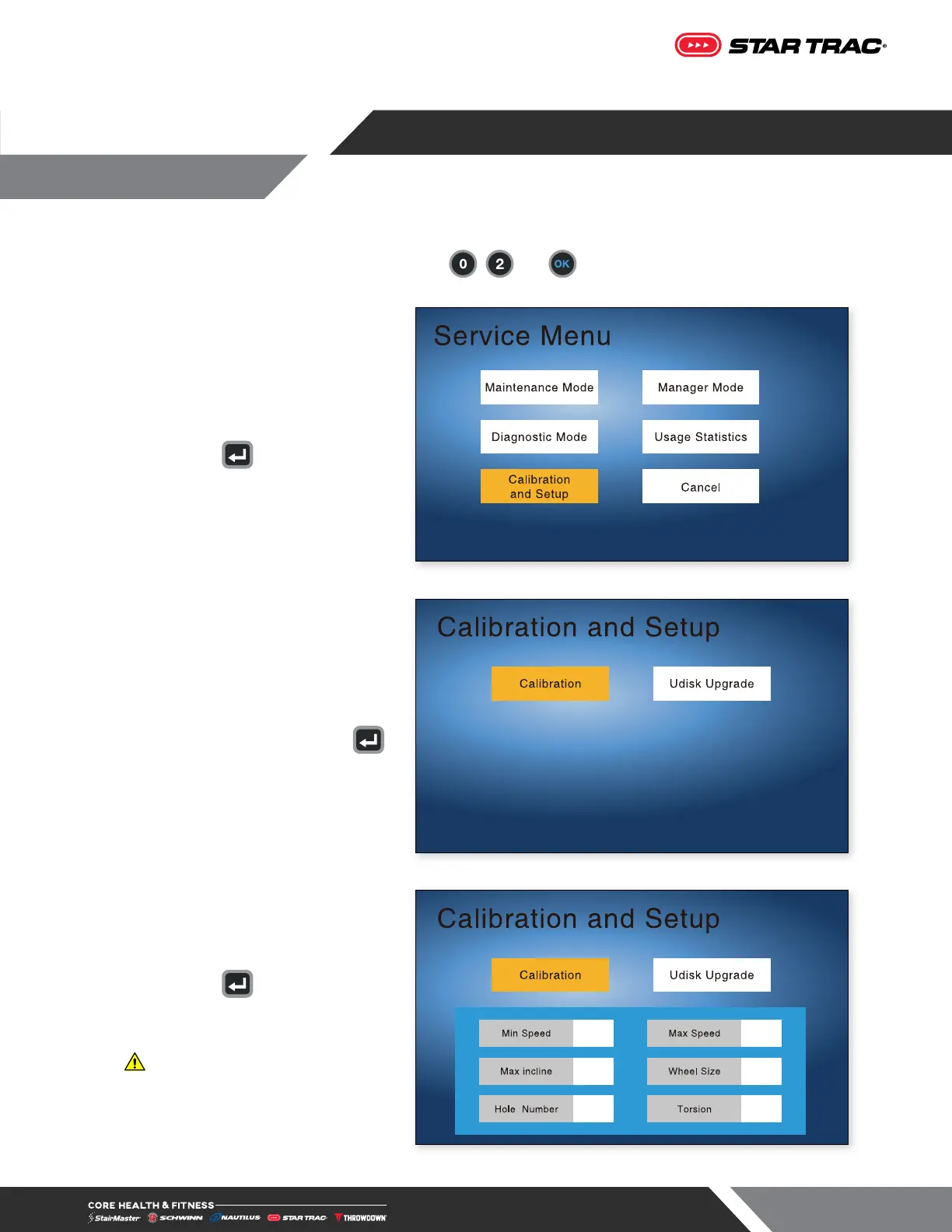
1. On the numeric keypad, press and hold the , and keys together. The Service Menu will
display.
2. Use direction buttons to navigate.
3. Press the button to enter
Calibration & Setup mode.
Fig. 29
4. Use the arrow keys to select
“Calibration”, then press the
button.
Fig. 30
5. Press the button again and the
treadmill will run both the elevation
and speed calibrations.
WARNING: Do not stand on
moving surface during calibration.
Fig. 31
CALIBRATION - 4TR LCD












 To Next Page