Page 31
CALIBRATION - 4TR 15” EMBEDDED
Speed Calibration Procedure
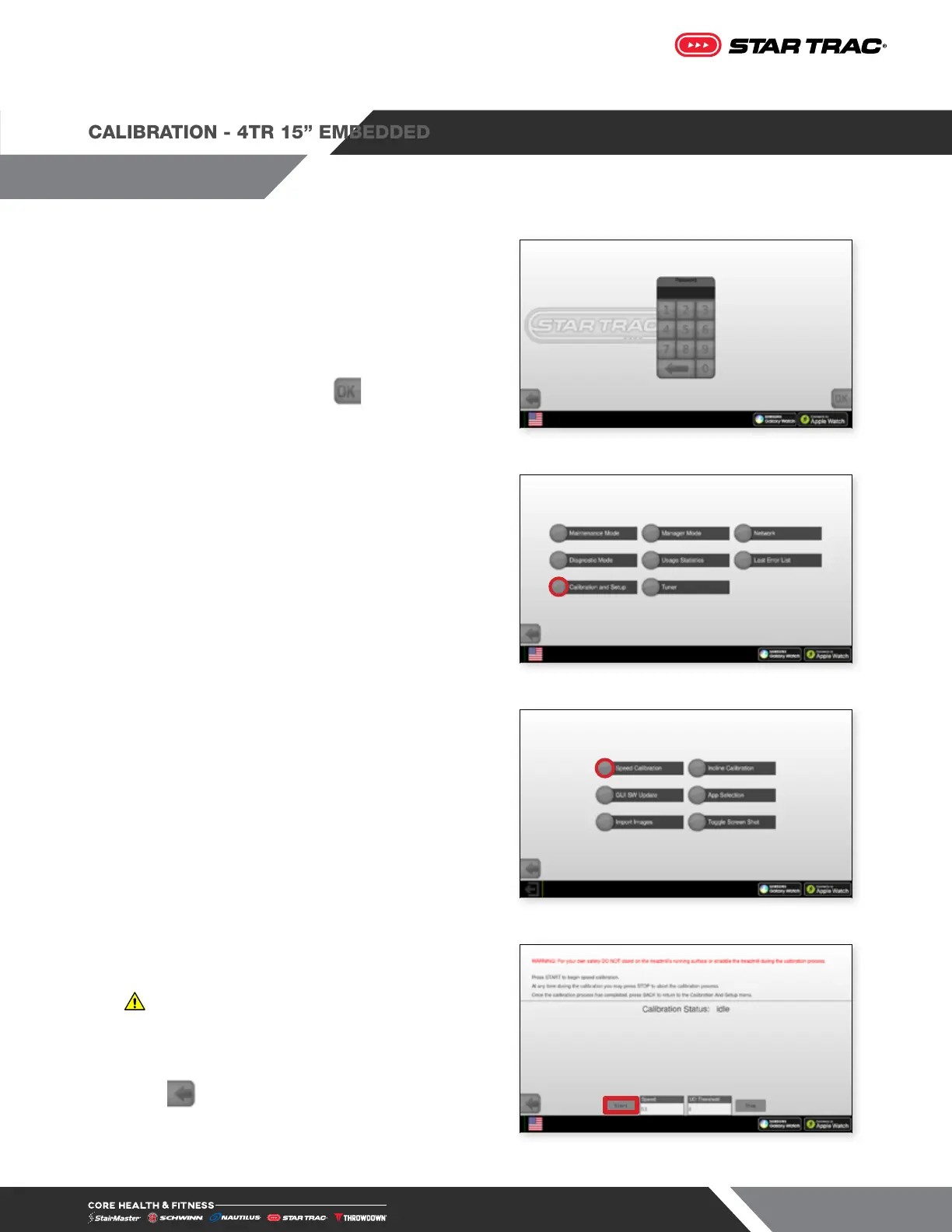
1. On the top of the touchscreen, tap the upper left
corner, then upper right, then upper left again.
Password Screen will display.
2. Enter password 214 then tap . Service Menu will
display.
Fig. 35
3. Tap Calibration and Setup
Fig. 36
4. Tap Speed Calibration on the Calibration and Setup
screen.
Fig. 37
5. Press START to begin the calibration.
WARNING: Do not stand on moving surface
during calibration.
6. After the Speed Calibration is completed, press EXIT;
The Calibration And Setup screen appears.
7. Press to exit and go back to the Home Screen.
8. The Speed Calibration has been completed.
Fig. 38












 To Next Page