Page 41
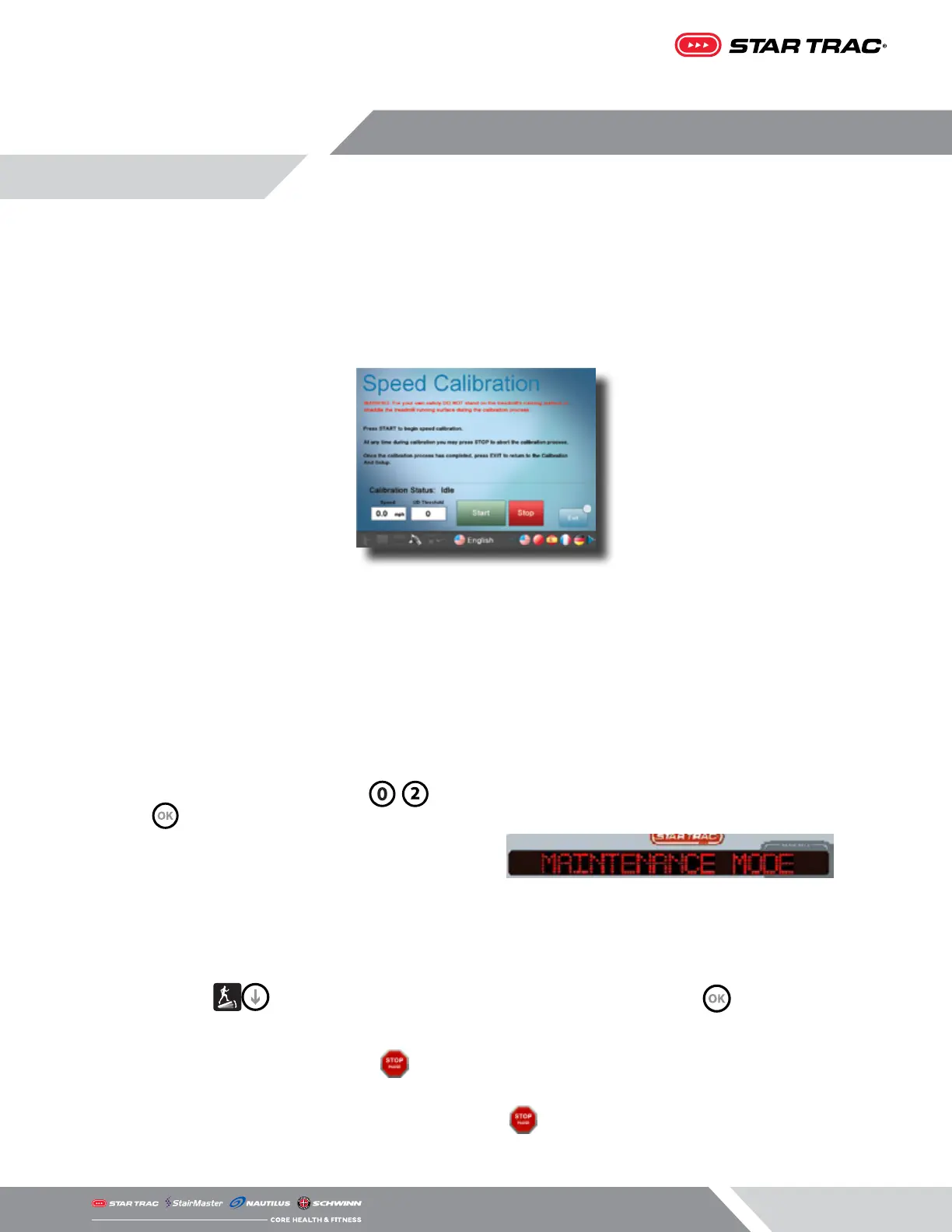
Embedded Screen Speed Calibration Procedure
Calibrates the speed of the treadmill:
1. While in Home Screen, press “VOL Up, CH/TRK Up, and 3” simultaneously.
2. Service Menu will now be displayed.
3. Select the Calibration and Setup sub-menu from the list
4. Enter the password 218 on the pop up window requesting a Password.
5. Select Speed Calibration on the Calibration and Setup screen.
6. Press START to begin the calibration.
7. After the Speed Calibration is completed, press EXIT; The Calibration And Setup screen appears.
8. Press Cancel to exit and go back to the Home Screen.
9. The Speed Calibration has been completed.
All LED/LCD Console Speed Calibration Procedure
1. From the idle screen (unit is powered on but not
in a program), press and hold the , and
keys together.
2. The word “MAINTENANCE” will temporarily show
in the marquee window, then go to the rst
setting.
3. Press the until the marquee window reads “SPEED CALIBRATION”, then press . Belt will start to
move.
4. When calibration is complete press twice to exit completely out of the Maintenance Mode.
5. To exit completely out of the Maintenance Mode, press twice.














 To Next Page