Call controls and features
Call controls and features
On this page:
n Icon glossary (p18)
n How to share your screen (p19)
n How to configure your screen layout (p19)
Icon glossary
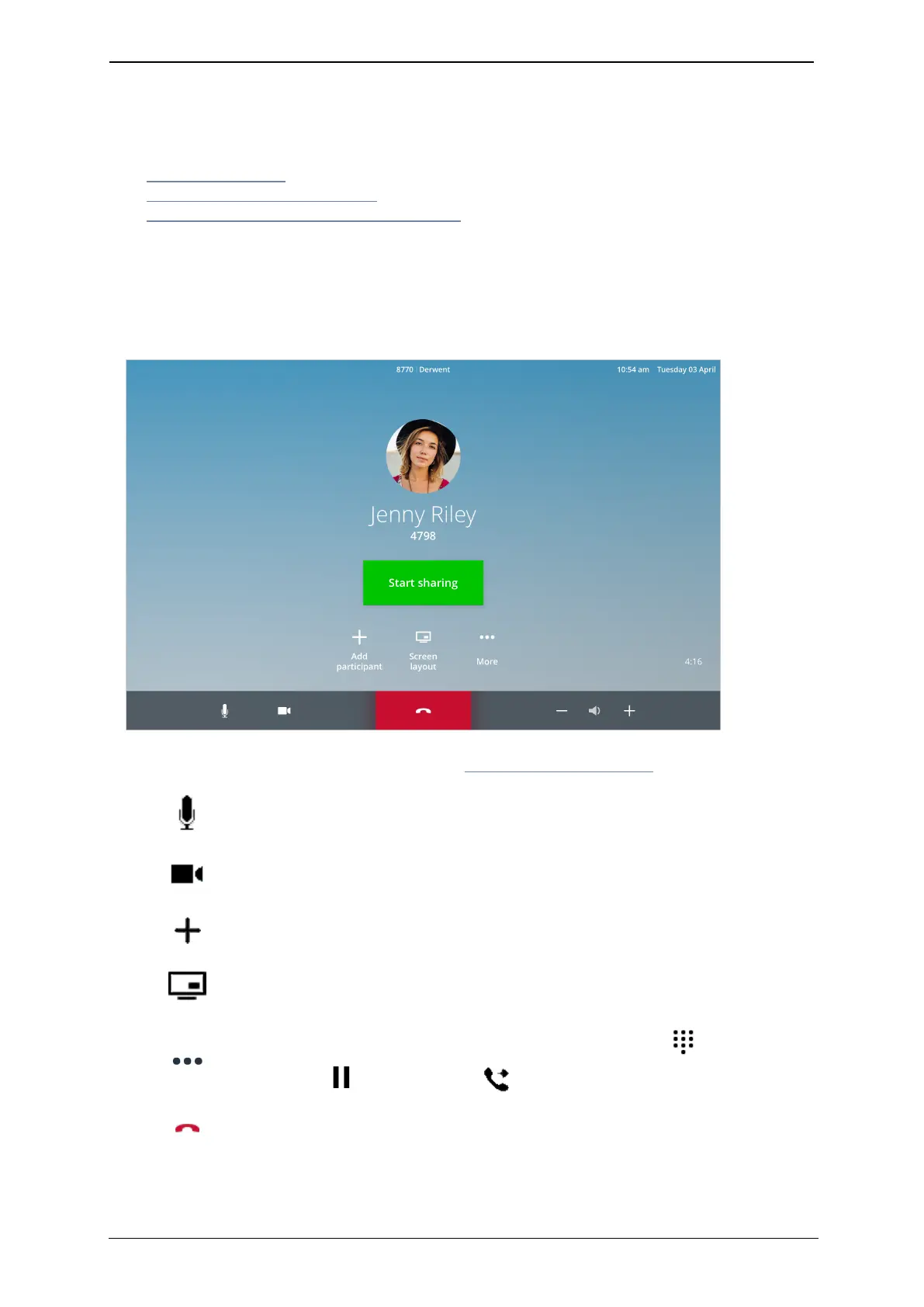
When you are in a one-to-one call, the touchscreen displays the following controls and
features:
For more information on content sharing, see How to share your screen.
Choose whether to have your microphone on mute or unmute before
or during a call
Customize your camera's point of view, and choose whether to have
your camera on or off before or during a call
Add a participant to your call. This will create an ad hoc meeting
Customize how you view the other participants in your meeting
Open the More menu to access a touch tone keypad , and the
hold call and transfer call controls
Hang up from the meeting
StarLeaf room system guide, 04 May 2020 Page 18 of 21



 To Next Page