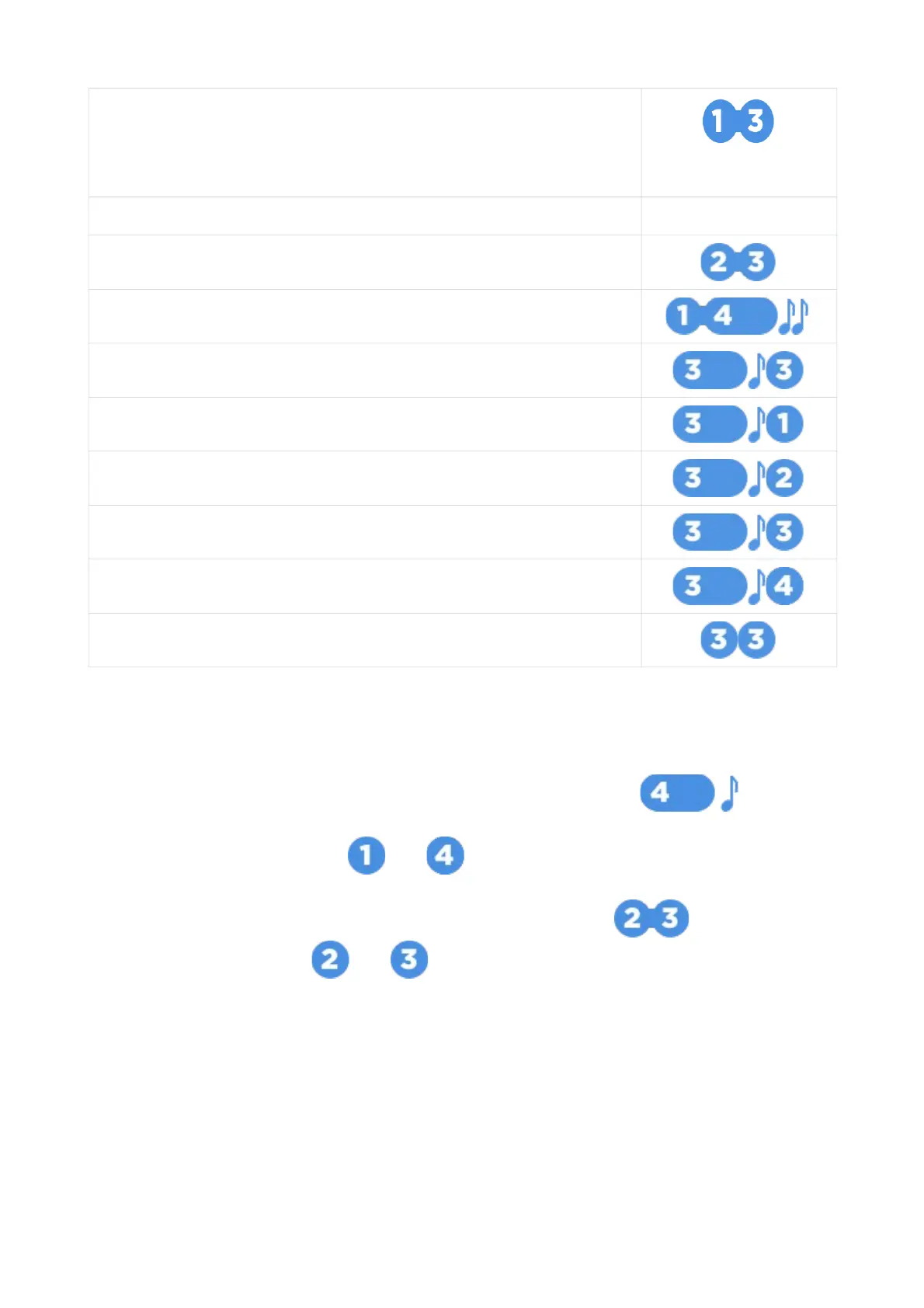
Enable / disable Service mode
or configuration
menu
Enable / disable Hands free mode configuration menu
Enable / disable buttons lock
Enable / disable Auto buttons lock
Enable vibration only
Enable sound profile 2
Enable sound profile 1
Enable sound profile 0
Enable sound profile --
Activate Flexible Logic program
Modes menu
Some options and operation modes are controlled in Modes menu: Hands Free mode,
Service mode, Autostart settings.
Modes menu is entered and exited with 4 button long push level 1:
Modes menu is automatically exited when no any buttons pushed 15 sec.
Modes submenu is flipped with and buttons short push forward and backward
accordingly.
Submenu options are selected with 2 and 3 buttons short push:
Parameters are tuned with and buttons short push up and down accordingly.
Long buttons pushing increases parameters tuning speed.
Listing menu points, changing settings and menu exit are confirmed with melody.
17



 To Next Page