12
Power on
Before powering on the system, double check
that the PAUSE switch is engaged.
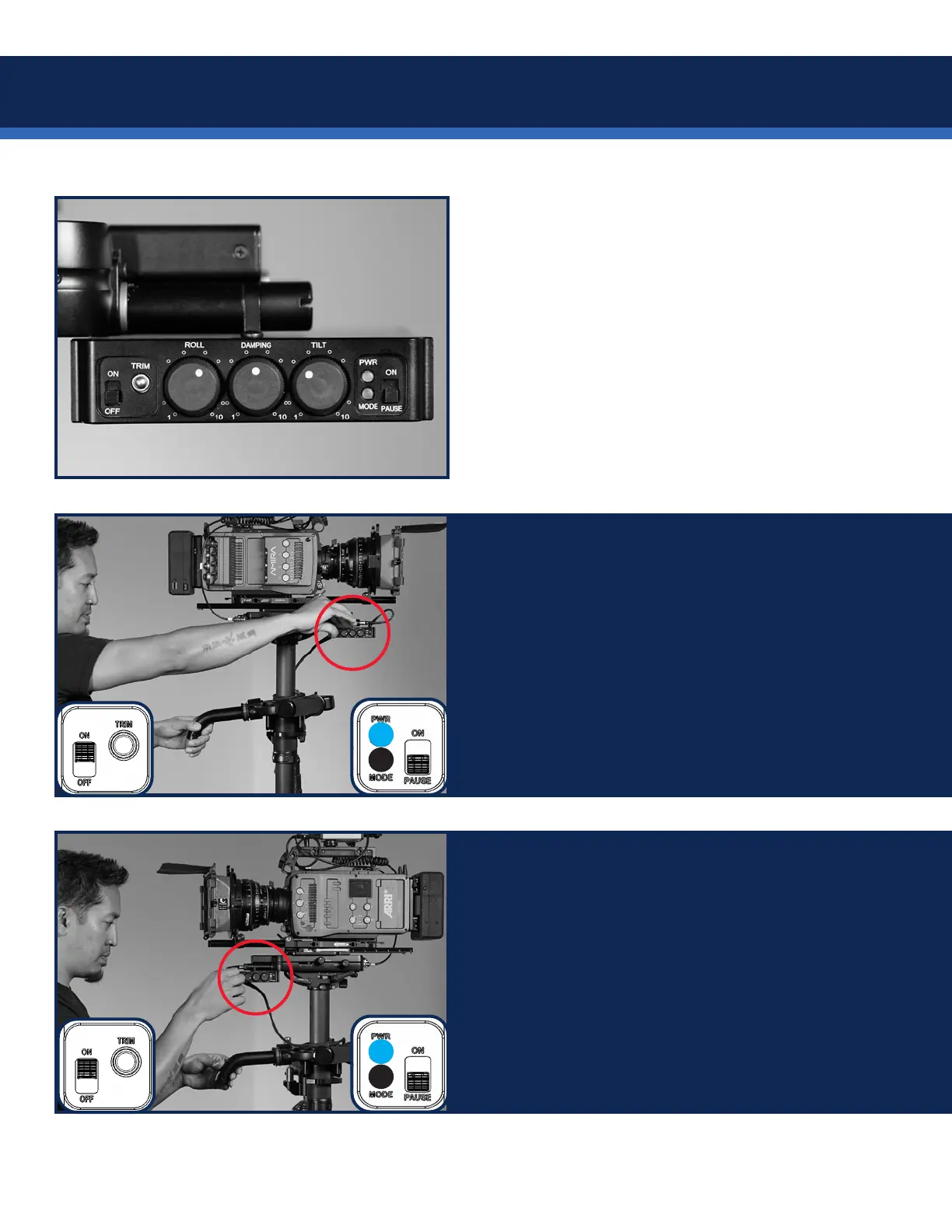
TIP: Consider using the Roll, Damping and Tilt
settings shown here as a starting point. More
suggestions on page 21.
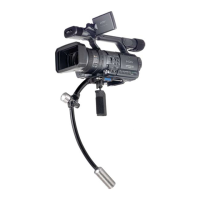
IF the control box is mounted for regular
operators (knobs on the RIGHT) align the
gimbal handle with the REAR of the post and
simultaneously power on the Volt. Wait 2.5sec
while the system registers the pan encoder
position.
The blue LEDs glow.
You’ll do this EVERY TIME you power on the Volt.
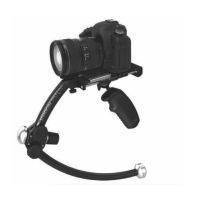
IF the control box is mounted for goofy operators
(knobs on the LEFT) align the gimbal handle
with the FRONT of the post and simultaneously
power on the Volt. Wait 2.5sec while the system
registers the pan encoder position.
The blue LEDs glow.
You’ll do this EVERY TIME you power on the Volt.


 To Next Page