16
OPERATING INSTRUCTIONS
CUSTOM LEARN 1 / CUSTOM LEARN 2
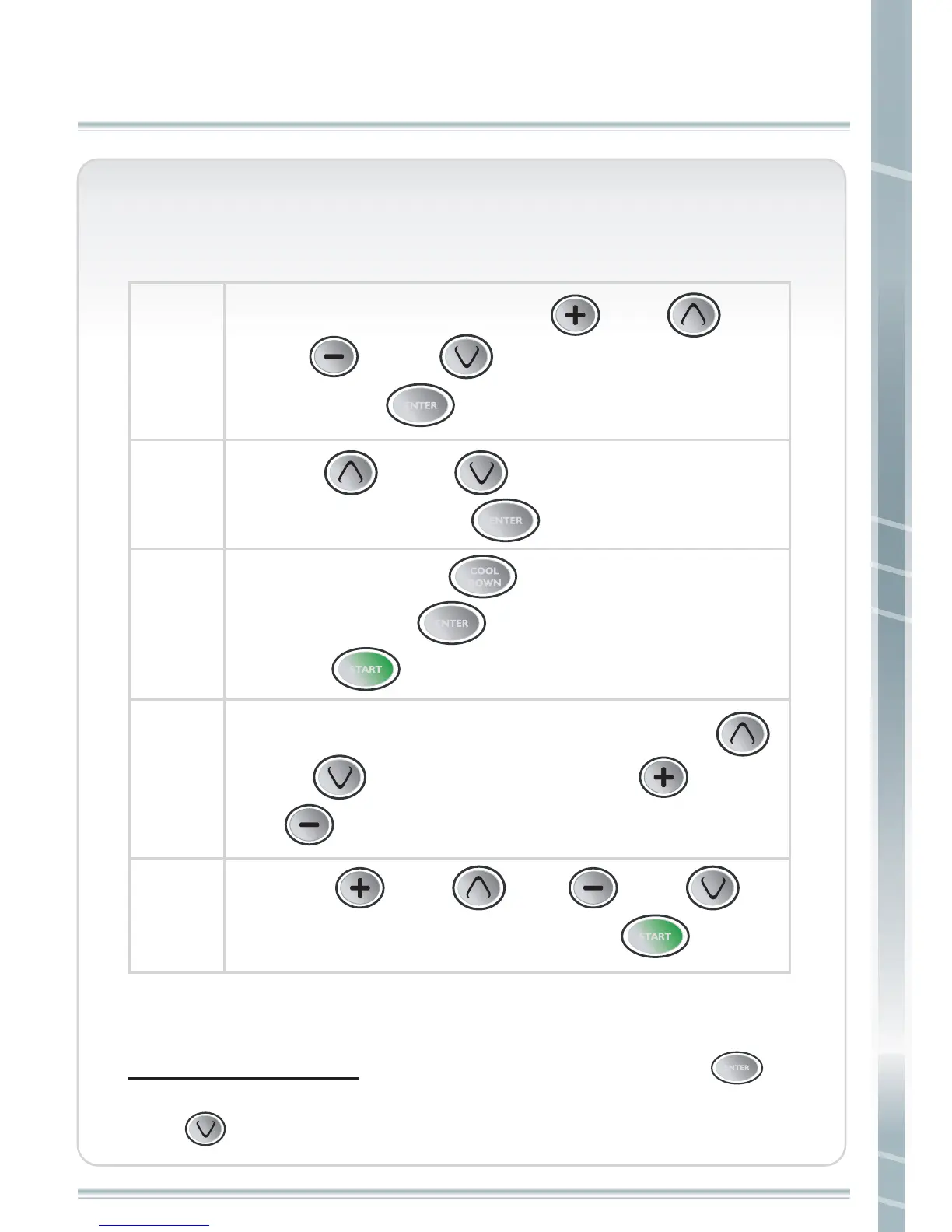
Center Display counts down 3 seconds, and then starts belt. During your workout, you
can change speed and incline using Quick Keys, corresponding arrow or “+” “-“ keys.
When Using Speed Quick keys, for any Increase in speed, user Must press “ ”
after selection before Speed will Increase.
Press “ ”, when asked in the scrolling display to enable elevation / incline.
step 1
Turn on the power and press “ ” 、 “ ”
、 “ ” or “ ” to set your weight,
then press “ ”. The default value is 176 LBS.
ENTER
step 2
Press“ ” or “ ” to select CUSTOM
program, then press “ ”.
ENTER
step 3
To Program, press “ ” after changing profile
segment, press “ ” and repeat. When complete
press “ ”, display will show Time of workout.
ENTER
ENTER
COOL
DOWN
START
step 4
Two custom programs can be memorized. Press “ ”
or “ ” to set incline level. Press “ ” or
“ ” to set speed.
step 5
START
Press “ ” 、 “ ”、 “ ” or “ ”
to set your exercise time, then press “ ”.
CUSTOM LEARN 1/CUTOM LEARN 2



 To Next Page