Software
UR-RT4 / UR-RT2 Operation Manual 21
REV-X
REV-X is a digital reverb platform developed by Yamaha
for pro audio applications.
One REV-X effect is included in this unit. Input signals can
be sent to the REV-X effect, and the REV-X effect is
applied only to the monitor outputs. Three types of REV-X
are available: Hall, Room, and Plate. The hardware REV-X
equipped with the device and REV-X of the VST Plug-in
version have essentially the same parameters. However,
the [OUTPUT] and [MIX] parameters are only available in
the VST Plug-in version.
When using REV-X on Cubase series programs, you can
share the settings between the built-in REV-X and REV-X
of the VST Plug-in version as a preset file. When using the
built-in REV-X on Cubase series programs, turn on the
[Direct Monitoring] setting in the program. Also, when
assigning REV-X of the VST Plug-in version to the effect
slot on Cubase series programs, select it from the
[Reverb] category (in the case of the default settings).
The built-in REV-X is equipped with an “FX Bus” which is
used for sending the signal from DAW software to REV-X.
For example, to send the recorded audio data to REV-X,
you can check the sound with REV-X, which is used for
monitoring during the recording.
Screenshot
How to Open the Window
From Dedicated Windows for Cubase Series
• Click “REV-X Edit” (page 17) in the section “Input
Settings Window.”
• Click “REV-X Edit” (page 17) in the section “Reverb
Routing Window.”
From dspMixFx UR-RT
Click “REV-X Edit” (page 13) in the section “Master Area.”
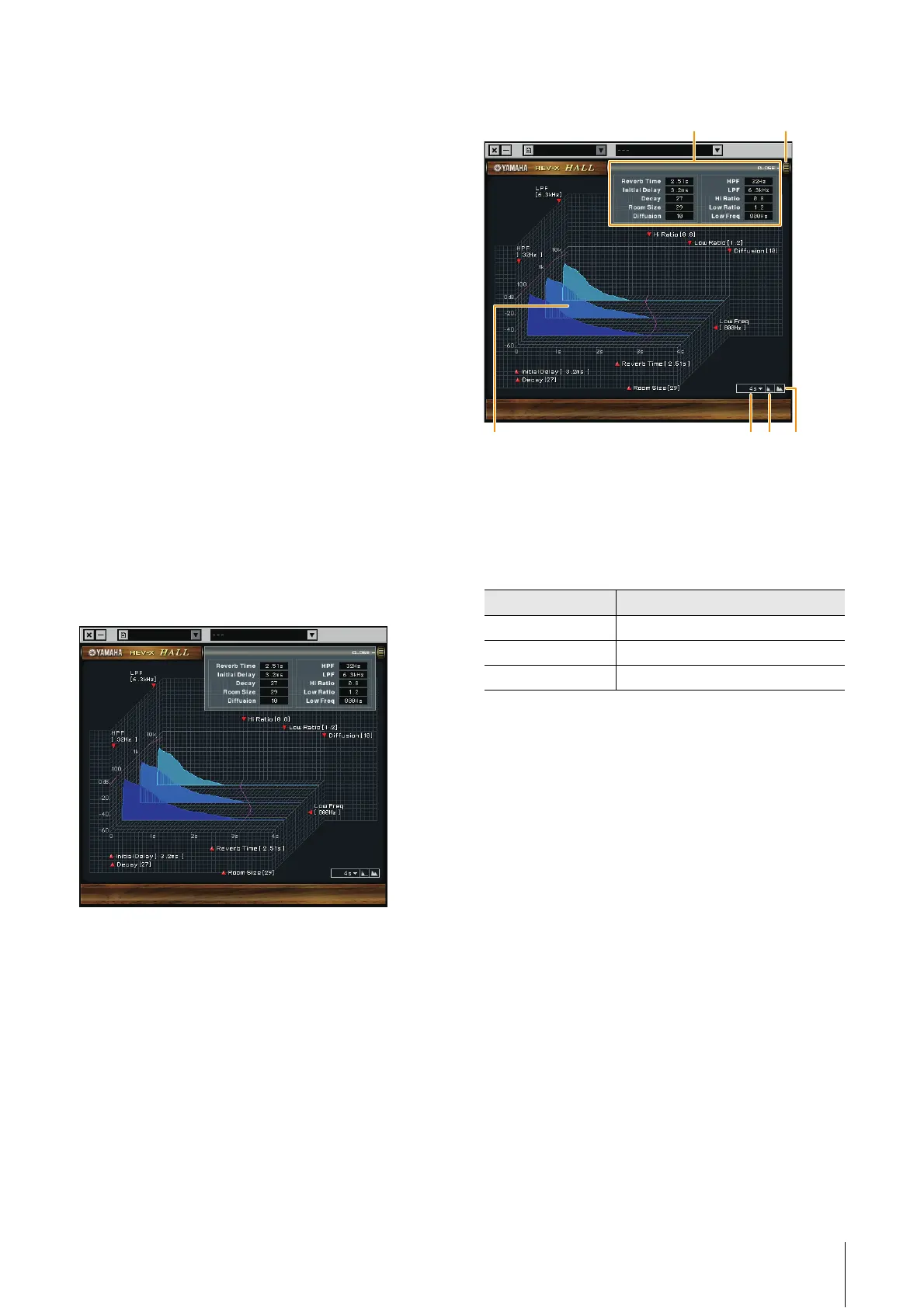
REV-X
This section uses the Hall type of REV-X as an example.
1 Reverb Time
Adjusts the reverb time.
This parameter links to Room Size. The adjustable range
varies depending on the REV-X type.
2 Initial Delay
Adjusts the time that elapses between the direct, original
sound and the initial reflections that follow it
Range: 0.1 msec − 200.0 msec
3 Decay
Adjusts the characteristic of the envelope from the
moment the reverberation starts to the moment it
attenuates and stops.
Range: 0 − 63
4 Room Size
Adjusts the size of the simulated room.
This parameter links to Reverb Time.
Range: 0 − 31
5 Diffusion
Adjusts the spread of the reverberation.
Range: 0 − 10
6 HPF
Adjusts the cutoff frequency of the high pass filter.
Range: 20 Hz − 8.0 kHz
REV-X type Range
Hall 0.103 sec − 31.0 sec
Room 0.152 sec − 45.3 sec
Plate 0.176 sec − 52.0 sec
−
@
# $ %



 To Next Page